アメブロスマートフォンのページデザインへ布石
アメブロのスマホページは、ブログの記事データにスマホ用のスキンを着せて表示します。 スマホ用のスキン選択は、スマートフォンのブログ設定画面上からしか出来ない仕様ですが、ChromeやFirefoxを使用している場合はそれぞれのスマホエミュレーション画面を使えば、PC上からもスキン選択が可能です。
もっとも、アメブロシステム上の問題か、エミュレーションの問題か、スキンサムネイルが一部しか表示されません。 サムネイルの無いものも選択可能ですが、スキンはほとんどがPCスキンの背景だけ流用したものの様です。
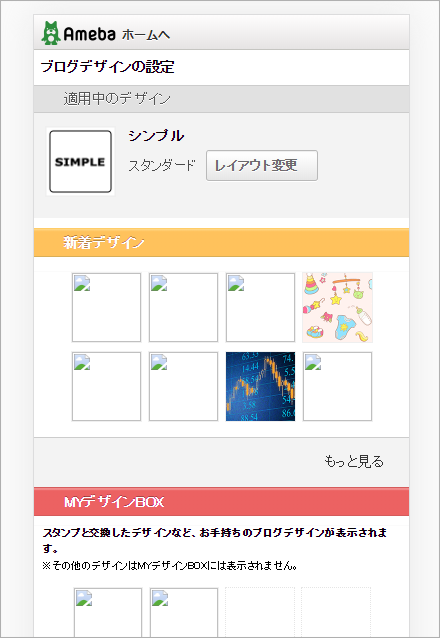
また、スキンはシンプルなもので、これはデータ量を節約している様です。 インラインであっても、その気になれば細かな事もデザイン出来ます。 しかし、余り通信ストレスになる様なデザインは考えものでしょう。 そういう意味で、見出し要素や囲み枠など「Elements Palette」に搭載したインライン指定程度のアレンジが妥当と思います。
ただ、今までスマホのフォント指定を「MS Pゴシック」のまま放置していたのは、手抜かりでした。 スマホのフォントをメイリオとするインライン指定を書き込むツールを、これから作る予定です。
〔追記〕
「gamp.」をURLの接頭語の様に付けた、例えばこのページなの場合なら
「https://gamp.ameblo.jp/personwritep/entry-12473545668.html」のURLでアクセスされる「AMP」ページ表示も、アメブロは対応しています。
「AMP」はスマホ高速表示する機能で、徹底した装飾排除をし、フォント指定も「sans-serif」しか指定しないので、フォントは各機種次第となります。 アメブロの場合、フォントが「MS Pゴシック」でなくなり、むしろ納得できる表示です。
●PCでの表示
●アメブロ専用アプリでの表示(スマホ1)
●アメブロ専用アプリを使わない一般ユーザーの表示(スマホ2)
●AMP経由での表示(スマホ3)
スマホエミュレーション画面で参照される画面(編集画面のスマホプレビューとほぼ同じ)は、上記の(スマホ2)になりますが、実際のどの程度のスマホユーザーが見るのでしょう。「AMP」対応のスマホ画面は、見出しは文字サイズが異なるだけで、PRE枠はスクロール出来ず(それがAMPの仕様です)、もはや私のブログにとっては参照価値の無い状態です。 これは、簡易表示で考えても仕方がありません。「AMP」で検索したページは、本ページ(スマホ2)を開く事が出来るので、それを期待しましょう。
この(スマホ2)のフォントのメイリオ化が必須と、やはり考えて良いでしょう。 現在は確認できないのですが、もしかしたらインライン指定は(スマホ1)にも有効かも知れませんから。
スマホスキンのメイリオ化のシナリオ
インライン書き込みの方法は簡単で、記事の冒頭に以下の<style>タグを書き込みます。 これはページのフォント指定を「メイリオ」優先とするものです。「メイリオ」が使えるスマホ機種ではメイリオで、メイリオが無いスマホ機種はそれぞれの日本語フォントが適用されます。
このインライン指定はPC用スキンのフォント設定よりも優先されます。 そのため、この設定をしたページ(ブログ記事のページだけです)はメイリオ優先になります。PC表示にデザイン変化がある場合は、そのレイアウトに注意して、問題があればその対策を講じる必要があります。 むしろ好ましいと思う場合が多いでしょうが。
更に、スマホ上でFont Awesomeを表示出来る様に「@import指定」を追加します。 これは同時に、@import指定が出来ない公式スキンのPCページでもFont Awesomeの表示を可能にします。
この<style>タグと同内容の指定が、すでに「CSS編集用デザインスキン」や「フリースペース」上にあり重複指定になる場合は問題ありません。
構図としては、この書き込みをしたページは、スマホで参照した場合もメイリオ優先になり、MS Pゴシックの呪縛から解放されます。 PC表示がPCスキンで既にメイリオ化している場合は、PC表示に変化はありません。
タグを記入するスクリプト
タグを記入する方法は、記事の保存時にこの<style>タグを自動記入するスクリプトが考えられます。「Tampermonkey」でそのスクリプトを有効にしておくだけで、いちいち手動実行する必要の無いスクリプトを作れば手間要らずです。 この動作仕様から、スクリプトは「Elements Palette」とは独立したものとなります。
また過去の記事に関しても、纏めて自動的に<style>タグを書き込むスクリプトを作れば、全記事のスマホ対応が可能になります。 この様なツールが上手く作れれば、文書の頭にある<style>タグの書き換えにも対応できるはずで、今後のメンテナンスも楽になるでしょう。 大量の記事を対象として処理するツールは見た事がありませんが、これは挑戦のしがいがありそうです。
タグの記入位置
実際に本文の先頭に、HTML編集でタグを書き込んで調べると、「通常表示」の編集画面からは<style>タグが削除出来なくなります。「実際のページ表示」や「通常表示」編集画面には、タグは表示される事は無く「無い」に等しい状態です。 これは誤って消す事がなく、とても都合が良い事です。 またHTMLをチェックする際も、文書の最初なら確実にチェックが出来ます。
もし文書の中間や文末等に置いた場合は、他の空白行と一緒に「通常表示」から削除が出来てしまいます。 この事を考えても、文書の先頭位置は確定です。

その他の問題
いままで「MS Pゴシック」を前提に「h2・h3要素」のpadding調整をして来ましたが、フォントが「メイリオ」になれば padding指定はPCスキンと同じが最適になります。「Elements Palette」 の自動記入コードはこれに合わせ修正します。 フォントのインライン指定をせず「MS Pゴシック」のままでも、そう問題の無い設定です。
「Elements Palette」は、このコードの部分を書換えました。
「Elements Palette」ver. 2.0
「Elements Palette」をブラウザ拡張機能「Tampermonkey」に登録すれば、アメブロ編集画面に以下の編集ツールを追加できます。 スクリプトは Chrome 及び Firefox の「Tampermonkey」で動作を確認しています。
ツールを起動する「Elements Palette」のショートカットキーの設定は以下の様にしていますが、ユーザーの使用条件に合わせて変更できます。
「Pause」→「F1」: 「Font Awesome」のリンクアイコン自動記入
「Pause」→「F2」: デザインされた「h2タグ」の自動記入
「Pause」→「F3」: デザインされた「h3タグ」の自動記入
「Pause」→「F4」: 装飾線のインライン指定の自動記入
「Pause」→「F5」: ( F5 はショートカット無効が推奨)
「Pause」→「F6」: 「囲み枠」の自動記入
「Pause」→「F7」: コード掲載用「pre」枠の自動記入
「Pause」→「F8」: コード掲載用「pre」枠(縦スクロールタイプ)自動記入
「Pause」→「F9」: 文書末尾に空白行を自動記入
「Pause」→「F10」: リブログカードを縮小アレンジするツール
「Pause」→「F11」: 選択範囲の「カギ括弧」を詰めるツール
▪「Font Awesome」の表示は、ブログページに「@import」指定が必要です。
▪「Pause + 他のキー」の設定で、ツールのバリエーション等を追加出来ます。
▪ 各ツールのコードの先頭に、それぞれのデザイン要点を纏めています。 その部分を書き換えることで、ツールの配色・サイズ等の内容を変更できます。
▪ 各ツールは記事本文フォントがメイリオである事を前提にデザインされています。 使用フォントが異なり、表示要素のpadding値などの細かなレイアウトを修正したい場合は、各コードの先頭部分を修正してください。
〔 Elements Palette 〕 ver. 2.0
// ==UserScript==
// @name         Elements Palette
// @namespace    http://tampermonkey.net/
// @version      2.0
// @description  編集枠に各種要素を自動記入するツール
// @author       Ameba Blog User
// @match        https://blog.ameba.jp/ucs/entry/srventry*
// @grant        none
// ==/UserScript==

window.addEventListener('load', function(){
    'use strict';

var target=document.getElementById('cke_1_contents'); // 監視 target
var monitor=new MutationObserver(catch_key);
monitor.observe(target, {childList: true}); // ショートカット待受け開始

catch_key();


function catch_key(){
var editor_iframe=document.querySelector('.cke_wysiwyg_frame');
var iframe_doc=editor_iframe.contentWindow.document;

iframe_doc.addEventListener("keydown", check_key);
var gate;
function check_key(event){
    var send=-1;

    if(event.which==19 || event.keyCode==19){ gate=1; }

    if(event.which==112 || event.keyCode==112){
        if(gate==1){ event.preventDefault(); send=112; }}
    if(event.which==113 || event.keyCode==113){
        if(gate==1){ event.preventDefault(); send=113; }}
    if(event.which==114 || event.keyCode==114){
        if(gate==1){ event.preventDefault(); send=114; }}
    if(event.which==115 || event.keyCode==115){
        if(gate==1){ event.preventDefault(); send=115; }}
    if(event.which==116 || event.keyCode==116){
        if(gate==1){ event.preventDefault(); send=116; }}
    if(event.which==117 || event.keyCode==117){
        if(gate==1){ event.preventDefault(); send=117; }}
    if(event.which==118 || event.keyCode==118){
        if(gate==1){ event.preventDefault(); send=118; }}
    if(event.which==119 || event.keyCode==119) {
        if(gate==1){ event.preventDefault(); send=119; }}
    if(event.which==120 || event.keyCode==120){
        if(gate==1){ event.preventDefault(); send=120; }}
    if(event.which==121 || event.keyCode==121){
        if(gate==1){ event.preventDefault(); send=121; }}
    if(event.which==122 || event.keyCode==122){
        if(gate==1){ event.preventDefault(); send=122; }}

    if(event.which !=19 || event.keyCode !=19){ gate=-1; }
    if(send !=-1){
        event.stopImmediatePropagation();
        set_mark(send); }

} // check_key
} // catch_key


function set_mark(sender){

    let editor_iframe;
    let iframe_doc;
    let selection;
    let range;
    let ac_node;
    let insert_node;


if(sender==112){ // F1    Font Awesomeアイコンの自動記入
    let insert_node_z;

    editor_iframe=document.querySelector('.cke_wysiwyg_frame');
    iframe_doc=editor_iframe.contentWindow.document;
    selection=iframe_doc.getSelection();
    range=selection.getRangeAt(0);
    insert_node=iframe_doc.createElement("i");
    insert_node.appendChild(iframe_doc.createTextNode("\u00A0"));
    insert_node.setAttribute("class", "fas fa-external-link-alt fa-sm");
    insert_node.setAttribute("style", "margin-left: .5em");
    range.insertNode(insert_node);

    insert_node_z=iframe_doc.createTextNode("\u200B");
    insert_node.parentNode.insertBefore(insert_node_z, insert_node.nextSibling);
    range.setEnd(insert_node_z.nextSibling, 0);
    range.collapse(); // フォーカスを失わないでrangeを閉じる
 }


if(sender==113){ // F2    h2 見出しの自動記入
    let style_text="background: #b0e0e6; padding: .32em 1em .2em"; // h2のデザイン
    let font_size="font-size: 1em"; // h2のフォントサイズ
    let insert_node_h;

    editor_iframe=document.querySelector('.cke_wysiwyg_frame');
    iframe_doc=editor_iframe.contentWindow.document;
    selection=iframe_doc.getSelection();
    range=selection.getRangeAt(0);
    ac_node=selection.anchorNode;

    insert_node_h=iframe_doc.createElement("h2");
    insert_node_h.setAttribute("style", font_size);
    insert_node_h.appendChild(iframe_doc.createElement("span"));
    insert_node_h.lastChild.setAttribute("style", style_text);
    insert_node_h.lastChild.appendChild(iframe_doc.createTextNode("\u200B"));

    if(ac_node.nodeType==3 &&
        ac_node.parentNode.tagName=="P" && ac_node.parentNode.parentNode.tagName=="BODY"){
        ac_node.parentNode.parentNode.insertBefore(insert_node_h, ac_node.parentNode);
        h_before_after();
    } // h要素生成の条件 通常のP要素のテキストノードから作成

    if(ac_node.tagName=="P" &&
        ac_node.firstChild.tagName=="BR" && ac_node.parentNode.tagName=="BODY"){
        ac_node.parentNode.insertBefore(insert_node_h, ac_node);
        h_before_after();
    } // h要素生成の条件 空白行から作成

    if(insert_node_h.nextElementSibling==insert_node_h.parentNode.lastChild){
       insert_node_h.insertAdjacentHTML('afterend', '<p>\u00A0</p>');
       iframe_doc.querySelector('html').scrollTop=iframe_doc.querySelector('html').scrollHeight;} // 文末処理

    function h_before_after(){
        if(insert_node_h.previousElementSibling !=null &&
            insert_node_h.previousElementSibling.firstChild.tagName !="BR"){
            insert_node_h.insertAdjacentHTML('beforebegin', '<p>\u00A0</p>');}
        if(insert_node_h.nextElementSibling.firstChild.tagName !="BR"){
            insert_node_h.insertAdjacentHTML('afterend', '<p>\u00A0</p>');}
        range.setEnd(insert_node_h.lastChild, 0);} // 生成したh要素の前後の空白行処理
}


if(sender==114){ // F3    h3 見出しの自動記入
    let style_text="background: #ddd; padding: .32em 1em .2em"; // h3のデザイン
    let font_size="font-size: 1em"; // h3のフォントサイズ
    let insert_node_h;

    editor_iframe=document.querySelector('.cke_wysiwyg_frame');
    iframe_doc=editor_iframe.contentWindow.document;
    selection=iframe_doc.getSelection();
    range=selection.getRangeAt(0);
    ac_node=selection.anchorNode;

    insert_node_h=iframe_doc.createElement("h3");
    insert_node_h.setAttribute("style", font_size);
    insert_node_h.appendChild(iframe_doc.createElement("span"));
    insert_node_h.lastChild.setAttribute("style", style_text);
    insert_node_h.lastChild.appendChild(iframe_doc.createTextNode("\u200B"));

    if(ac_node.nodeType==3 &&
        ac_node.parentNode.tagName=="P" && ac_node.parentNode.parentNode.tagName=="BODY"){
        ac_node.parentNode.parentNode.insertBefore(insert_node_h, ac_node.parentNode);
        h_before_after();
    } // h要素生成の条件 通常のP要素のテキストノードから作成

    if(ac_node.tagName=="P" &&
        ac_node.firstChild.tagName=="BR" && ac_node.parentNode.tagName=="BODY"){
        ac_node.parentNode.insertBefore(insert_node_h, ac_node);
        h_before_after();
    } // h要素生成の条件 空白行から作成

    if(insert_node_h.nextElementSibling==insert_node_h.parentNode.lastChild){
       insert_node_h.insertAdjacentHTML('afterend', '<p>\u00A0</p>');
       iframe_doc.querySelector('html').scrollTop=iframe_doc.querySelector('html').scrollHeight;} // 文末処理

    function h_before_after(){
        if(insert_node_h.previousElementSibling !=null &&
            insert_node_h.previousElementSibling.firstChild.tagName !="BR"){
            insert_node_h.insertAdjacentHTML('beforebegin', '<p>\u00A0</p>');}
        if(insert_node_h.nextElementSibling.firstChild.tagName !="BR"){
            insert_node_h.insertAdjacentHTML('afterend', '<p>\u00A0</p>');}
        range.setEnd(insert_node_h.lastChild, 0);} // 生成したh要素の前後の空白行処理
}


if(sender==115){ // F4    修飾線の自動記入
    // 文字アンダーライン・マーカー線のデザイン
    let style_text="linear-gradient(transparent 1.22em, #27d 0, #27d calc(1.22em + 1px), transparent 0)";

    editor_iframe=document.querySelector('.cke_wysiwyg_frame');
    iframe_doc=editor_iframe.contentWindow.document;
    selection=iframe_doc.getSelection();
    range=selection.getRangeAt(0);

    insert_node=document.createElement('span');
    insert_node.style.background=style_text;
    range.surroundContents(insert_node);
}


if(sender==116){ // F5
    alert("【 F5 】 はショートカット無効です \n⛔ページリロードに注意してください"); }


if(sender==117){ // F6    囲み枠の自動生成
    // 囲み枠のデザイン
    let style_text="background: #f2faf8; border: 1px solid #aaa; border-radius: 4px; padding: .62em 2em .5em; \
        max-width: 660px; position: relative";
    let insert_node_d;

    editor_iframe=document.querySelector('.cke_wysiwyg_frame');
    iframe_doc=editor_iframe.contentWindow.document;
    selection=iframe_doc.getSelection();
    range=selection.getRangeAt(0);
    ac_node=selection.anchorNode;

    insert_node_d=iframe_doc.createElement("div");
    insert_node_d.setAttribute("style", style_text);
    insert_node_d.appendChild(iframe_doc.createElement("br"));

    if(ac_node.nodeType==3 &&
        ac_node.parentNode.tagName=="P" && ac_node.parentNode.parentNode.tagName=="BODY"){
        ac_node.parentNode.parentNode.insertBefore(insert_node_d, ac_node.parentNode.nextSibling);
        d_before_after();
    } // d要素生成の条件 通常のP要素のテキストノードから作成

    if(ac_node.tagName=="P" &&
        ac_node.firstChild.tagName=="BR" && ac_node.parentNode.tagName=="BODY"){
        ac_node.parentNode.insertBefore(insert_node_d, ac_node);
        d_before_after();
    } // d要素生成の条件 空白行から作成

    if(insert_node_d.nextElementSibling==insert_node_d.parentNode.lastChild){
       insert_node_d.insertAdjacentHTML('afterend', '<p>\u00A0</p>');
       iframe_doc.querySelector('html').scrollTop=iframe_doc.querySelector('html').scrollHeight;} // 文末処理

    function d_before_after(){
        if(insert_node_d==insert_node_d.parentNode.firstChild ||
            insert_node_d.previousElementSibling.firstChild.tagName !="BR"){
            insert_node_d.insertAdjacentHTML('beforebegin', '<p>\u00A0</p>');}
        if(insert_node_d.nextElementSibling !=null &&
            insert_node_d.nextElementSibling.firstChild.tagName !="BR"){
            insert_node_d.insertAdjacentHTML('afterend', '<p>\u00A0</p>');}
        range.setEnd(insert_node_d, 0);
        range.collapse();} // 生成したd要素の前後の空白行処理
}


if(sender==118){ // F7    PRE枠の自動生成
    // PRE枠のデザイン 縦スクロールしないタイプ
    let style_text="background: #fafafa; border: 1px solid #aaa; overflow-y: hidden; padding: 0 30px; \
        max-width: 660px";
    let insert_node_d;

    editor_iframe=document.querySelector('.cke_wysiwyg_frame');
    iframe_doc=editor_iframe.contentWindow.document;
    selection=iframe_doc.getSelection();
    range=selection.getRangeAt(0);
    ac_node=selection.anchorNode;

    insert_node_d=iframe_doc.createElement("div");
    insert_node_d.setAttribute("style", style_text);
    insert_node_d.appendChild(iframe_doc.createElement("pre"));
    insert_node_d.lastChild.setAttribute("style", "white-space:pre");
    insert_node_d.lastChild.appendChild(iframe_doc.createElement("br"));

    if(ac_node.nodeType==3 &&
        ac_node.parentNode.tagName=="P" && ac_node.parentNode.parentNode.tagName=="BODY"){
        ac_node.parentNode.parentNode.insertBefore(insert_node_d, ac_node.parentNode.nextSibling);
        d_before_after();
    } // d要素生成の条件 通常のP要素のテキストノードから作成

    if(ac_node.tagName=="P" &&
        ac_node.firstChild.tagName=="BR" && ac_node.parentNode.tagName=="BODY"){
        ac_node.parentNode.insertBefore(insert_node_d, ac_node);
        d_before_after();
    } // d要素生成の条件 空白行から作成

    if(insert_node_d.nextElementSibling==insert_node_d.parentNode.lastChild){
       insert_node_d.insertAdjacentHTML('afterend', '<p>\u00A0</p>');
       iframe_doc.querySelector('html').scrollTop=iframe_doc.querySelector('html').scrollHeight;} // 文末処理

    function d_before_after(){
        if(insert_node_d==insert_node_d.parentNode.firstChild ||
            insert_node_d.previousElementSibling.firstChild.tagName !="BR"){
            insert_node_d.insertAdjacentHTML('beforebegin', '<p>\u00A0</p>');}
        if(insert_node_d.nextElementSibling !=null &&
            insert_node_d.nextElementSibling.firstChild.tagName !="BR"){
            insert_node_d.insertAdjacentHTML('afterend', '<p>\u00A0</p>');}
        range.setEnd(insert_node_d.lastChild, 0);
        range.collapse();} // 生成したd要素の前後の空白行処理
}


if(sender==119){ // F8    PRE枠の自動生成
    // PRE枠のデザイン 縦スクロールするタイプ
    let style_text="background: #fafafa; border: 1px solid #aaa; overflow: auto; height: 50vh; padding: 0 30px; \
        max-width: 660px";
    let insert_node_d;

    editor_iframe=document.querySelector('.cke_wysiwyg_frame');
    iframe_doc=editor_iframe.contentWindow.document;
    selection=iframe_doc.getSelection();
    range=selection.getRangeAt(0);
    ac_node=selection.anchorNode;

    insert_node_d=iframe_doc.createElement("div");
    insert_node_d.setAttribute("style", style_text);
    insert_node_d.appendChild(iframe_doc.createElement("pre"));
    insert_node_d.lastChild.setAttribute("style", "white-space:pre");
    insert_node_d.lastChild.appendChild(iframe_doc.createElement("br"));

    if(ac_node.nodeType==3 &&
        ac_node.parentNode.tagName=="P" && ac_node.parentNode.parentNode.tagName=="BODY"){
        ac_node.parentNode.parentNode.insertBefore(insert_node_d, ac_node.parentNode.nextSibling);
        d_before_after();
    } // d要素生成の条件 通常のP要素のテキストノードから作成

    if(ac_node.tagName=="P" &&
        ac_node.firstChild.tagName=="BR" && ac_node.parentNode.tagName=="BODY"){
        ac_node.parentNode.insertBefore(insert_node_d, ac_node);
        d_before_after();
    } // d要素生成の条件 空白行から作成

    if(insert_node_d.nextElementSibling==insert_node_d.parentNode.lastChild){
       insert_node_d.insertAdjacentHTML('afterend', '<p>\u00A0</p>');
       iframe_doc.querySelector('html').scrollTop=iframe_doc.querySelector('html').scrollHeight;} // 文末処理

    function d_before_after(){
        if(insert_node_d==insert_node_d.parentNode.firstChild ||
            insert_node_d.previousElementSibling.firstChild.tagName !="BR"){
            insert_node_d.insertAdjacentHTML('beforebegin', '<p>\u00A0</p>');}
        if(insert_node_d.nextElementSibling !=null &&
            insert_node_d.nextElementSibling.firstChild.tagName !="BR"){
            insert_node_d.insertAdjacentHTML('afterend', '<p>\u00A0</p>');}
        range.setEnd(insert_node_d.lastChild, 0);
        range.collapse();} // 生成したd要素の前後の空白行処理
}


if(sender==120){ // F9    文書末尾に空白行を追加
    let iframe_body;

    editor_iframe=document.querySelector('.cke_wysiwyg_frame');
    iframe_doc=editor_iframe.contentWindow.document;
    iframe_body=iframe_doc.querySelector('body.cke_editable');
    selection=iframe_doc.getSelection();
    range=selection.getRangeAt(0);

    if(iframe_body.lastChild.tagName !="P"){
        add_nextline();
        add_nextline(); }

    else if(iframe_body.lastChild.tagName=="P"){
        if(iframe_body.lastChild.style.textAlign=="center" || iframe_body.lastChild.style.textAlign=="right"){
            add_nextline();
            add_nextline(); }}

    range.setEnd(insert_node.lastChild, 0); // 追加した空白行にrange終点を移動
    range.collapse(); // rangeを始点で閉じる
    iframe_doc.querySelector('html').scrollTop=iframe_doc.querySelector('html').scrollHeight;

    function add_nextline(){
        insert_node=iframe_doc.createElement("p");
        insert_node.appendChild(iframe_doc.createTextNode("\u00A0"));
        iframe_body.appendChild(insert_node); }
}


if(sender==121){ // F10    リブログカードをデザイン
    // リブログカードのデザイン
    let style_dtext="max-width: 500px; height: 140px; margin: 0 auto; border: 1px solid #009688; \
        border-radius: 4px; overflow: hidden; transition: .5s";
    let style_itext="max-width: unset; width: calc(100% + 30px); margin: -45px -15px 0; background: #f0f7fb";
    let iframe_body;
    let insert_node_d;
    let rebrog;

    editor_iframe=document.querySelector('.cke_wysiwyg_frame');
    iframe_doc=editor_iframe.contentWindow.document;
    iframe_body=iframe_doc.querySelector('body.cke_editable');
    rebrog=iframe_doc.querySelector('.reblogCard');
    insert_node_d=iframe_doc.createElement("div");

    if(rebrog.parentNode.tagName=="P"){
        iframe_body.insertBefore(insert_node_d, rebrog.parentNode);
        insert_node_d.appendChild(rebrog); }

    if(rebrog.parentNode.tagName=="DIV"){
        rebrog.parentNode.setAttribute("style", style_dtext);
        rebrog.parentNode.setAttribute("class", "rlink");
        rebrog.setAttribute("style", style_itext); }

    if(rebrog.parentNode.previousElementSibling==null){ //ページ最上部なら上に余白行追加
        insert_node_d.insertAdjacentHTML('beforebegin', '<p>\u00A0</p><p>\u00A0</p>');}

    if(rebrog.parentNode.nextElementSibling==insert_node_d.parentNode.lastChild){
       insert_node_d.insertAdjacentHTML('afterend', '<p>\u00A0</p>');} //文末処理
}


if(sender==122){ // F11    選択範囲のカギ括弧を詰める
    // カギ括弧の詰め幅の設定
    let style_l='<span style="display: inline-block; width: .7em; text-indent: -.3em; overflow: hidden; \
        vertical-align: bottom">';
    let style_r='<span style="display: inline-block; width: .7em; overflow: hidden; vertical-align: bottom">';

/*
    let style_l='<span style="font-family: Meiryo UI">';
    let style_r='<span style="font-family: Meiryo UI">';
*/

    editor_iframe=document.querySelector('.cke_wysiwyg_frame');
    iframe_doc=editor_iframe.contentWindow.document;
    selection=iframe_doc.getSelection();
    range=selection.getRangeAt(0);

    let s_node=document.createElement('span');
    s_node.textContent=range.toString();
    let s_text=s_node.textContent;

    if(s_text.match( /[「」]/ ) !=null && selection.anchorNode==selection.focusNode){
        range.surroundContents(s_node);
        s_node.innerHTML=s_text.replace(/「/g, style_l + '$&</span>').replace(/」/g, style_r + '$&</span>');}
}


} // set_mark

})
「Elements Palette ⭐」最新版について
旧いバージョンの JavaScriptツールは、アメーバのページ構成の変更で動作しない場合があり、導入する場合は最新バージョンをお勧めします。
●「Elements Palette ⭐」の最新バージョンへのリンクは、以下のページのリンクリストから探せます。