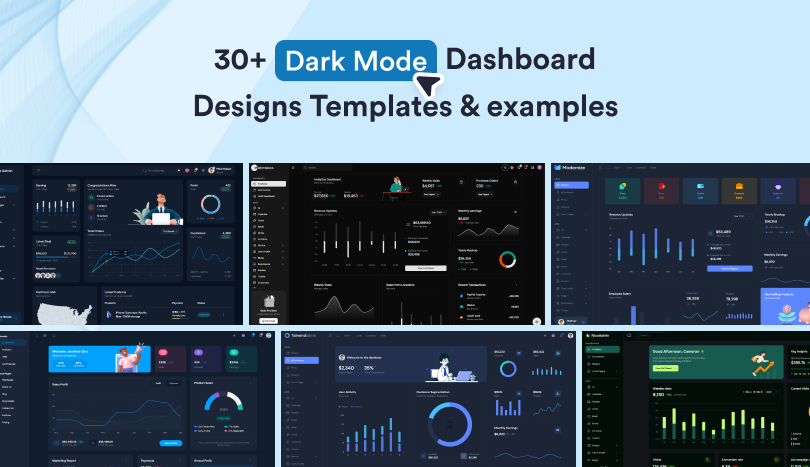
Dark mode has become a standard feature in modern dashboards, admin panels, and SaaS applications. From analytics platforms and CRM to finance tools and internal business software, dark interfaces help users focus on data while creating a clean and modern experience.
But building a good dark mode dashboard is more than simply changing a white background to black. The best designs carefully balance color contrast, typography, spacing, and visual hierarchy to keep charts, tables, and important metrics easy to read.
In this collection, we’ve gathered some of the best dark mode dashboard designs built with React, Next.js, Angular, Vue, Bootstrap, Tailwind CSS, shadcn/ui, and other popular frontend technologies. Whether you’re looking for design inspiration, a starter template, or a complete admin dashboard for your next project, you’ll find a variety of options here.
Before exploring the examples, let’s look at some important principles behind effective dark mode dashboard design.
What is dark mode design and why does it matter for dashboards?
Dark mode is a user interface style that uses dark backgrounds with light-colored text and UI elements. It has become increasingly popular because many users spend hours working inside dashboards, monitoring reports, managing customers, analyzing data, or tracking business performance.
A well-designed dark dashboard can:
- Reduce eye strain in low-light environments
- Improve focus on important information
- Make charts and visualizations stand out
- Create a modern and professional appearance
- Provide users with an alternative viewing preference
Dark mode is especially common in analytics dashboards, trading platforms, developer tools, project management software, and SaaS products where users interact with data for extended periods.
How do you handle color contrast in dark mode dashboards?
Good contrast is one of the most important parts of dark mode design.
Instead of using pure black (#000000), most modern dashboards use dark gray or dark navy backgrounds. These colors create a softer viewing experience and help separate interface elements more naturally.
For text, light gray and off-white colors are often easier to read than pure white. Important actions, alerts, and metrics can then use accent colors to draw attention without overwhelming the interface.
For example, a finance dashboard might use neutral colors throughout the layout while highlighting gains in green and losses in red.
What are common pitfalls in dark mode dashboard design?
Many dark mode dashboards look good at first glance but become difficult to use because of poor design choices.
Common mistakes include:
- Using overly bright or saturated colors everywhere
- Low contrast between text and backgrounds
- Charts that are difficult to read
- Ignoring accessibility requirements
- Copying a light mode design directly into dark mode without adjusting spacing, hierarchy, and visual depth
A dashboard should remain clear and readable regardless of screen size, lighting conditions, or user preferences.
What does the future of dark mode dashboards look like?
Dark mode dashboards are becoming more adaptive and personalized. Future interfaces will automatically adjust brightness, colors, and contrast based on device settings, ambient lighting, and user preferences.
AI-powered dashboards may also highlight important metrics automatically, helping users spot trends, warnings, and unusual activity more quickly. As dashboards become more data-heavy, smart visual systems will play a bigger role in making information easier to understand.
Explore the Best Dark Mode Dashboard Designs
All these dashboards showcase AI ready features, multi-framework support, navigation patterns, analytics views, and user interface styles that can inspire your next admin panel, SaaS application, or data dashboard project.
How We Selected These Dark Mode Dashboards
We evaluated these dashboards templates based on:
- Dark mode implementation quality
- Readability and color contrast
- Responsive design
- Framework support
- Real-world usability
- Dashboard layouts and navigation
- Developer experience and customization options
Now let’s look at some of the best dark mode dashboard examples and templates available today.
MaterialM
MaterialM comes with ready-made pages, dashboard layouts, charts, tables, and application screens, making it easier to build admin panels without creating everything from scratch. Available across React, Next.js, Angular, Vue, Nuxt, Bootstrap, Tailwind CSS, and Material UI ecosystems, it combines extensive UI components, ready-made application modules, and multiple dashboard layouts. It also includes a built-in AI Prompt Library with ready-to-use coding and dashboard mode prompts to help speed up development.
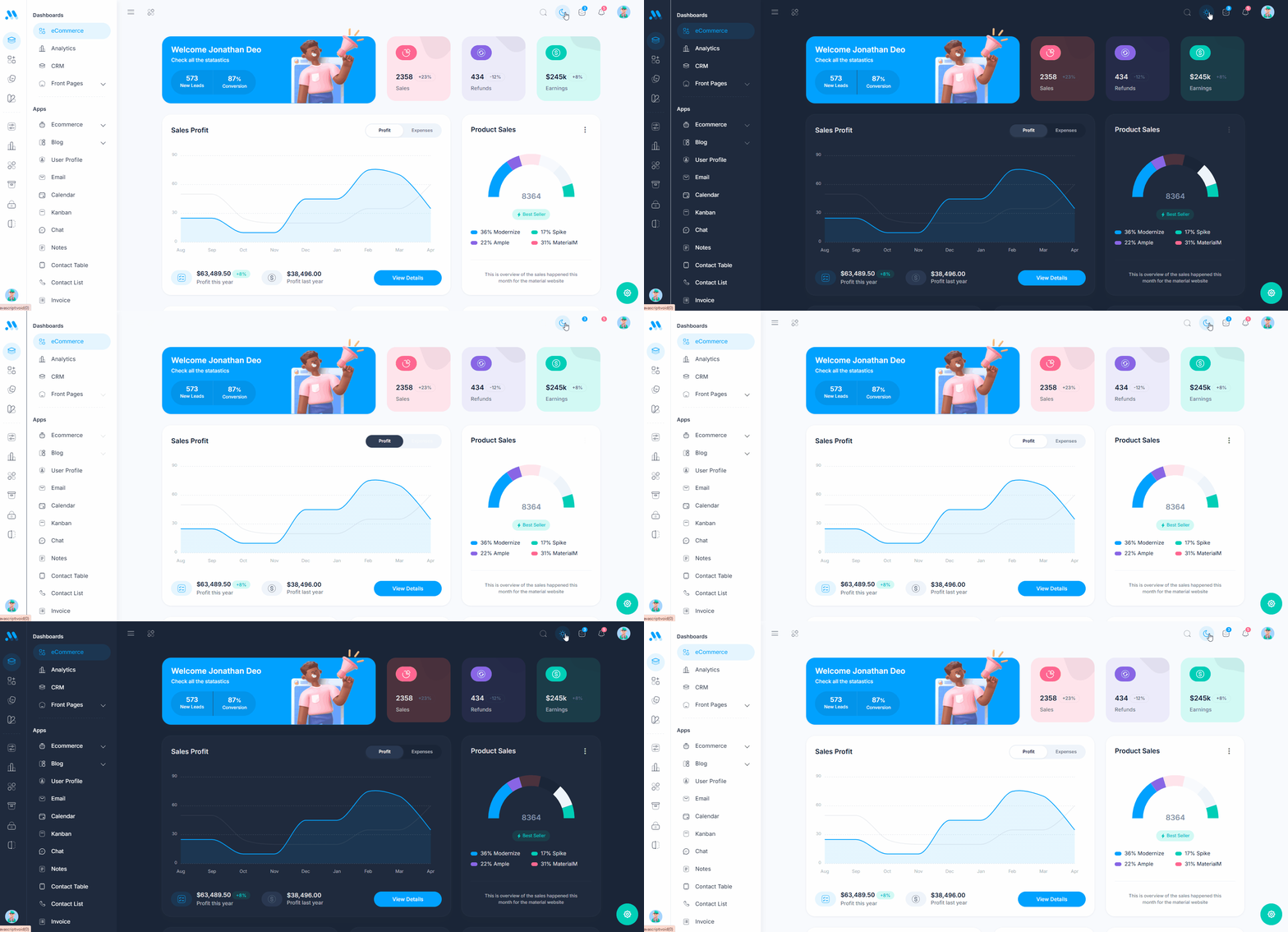
Its scalable architecture and large template library make it a popular choice for developers creating production-ready business applications.
Key Features:
- Built-in AI Prompt Library with ready-to-use development prompts
- Dark mode, RTL, horizontal, and mini-sidebar layouts
- 100+ reusable UI components
- 12+ dashboard and application pages
- Calendar, Email, Chat, Invoice, Contact, and eCommerce Apps
- Interactive charts, tables, and analytics widgets
- Responsive design with multiple theme color options
- Dedicated prompts page for discovering and managing AI-assisted workflows
MaterialM stands out for its extensive component library, framework flexibility, and growing AI-powered development features.With ready-made applications, multiple layouts, and a collection of pre-built prompts, it helps teams build modern dashboards more efficiently while keeping development organized and consistent.
Modernize AI Ready Dashboard
Modernize is a practical choice for teams that want the speed of AI-assisted development without sacrificing quality. While tools like ChatGPT, Claude, and other coding assistants can help generate code, building a complete dashboard from scratch often requires additional time for debugging layouts, fixing theme issues, and maintaining design consistency.

Available across Next.js, React, Tailwind CSS, shadcn/ui, Material UI, Bootstrap, Vue.js, and Nuxt, it provides a consistent design system with reusable components and responsive layouts. Its clean architecture makes it easy to customize and integrate into projects of different sizes.
Key Features:
- AI-ready template designed to work alongside modern coding assistants
- Dark and light mode support
- Clean and responsive dashboard layout
- Pre-designed pages and UI components
- Reusable dashboard building blocks
- Well-documented codebase
- Suitable for SaaS, CRM, and admin applications
- Built-in prompt library for faster dashboard customization and development
- Production-tested layouts that reduce AI-generated UI inconsistencies
Modernize provides a tested foundation with ready-made components and layouts, allowing developers to use AI for customization instead of rebuilding common dashboard features from the ground up. Modernize is a multi-framework admin dashboard template designed for developers building dashboards, SaaS applications, CRM platforms, and internal business tools.
Tailwindadmin
Tailwindadmin is a modern admin dashboard template built with React, Tailwind CSS, TypeScript, and shadcn/ui. Designed for developers building SaaS platforms, analytics tools, and internal business applications, it combines reusable UI components, multiple dashboard layouts, and AI-assisted workflows.
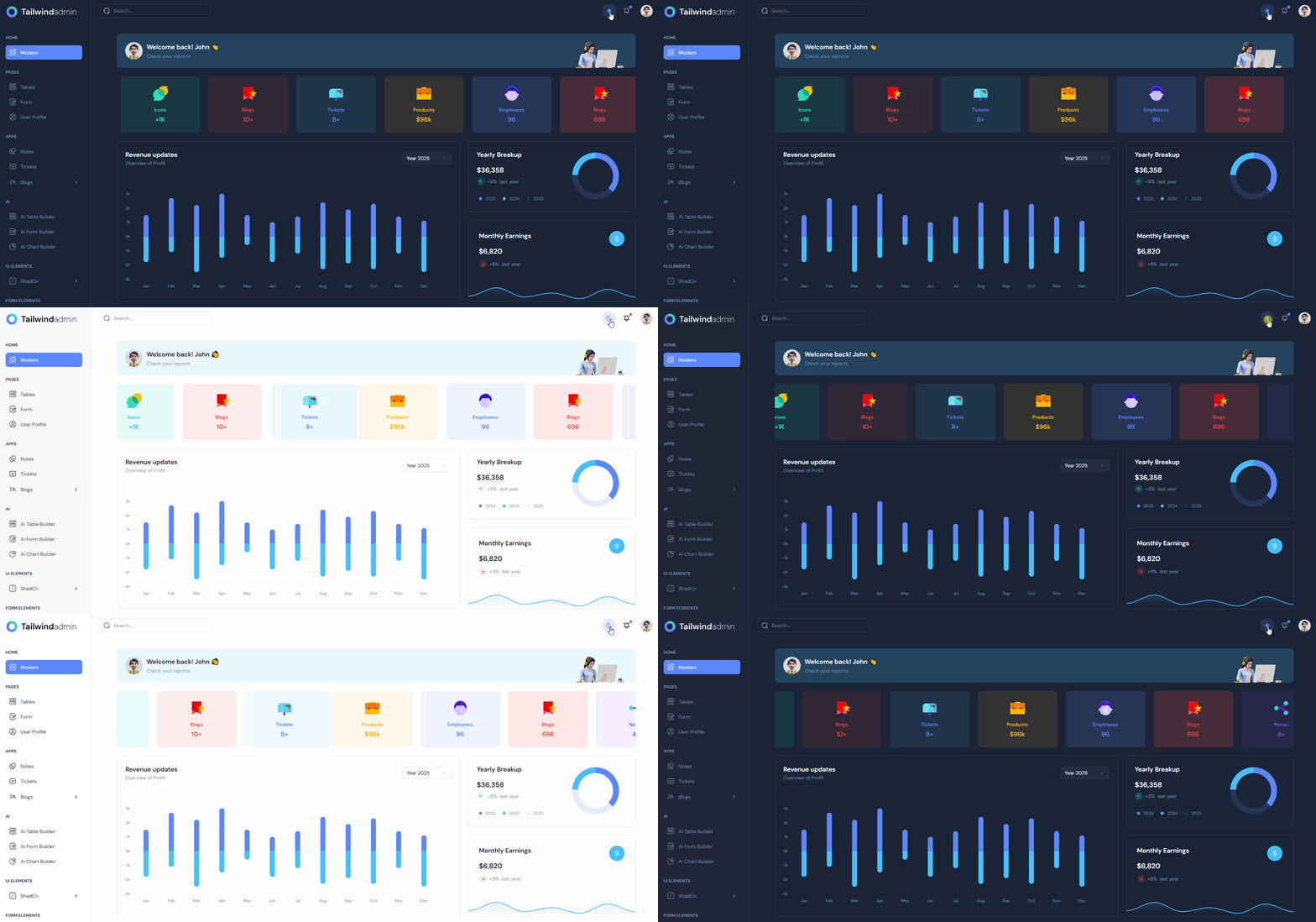
This dashboard provides a scalable foundation for creating production-ready admin panels without starting from scratch.
Key Features:
- Dark mode and multiple layout variations
- Built with React, Tailwind CSS, TypeScript, and shadcn/ui
- AI-powered prompts for faster development
- 100+ reusable dashboard components
- Authentication support with Supabase, NextAuth, and Firebase
- RTL and internationalization support
- Available across React, Next.js, Vue, Angular, and TanStack Start ecosystems
Tailwindadmin stands out for its combination of modern UI architecture, framework flexibility, and developer productivity features. With pre-built dashboards, application modules, authentication flows, and AI-assisted development tools, it helps teams ship admin panels, SaaS products, and enterprise applications more efficiently.
Dark Mode Shadcn Dashboard with AI Features
This Dashboard is a production-ready admin dashboard built with Next.js, TypeScript, Tailwind CSS, and shadcn/ui. Designed for modern development teams, it combines reusable dashboard components, multiple layout variations, and AI-assisted development workflows. The dashboard includes pre-built applications, authentication systems, advanced data tables, and analytics components, helping developers build complex admin interfaces faster.

Key Features:
- Dark mode and multiple layout options
- Built with Next.js, TypeScript, and shadcn/ui
- AI-powered prompts for faster development
- Authentication support with NextAuth, Supabase, and Firebase
- Advanced data tables and analytics charts
- Internationalization and RTL support
- Pre-built apps including Kanban, Calendar, Chat, and Invoices
Shadcn Dashboard stands out by combining a modern dashboard system with AI-enhanced developer workflows. Beyond its UI components and layouts, it includes context-aware prompts, reusable application modules, and scalable architecture patterns that help teams build SaaS products, internal tools, analytics platforms, and business applications more efficiently.
Spike Dashboard
Spike Admin Dashboard is a multi-framework dashboard ecosystem designed for building admin panels, SaaS applications, internal tools, and business management platforms. Available across React, Next.js, Angular, Vue, Nuxt, and Bootstrap ecosystems, it provides a consistent design system with extensive UI components, pre-built applications, and multiple dashboard layouts. Its flexibility makes it suitable for teams working with different frontend technologies while maintaining a unified user experience.

Key Features:
- Multi-framework support across React, Next.js, Angular, Vue, and Nuxt
- Dark mode and multiple dashboard layouts
- 150+ reusable UI components
- 12 ready-to-use application modules
- 425+ pre-built dashboard and application pages
- Interactive charts and analytics widgets
- RTL and internationalization support
Spike stands out as a comprehensive dashboard solution for developers who need framework flexibility without sacrificing design consistency. With a large component library, pre-built business applications, and support for multiple frontend stacks, it provides a scalable foundation for modern SaaS products, admin portals, CRM systems, and enterprise applications.
----------------
👉 See the original article here -