
DW CS5.5 + jQuery-Mobile でのスマホサイトの作り方。その1
Getting started with jQuery Mobile and Adobe Dreamweaver CS5.5
by Ryan Stewart
As people continue to migrate to smartphones, it has become critical to think about how web applications will behave on those devices.
And users have come to expect that mobile applications will have some default behaviors and features that can be difficult to structure and code.
You may have heard of jQuery before, and in fact, you may be using it to add some basic interactivity to your websites.
jQuery also has a project dedicated specifically to solving some of these mobile application development problems: jQuery Mobile.
And Adobe has been working very closely with the jQuery Mobile team to make sure that Adobe Dreamweaver CS5.5 has full support for jQuery Mobile, including templates and code completion.
One of the best things about jQuery Mobile is that it makes a lot of the basic mobile paradigms easily accessible for web developers.
Using typical
tags and links, you can build an application that uses screens, automatically provides navigation, and lets you build applications that can run on almost any mobile device.

まずは新規作成画面で、詳細情報のところをクリック。
いろいろと選べる画面(下の画像)に進むと思います。

画面が変わったら「サンプルから作成」→「モバイルスターター」→「jQuery-mobile (CDN)」を選択。
「作成」ボタンをクリックします。
CDNは「<a href="https://ajax.googleapis.com/ajax/libs/jquery/1.7.1/jquery.min.js"」みたいな感じで、コードを置いてあるサーバーに直接読み込みに行く方法です。
ローカルにファイルがないので、それを直接編集できないというデメリットはありますが、とりあえず今はCDNにしておいたほうが無難です。
なにやら、jQuery-Mobileが正式版になったとき(つい先月の話です)、アイコンの位置の差し替えが行われたようで、ローカルのDWの中に入っているやつは古いデータかもです。
実際にサーバーにアップしてみたらアイコンがおかしく表示されたりしたので、今のところはCDNでリンクすることをおすすめします。

作成を押すと、あら不思議。
訳のわからないうちにサンプルサイトが作成出来ます。
コードを見てみると、とても簡単な構造であることに気がつきます。
このような構造になっていて、「data-role="page"」で囲まれた<Div>の中に、
data-role="header"
data-role="content"
data-role="footer"
の順番で並んでいるだけです。

基本的に、jQuery-mobileのサイト作成は全て「data-*****="****"」というカタチでマークアップするだけで出来るのですが、デザインビューにはすれが反映されません。
実際にどのように表示されるのかは「ライブビュー」をクリックして確認しながら編集しましょう。
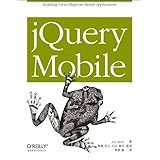
ま、アマゾンでこいつを購入するって手もありますが、やっぱり翻訳本。
この本に掲載されている内容のほとんどはWebで探すことができます。

ちなみに、ようやくこのブログも「LightBox対応」しました。
ブログパーツでLightBoxが提供されているので、そっちを使っちゃおうかな…とも思ったのですが、やっぱりエンジニアなので自分で導入することにしました。
まずは新規作成

まずは新規作成画面で、詳細情報のところをクリック。
いろいろと選べる画面(下の画像)に進むと思います。
CDNでサイト作成

画面が変わったら「サンプルから作成」→「モバイルスターター」→「jQuery-mobile (CDN)」を選択。
「作成」ボタンをクリックします。
CDNは「<a href="https://ajax.googleapis.com/ajax/libs/jquery/1.7.1/jquery.min.js"」みたいな感じで、コードを置いてあるサーバーに直接読み込みに行く方法です。
ローカルにファイルがないので、それを直接編集できないというデメリットはありますが、とりあえず今はCDNにしておいたほうが無難です。
なにやら、jQuery-Mobileが正式版になったとき(つい先月の話です)、アイコンの位置の差し替えが行われたようで、ローカルのDWの中に入っているやつは古いデータかもです。
実際にサーバーにアップしてみたらアイコンがおかしく表示されたりしたので、今のところはCDNでリンクすることをおすすめします。
なんだかよくわからないけど、とりあえず…

作成を押すと、あら不思議。
訳のわからないうちにサンプルサイトが作成出来ます。
コードを見てみると、とても簡単な構造であることに気がつきます。
<div data-role="page" id="page">

    <div data-role="header">
    ヘッダーコンテンツ
    </div>

    <div data-role="content">
    コンテンツ
    </div>

    <div data-role="footer">
    フッターコンテンツ
    </div>

</div>
このような構造になっていて、「data-role="page"」で囲まれた<Div>の中に、
data-role="header"
data-role="content"
data-role="footer"
の順番で並んでいるだけです。
ライブビューで実際の表示を見ながら編集

基本的に、jQuery-mobileのサイト作成は全て「data-*****="****"」というカタチでマークアップするだけで出来るのですが、デザインビューにはすれが反映されません。
実際にどのように表示されるのかは「ライブビュー」をクリックして確認しながら編集しましょう。
ま、アマゾンでこいつを購入するって手もありますが、やっぱり翻訳本。
この本に掲載されている内容のほとんどはWebで探すことができます。
 |
新品価格 |
ちなみに、ようやくこのブログも「LightBox対応」しました。
ブログパーツでLightBoxが提供されているので、そっちを使っちゃおうかな…とも思ったのですが、やっぱりエンジニアなので自分で導入することにしました。