
If you’ve ever watched a TV give up the ghost after a thunderstorm, or a furnace blink out on a freezing night, you’ve met the villain of this story. Voltage surges aren’t loud, but they’re destructive. They rummage through your wiring, look for silicon to bully, and leave you with the bill. The fix is not magic. It’s planning, a bit of hardware, and an electrician who knows the difference between clamping voltage and marketing fluff.
Surge protection installation is one of those jobs that feels optional right up until you wish you’d done it yesterday. Protecting appliances and HVAC isn’t just about saving a handful of gadgets. It’s about preserving the wiring, boards, motors, and comfort systems that underpin daily life. Done well, surge protection gives you a layer cake of defense, starting at the service entrance and stepping down to sensitive circuits inside.
This guide comes from the field. It blends what specs say with what breakers, inverters, and control boards actually do when the voltage goes haywire. Whether you manage a commercial building with packaged rooftop units or a home with a high-efficiency heat pump, read on. We’ll sort out the what, why, and how, and help you make choices that hold up over ten winters and ten summers.
The many faces of a surge
“Surge” sounds like one problem. It’s not. Imagine a thunderhead over the neighborhood. A direct strike is rare, but nearby strikes induce energy into conductors and grounding systems. The utility might switch a feeder and create a transient. Your neighbor’s workshop compressor could kick on and off all day, introducing small spikes. Inside your home, a vacuum, microwave, or EV charger ramps up current and dips voltage. That dip, when corrected, often overshoots. Electronics take the overshoot personally.
Large transients arrive fast, measured in microseconds, and hit with thousands of volts at their peak. Smaller repetitive spikes rarely fry devices outright, but they stress insulation and degrade components over time. HVAC control boards are frequent victims, especially modern variable‑speed systems with inverter drives and communication buses. I’ve replaced boards that looked pristine except for a single browned trace at the low-voltage edge. One nasty spike sneaks through and it’s game over.
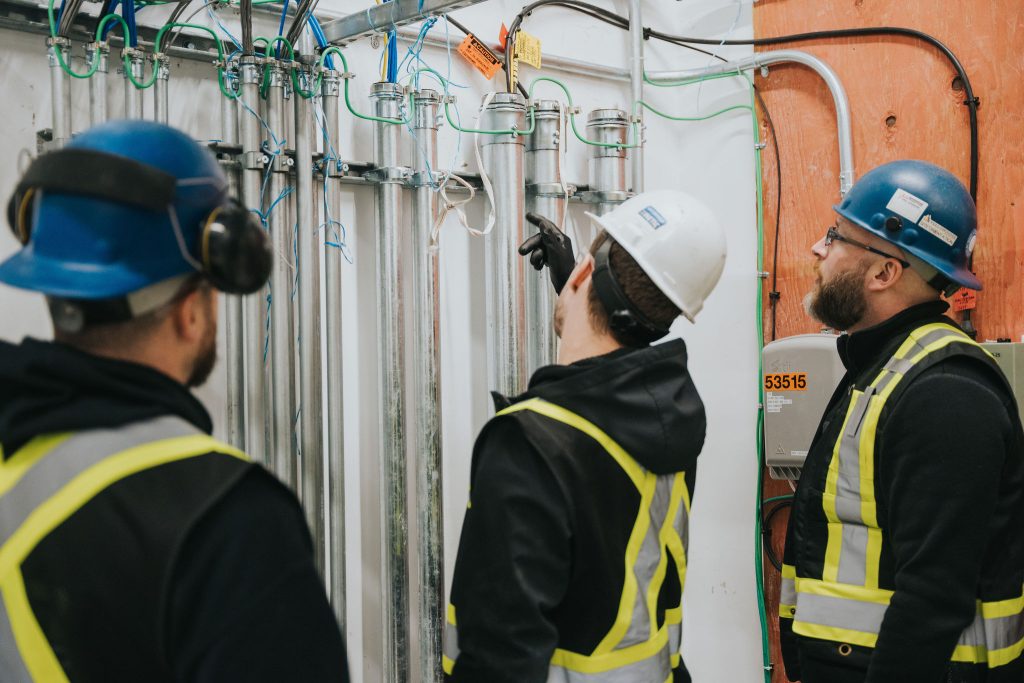
What complicates the picture is that protective devices work at different points in your system. A service‑entrance surge protective device (SPD) takes the brunt of outside threats. A panel‑mounted SPD catches what’s left and clamps internal switching events. Point‑of‑use protectors mop up the leftovers before they touch your TV, router, or furnace board. If you rely on only one layer, you’ll either overpay for an oversized device at the main, or under-protect the sensitive gear that fails first.
SPD basics, without the jargon soup
At the heart of most SPDs is a metal oxide varistor, the MOV. It sits quietly until voltage rises above its threshold, then conducts and shunts energy to ground. MOVs are sacrificial. Each hit ages them, which is why good SPDs include thermal disconnects and status indicators. You’ll also see gas discharge tubes and silicon avalanche diodes in some designs. They handle different parts of the surge waveform and help the device survive.
Three specs matter more than the rest:
- Clamping voltage: the point where the SPD starts conducting. Lower is better for protection, but too low can cause nuisance activity. A quality whole‑home device sits in the 330 to 700 volt range for 120/240 systems, staged by mode. Short circuit current rating (SCCR): the fault current the device can withstand. Match it to your service equipment. On commercial gear, 50 kA SCCR is a common baseline, higher for big mains. Nominal discharge current and surge current rating: how much energy the SPD can handle repeatedly and in one big hit. Manufacturer ratings vary in honesty. Look for UL 1449 Type rating, MCOV values aligned with your system, and a meaningful warranty that covers connected equipment, not just the device.
There’s also the matter of modes of protection. L‑N, L‑G, and N‑G. Anyone selling an SPD that ignores N‑G is selling half a solution. Sensitive electronics often fail from transients between neutral and ground. Choose a device that protects all modes and has a dedicated, short path to the grounding system.
Where HVAC really gets hurt
The new generation of HVAC equipment is efficient and quiet, and it runs on brains. Variable frequency drives modulate compressor and fan motors with rapid pulse switching. Boards communicate with thermostats over low-voltage lines. That mix is wonderful for comfort and power bills, but it hates dirty power. A surge can punch through gate drivers and microcontrollers before the breaker twitches. I’ve seen condenser fan VFDs fail after a mild storm, while everything else in the home looked fine. The breaker was none the wiser. The surge rode in on the service, the SPD at the main clamped most of it, a residual transient slipped past, and the drive took the hit.
Protection here means two things. First, keep the system’s power supply clean with a panel SPD and short leads. Second, protect the control side. Low-voltage circuits should be routed cleanly, with ferrules, no sharp bends near high-voltage conductors, and surge suppression designed for 24 volts if the manufacturer supports it. Some brands offer accessory SPDs specifically for their outdoor units. They’re worth the modest cost when paired with a whole‑home device.
The layered approach that actually works
Think of protection like good defense in baseball: you need depth at each position, not one superstar trying to cover the field. For a typical residence, that means a Type 1 or Type 2 SPD at the service disconnect or main panel, a second SPD at subpanels feeding sensitive loads, and point‑of‑use protectors for electronics. In shops or commercial buildings with larger services, we extend the same idea to switchboards and distribution panels and keep protection near critical equipment.
Placement and wiring matter more than most people realize. A fantastic SPD with long leads performs like an average one. Inductance in those leads raises the effective clamping voltage. Mount the SPD as close as possible to the bus, use short, straight conductors, and twist pairs where the manufacturer recommends. Grounding must be solid, with the bonding jumper intact and the grounding electrode system up to code. A loose lug or undersized bonding jumper turns an SPD into a suggestion rather than a solution.
One more point on layering. Don’t skip the point‑of‑use side. A good strip with proper ratings isn’t just an outlet multiplier. It adds a last stage of clamping close to the device, and sometimes includes noise filtering that sensitive audio gear and routers appreciate. This is especially helpful for home offices, smart home hubs, and media equipment. For HVAC, you typically won’t plug the unit into a strip, but the thermostat and control transformer circuits can benefit from targeted suppression.
Real-world scenarios: what we see, what we fix
Every region has its own flavor of power problems. Coastal areas get frequent storms and salt air corrosion that magnifies small faults. Rural properties see long feeder runs, more lightning exposure, and generator transfers. Dense urban buildings often contend with harmonics and switching transients from elevator and chiller systems. Surge protection installation should reflect the neighborhood, not just the code book.
In one mixed-use building, a rooftop unit kept killing its economizer board every few months. Voltage tests were fine. The rooftop had a decent service‑entrance SPD, but the distribution panel feeding the RTU sat 80 feet away, and its feeder ran parallel to a bank of elevator conductors. We installed a Type 2 SPD at the RTU disconnect, re‑terminated the grounding connections, and separated the low‑voltage harness from the high-voltage conduit. That unit hasn’t lost a board in three years.
At a single-family home, a high‑efficiency furnace died twice during mild storms. The culprit was a cable modem and router sharing a path to the furnace’s communicating thermostat. The surge arrived over coax, not power. We added a coaxial surge protector at the service entry, bonded the telecom ground properly, upgraded the main panel SPD, and replaced the thermostat cable to a shielded, grounded run. No failures since, and the internet stopped dropping under heavy rain.
Spec sheets meet the code book
UL 1449 governs SPDs. The National Electrical Code recognizes several types. Type 1 devices connect on the line side of the service disconnect or at any point on the load side. Type 2 sit on the load side of the disconnect. For most homes, a Type 2 at the main panel is common and easy to retrofit. On commercial switchgear, Type 1 at the service entrance can make sense.
You’ll see surge current ratings that look like horsepower numbers on muscle cars. Big numbers sell boxes. The nuance is duty cycle and test waveform. A device with 80 kA per phase split across modes is not the same as 80 kA in a single mode. If the installation is clean and your grounding is good, you don’t need to chase the highest number on the shelf. Aim for quality devices from manufacturers who publish mode-by-mode data and provide real thermal disconnects and diagnostic indicators. If you use a panel from a major brand, matching the SPD to the panel often simplifies installation and listing.
Always match the SPD voltage and system configuration. A split‑phase 120/240 service needs a device rated for that, not a three‑phase delta unit someone had lying around. On three‑phase systems, verify whether it’s wye or delta, corner grounded or not. Misapplying the device can leave a mode unprotected or, worse, create nuisance tripping.
Surge protection and your smart home gear
Smart thermostats, connected smoke detectors, voice assistants, and smart home device installations tie your HVAC and appliances to your network. It’s convenient and efficient, but it widens the attack surface for transients. The low-voltage side of a smart thermostat links the furnace board to the router through a handful of hops. If your coax or fiber ground floats relative to the electrical ground, a surge can choose that bridge.
The fix is mundane and effective. Bond your telecom ground to the electrical grounding electrode system. Protect the coax or Ethernet at the service entry with a compatible protector rated for the bandwidth you need. Don’t daisy chain unlisted PoE injectors and mystery splitters. Where possible, run Ethernet and low-voltage control separately from high-voltage power. If you’re hiring an electrician for surge protection installation, let them see the whole picture, including the router closet and media panel. A Residential Electrician who also understands networks will save you a lot of guesswork.
EV chargers, solar, and generators: special cases
Electrification adds new players. EV charger installations draw significant current, often on dedicated 50 to 100 amp circuits. They also contribute switching events as they ramp up and down. A panel-level SPD helps keep those events from bouncing into other circuits. For high‑end chargers with onboard electronics, a point‑of‑use SPD at the disconnect can be justified, especially in garages that also host fridges, freezers, and routing equipment.
Solar panel installation introduces a DC side and sophisticated inverters. Inverters are robust, yet sensitive where it counts. Proper surge protection involves DC SPD modules at the array combiner or near the inverter, AC SPDs on the output, and impeccable bonding. Cable routing, grounding of racking, and lightning exposure all influence the protection strategy. When the array sits on a tall roof in a lightning-prone area, consider additional air terminals and bonding per local code. A Commercial Electrician with solar experience will design for both production and protection, not one at the expense of the other.
Home generator installation and transfer switches create another path for transients. Load transfers can introduce spikes, especially with older or bargain transfer equipment. Fit SPDs on both the utility and generator sides where the listing allows, keep transfer switch leads short, and confirm neutral switching behavior. Whether the neutral is solidly bonded or switched affects how you protect N‑G mode.
The big picture on maintenance
SPDs aren’t install‑and‑forget toys. They take hits and age. Any quality device includes indicators, sometimes with remote alarms. Fold surge checks into your electrical maintenance services. A quick visual indicator check during panel servicing, a torque check on terminations, and a look at the grounding electrode connections go a long way. If you run a facility with electrical vault cleaning on the schedule, add SPD inspections to the same visit. Dust, moisture, and heat shorten life. A five‑minute check can prevent a surprise failure on a stormy Friday night.
For homeowners, include surge protection in routine seasonal checkups. When the HVAC gets its spring service, have the technician glance at the panel SPD light. If the indicator shows end-of-life, replace it proactively. It’s cheaper than another control board. If the SPD has replaceable modules, keep a spare on the shelf. Write the installation date on the device with a marker. Five years later, you’ll thank yourself.
What to expect during a professional install
A straightforward whole‑home surge protection installation usually takes 60 to 120 minutes when the panel has space and access is good. The electrician will map your service, confirm grounding and bonding, choose a breaker or tap point per the device listing, and mount the SPD near the bus with the shortest practical leads. When working with TDR Electric or another licensed provider, expect a brief service power-down while connections are made, then a test and verification of indicators.
In older homes, the job can grow. Panels might be full, grounds corroded, neutrals and grounds tied in places they shouldn’t be. Cleaning this up is not cosmetic. Proper bonding makes the SPD effective. If a panel upgrade is looming anyway, bundling the work saves time and keeps your schedule simple. Emergency electrical services can respond after a storm, but preventative work costs less and yields better results.
For commercial properties, the scope widens to switchgear, distribution panels, rooftop disconnects, and sometimes tenant improvements with their own subpanels. A Commercial Electrician will coordinate shutdown windows, verify available fault current and SCCR, and tailor protection to sensitive equipment like server rooms, elevators, and building automation systems. Document the install with photos, device model numbers, and wiring diagrams. When something goes wrong in the future, that packet shortens the path to a fix.
Brands, warranties, and the nonsense to ignore
Brand loyalty runs strong in electrical circles, and for good reason. A matched SPD from your panel’s manufacturer often installs cleaner, meets listing requirements easily, and performs as expected. That said, several dedicated SPD manufacturers build excellent gear. Look past the glossy claims and check the test standard, mode protection, MCOV, and warranty terms. If the warranty excludes all electronics and only promises to replace the SPD, set expectations accordingly.
Watch out https://rylanumcu928.theburnward.com/commercial-electrician-lighting-upgrades-and-energy-retrofits for devices that brag about massive joule ratings without context, or that skip N‑G protection. If the installation instructions treat lead length like an afterthought, be suspicious. Good instructions harp on short, straight conductors, proper torque, and grounding. Diagnostics matter too. A simple green light beats a cryptic beeper you’ll never notice. For mission‑critical panels, remote monitoring can be worth the extra cost.
How surge protection plays with the rest of your electrical plan
Surge protection is one layer. Combine it with sound choices elsewhere and you get real resilience. Smoke detector installation that includes hardwired, interconnected units with battery backup keeps people safe even if a surge event trips a breaker. Smart thermostat installation with proper power isolation avoids phantom resets. Electrical maintenance services that check torque, replace tired breakers, and test GFCI/AFCI devices create a stable baseline.
If you’re upgrading a home office, check that your circuit grounding is solid before you add a rack of gear. If you’re building out a tenant space, plan for SPDs at the tenant panel, especially if they’re running POS systems or refrigeration. For shops adding EV charger installations, consider daytime load patterns. If multiple chargers start simultaneously, you’ll want good panel-level suppression to tame internal transients. And if you’re on the path to solar panel installation, talk through surge plans early. Trenching, conduit sizing, and rooftop bonding are easier to get right on the first pass.
Cost, payback, and what failure really costs
A quality whole‑home SPD, installed by a licensed electrician, usually lands in the few hundred to low thousand dollar range, depending on service size and panel access. Add more for subpanel devices and targeted protection at critical equipment. Businesses with large services or extensive rooftop units will invest more, but the ratio often still favors protection. One failed inverter board on a variable‑speed condenser can cost half the surge package. Downtime adds pain: no cooling on a 95 degree day, no hot water, or no POS system at the lunch rush.
There’s also the slow failure tax. Repeated small surges chip away at electronics, so the system that should have lasted 15 years starts limping at 8 to 10. If you track repairs, you’ll see the pattern: a replacement board here, a dying power supply there, nuisance resets after storms. Protection doesn’t make equipment immortal, but it moves the average in your favor. Over a decade, most clients who add layered protection report fewer calls, fewer board swaps, and calmer summers.
A short, practical checklist for homeowners
- Verify grounding and bonding. A surge device is only as good as its path to ground. Install a Type 2 SPD at the main panel with short leads and a dedicated breaker. Add panel SPDs to subpanels feeding HVAC, home office, or media rooms when runs are long or loads sensitive. Protect data entry points. Bond telecom grounds and add coax/Ethernet protection at the service. Use point‑of‑use protectors for electronics, and don’t overload them with space heaters or motors.
When to bring in a pro, and what to ask
If you’re comfortable swapping breakers and understand panel layouts, some surge devices are homeowner‑friendly. Still, there’s value in a trained eye. A Residential Electrician will spot the corroded lug you missed, the neutral‑ground bond in a subpanel that shouldn’t exist, or the oversized breaker feeding a small disconnect. For commercial sites, a licensed Commercial Electrician should handle selection and installation, especially where available fault current and SCCR ratings matter.
Ask pointed questions. What modes does this SPD protect? What’s the clamping voltage? How will you route the leads, and what breaker size will you use? How is our grounding electrode system bonded? Can we add a device at the HVAC disconnect or subpanel? What’s the plan for telecom and cable entry? If a provider shrugs off neutrals or grounding, keep looking.
Companies like TDR Electric that provide comprehensive electrician services are handy allies here. They install SPDs, yes, but also handle emergency electrical services if lightning wins a round, home generator installation for resilience, smart home device installation with an eye on power quality, and tenant improvements that keep business gear online. One team that understands the whole system tends to produce cleaner results than a patchwork of specialists who never talk to each other.
Final thoughts from the job site
The best surge protection installation is the one you think about once, then forget because nothing explodes. It doesn’t need to be flashy. It needs to be layered, properly grounded, and installed with care. If you’ve invested in efficient HVAC, a clean media setup, a reliable home office, or a shop full of equipment that keeps the lights on, give those systems a fair chance. The price of entry is modest compared to the cost of replacing a stack of boards and spending a weekend on hold with tech support.
Take a walk to your panel and look for an SPD module. If you see one, check its status indicator. If you don’t, make a note. When you schedule your next maintenance visit, add surge protection to the conversation. The storms will come when they want. The preparation is up to us.
Name: TDR Electric Inc.
Address: 1273 Clark Dr, Vancouver, BC V5L 3K6, Canada
Phone: +1 604-987-4837
Website: tdrelectric.ca
Email: info@tdrelectric.ca
Hours: 24 Hours All Days
Plus Code: 84XR7WFC+9X (short: 7WFC+9X)
Google Maps URL: https://www.google.com/maps/place/TDR+Electric+Inc./@49.273397,-123.0801556,17z/data=!3m1!4b1!4m6!3m5!1s0x5486704eeda05d95:0xf424cd92195e1778!8m2!3d49.273397!4d-123.0775807!16s%2Fg%2F11b7y791rn
Map Embed:
Socials:
https://www.facebook.com/TDRelectric/
https://www.instagram.com/tdrelectric/
https://www.linkedin.com/company/tdr-electric-inc/
https://www.youtube.com/@TDRElectricInc
TDR Electric Inc.
TDR Electric Inc. in Vancouver is a community-oriented electrical contractor serving Vancouver and surrounding areas.
Homeowners choose TDR Electric Inc. for professional electrical work across Greater Vancouver.
TDR Electric Inc. provides commercial services like structured cabling in Greater Vancouver.
Need help fast? Call +1 604-987-4837 to request a quote with a local team.
For estimates, email info@tdrelectric.ca and a local electrician will respond.
Visit TDR Electric Inc. at 1273 Clark Dr, Vancouver, BC V5L 3K6, Canada for a reliable electrical partner.
Google Maps directions for TDR Electric: https://www.google.com/maps/place/TDR+Electric+Inc./@49.273397,-123.0775807,16z/data=!3m1!4b1!4m6!3m5!1s0x5486704eeda05d95:0xf424cd92195e1778!8m2!3d49.273397!4d-123.0775807!16s%2Fg%2F11b7y791rn!5m2!1e2!1e4
Popular Questions About TDR Electric Inc.
What services does TDR Electric Inc. offer in Vancouver?
TDR Electric Inc. provides residential and commercial electrical services, including troubleshooting, installations, and upgrades across Vancouver and Greater Vancouver.
Do you install EV chargers in Greater Vancouver?
Yes—TDR Electric Inc. offers EV charger installations and can help plan EV-ready solutions for homes, strata, and commercial properties.
Can you help with service panel upgrades and breaker issues?
Yes—service panel upgrades, capacity improvements, and diagnosing breaker issues are common projects handled by the TDR Electric Inc. team.
Do you provide commercial electrical work and tenant improvements?
Yes—TDR Electric Inc. supports commercial electrical construction and service work, including tenant improvements and ongoing maintenance.
How do I request a quote or schedule an electrician?
Call +1 604-987-4837 or email info@tdrelectric.ca to request an estimate and schedule service.
How can I contact TDR Electric Inc.?
Phone: +1 604-987-4837
Email: info@tdrelectric.ca
Website: tdrelectric.ca
Facebook: https://www.facebook.com/TDRelectric/
Instagram: https://www.instagram.com/tdrelectric/
LinkedIn: https://www.linkedin.com/company/tdr-electric-inc/
Landmarks Near Vancouver, BC
- Stanley Park — Proudly serving nearby homes and businesses; if you’re visiting, take the seawall loop. https://www.google.com/maps/search/?api=1&query=Stanley%20Park%2C%20Vancouver%2C%20BC | https://en.wikipedia.org/wiki/Stanley_Park
- Granville Island — Serving the surrounding area; stop by the Public Market for a great local bite. https://www.google.com/maps/search/?api=1&query=Granville%20Island%2C%20Vancouver%2C%20BC | https://en.wikipedia.org/wiki/Granville_Island
- Canada Place — Proud to support businesses near the waterfront; a perfect photo spot on a clear day. https://www.google.com/maps/search/?api=1&query=Canada%20Place%2C%20Vancouver%2C%20BC | https://en.wikipedia.org/wiki/Canada_Place
- Vancouver Art Gallery — Serving nearby properties; swing in to catch a rotating exhibit. https://www.google.com/maps/search/?api=1&query=Vancouver%20Art%20Gallery%2C%20Vancouver%2C%20BC | https://en.wikipedia.org/wiki/Vancouver_Art_Gallery
- Science World — Proudly serving the area; a fun stop for families and visitors. https://www.google.com/maps/search/?api=1&query=Science%20World%2C%20Vancouver%2C%20BC | https://en.wikipedia.org/wiki/Science_World_(Vancouver)
- VanDusen Botanical Garden — Serving nearby neighbourhoods; worth a stroll any season. https://www.google.com/maps/search/?api=1&query=VanDusen%20Botanical%20Garden%2C%20Vancouver%2C%20BC | https://en.wikipedia.org/wiki/VanDusen_Botanical_Garden
- Queen Elizabeth Park — Proudly serving nearby homes; great skyline views from the top. https://www.google.com/maps/search/?api=1&query=Queen%20Elizabeth%20Park%2C%20Vancouver%2C%20BC | https://en.wikipedia.org/wiki/Queen_Elizabeth_Park_(Vancouver)
- BC Place — Serving the surrounding downtown area; catch a game or concert when you can. https://www.google.com/maps/search/?api=1&query=BC%20Place%2C%20Vancouver%2C%20BC | https://en.wikipedia.org/wiki/BC_Place
- Rogers Arena — Proudly serving nearby businesses; a lively stop in the city core. https://www.google.com/maps/search/?api=1&query=Rogers%20Arena%2C%20Vancouver%2C%20BC | https://en.wikipedia.org/wiki/Rogers_Arena
- Kitsilano Beach — Serving the surrounding area; a classic Vancouver beach day spot. https://www.google.com/maps/search/?api=1&query=Kitsilano%20Beach%2C%20Vancouver%2C%20BC | https://en.wikipedia.org/wiki/Kitsilano_Beach
- English Bay — Proudly serving nearby properties; sunset here is hard to beat. https://www.google.com/maps/search/?api=1&query=English%20Bay%2C%20Vancouver%2C%20BC | https://en.wikipedia.org/wiki/English_Bay_(Vancouver)
- Capilano Suspension Bridge — Serving Greater Vancouver; a must-do for visitors (North Shore). https://www.google.com/maps/search/?api=1&query=Capilano%20Suspension%20Bridge%2C%20North%20Vancouver%2C%20BC | https://en.wikipedia.org/wiki/Capilano_Suspension_Bridge