
Connect With Ideal Buyers Sooner Through Smarter Segmentation
Setting up an audience targeting platform is less about buying software and more about building a repeatable chain: source data, identity, segment logic, activation and measurement. Specialists who skip any link usually end up with segments that look large in a dashboard but do not match in ad channels or do not move results. This guide walks through the sequence in the order it should be executed, from data inventory to a pilot run, and it is written for marketing operations staff, media buyers and CDP or analytics specialists who need to make the system work in production. Performance teams that already buy programmatic traffic will recognise several of the steps, but the dependencies between them are where most setups fail. If you are evaluating an audience targeting platform for activation across channels, the checklist below gives you the questions to put to any vendor and to your own team before the first segment goes live.

Why the Order of Setup Decides the Outcome
Most failed launches share one pattern: the media team starts building campaigns before the data team has confirmed what the segment actually contains. A segment defined as "customers who bought in the last 90 days" sounds precise, yet it depends on which transaction systems feed the platform, how returns are handled, and whether offline purchases are linked to the same identifier as online sessions. Each of these decisions changes the audience size and the match rate that the ad channel will report. Treating the setup as a sequence means that every later step inherits the assumptions made earlier, so the data inventory and consent review come first even though they feel slow.
Compare the conversion rate and cost per acquisition of the exposed group with the holdout, reconcile the platform counts against the source report, and record the match rate at the start and end of the test
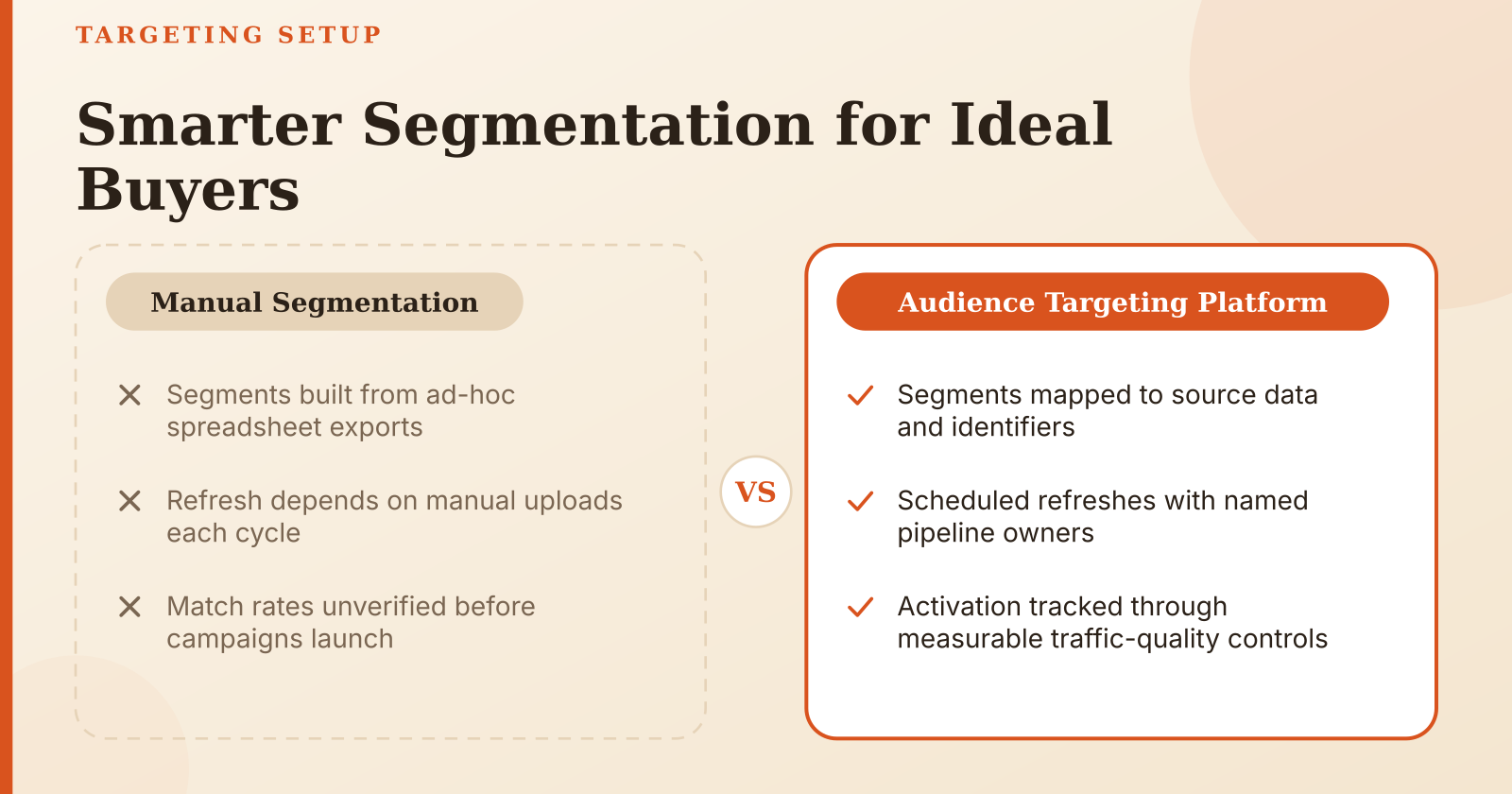
The practical test is simple: before any segment is activated, a specialist should be able to state the source of every condition, the identifier used to match it to a channel, the date of the last successful refresh, and the person responsible for the pipeline. If any of these four answers is missing, the segment is not ready, regardless of how strong the business case looks.
Data Inputs and Access Requirements
Start by listing every system that holds a fact you want to use for targeting. In most organisations this means the CRM for account status and lifecycle stage, web analytics for page and session events, transaction logs for purchases and refunds, and app event streams for in-product actions. For each source, record the owner, the update frequency, the key fields that can be used as identifiers, and whether the data is batch or streaming. Batch exports that run nightly mean that a user who converted at 09:00 may not enter a retargeting segment until the next day, which matters a great deal for short recency windows.
Consent comes next and should be verified per data type rather than per organisation. A user may have agreed to receive marketing emails but not to have their browsing behaviour shared with third-party advertising partners, and the platform must be able to tell these apart. Record the legal basis for each data type, the consent string or flag that carries the decision, and the mechanism that propagates opt-outs. The last point is where many setups break: an opt-out recorded in the CRM that never reaches the activation layer leaves users in segments they have legally left. Ask the privacy owner to confirm, in writing, how a withdrawal of consent travels from the source system to every connected channel and how quickly that happens.
Technical and Team Prerequisites
On the technical side, three capabilities determine whether the platform can run at all. The first is tag management that captures events consistently across sites and apps, with a documented event naming scheme so that "purchase" means the same thing in every feed. The second is identity resolution: the ability to connect a logged-in user, a hashed email and a device identifier to one profile, or at least to know the confidence of the link. The third is API access to each ad channel for uploading or referencing audiences, including the permissions to create, update and delete segments without manual exports.
Roles should be assigned before the build starts, because segment logic will be disputed and someone has to decide. A data engineer owns the pipelines and the identifier formats; an analyst writes the segment rules and checks counts against source reports; a media lead decides which segments go to which campaigns and sets the bids and frequency caps; and a privacy owner signs off on data use. In small teams one person may hold two roles, but the four responsibilities should still be named, because the monthly reconciliation later depends on a clear owner.
Defining Segment Logic and Identifiers
The primary key decides how many users you can reach and how accurate the match will be. A hashed email is widely supported for logged-in audiences on large social and display platforms, but its match rate depends on how many of your users have an email on file and whether that email is current. A device identifier can reach anonymous visitors, yet mobile identifiers are increasingly restricted by operating system settings, so match rates for app-based segments tend to fall over time. A login ID is precise inside your own properties but usually cannot be matched to external channels without an intermediate identity graph. Before committing to a key, run a test upload of a sample set to each target channel and record the match rate. Compare it with the expectation you set in planning; a large gap is a signal that the identifier is normalised differently on the two sides, which is one of the most common technical faults.
Translating business goals into segment conditions is the step where vague requests become testable rules. "Users interested in the product" should be rewritten as a condition such as "viewed the pricing page at least twice in 14 days and did not purchase in the same period", with each term defined in terms of an event and a time window. Behavioural conditions should specify the event name, the minimum count, the window and the exclusion rules. Rule-based conditions such as "company size above a threshold" or "plan equals trial" should reference the exact field and its allowed values. Write each segment as a query that someone else can run and get the same result, because that is the only way the monthly reconciliation will work.
Building and Syncing Segments to Activation Channels
Refresh frequency is a trade-off between freshness and cost. A segment built from the last 7 days of activity that refreshes once a week is effectively a 7-to-14-day-old segment by the time it is used, which is acceptable for consideration campaigns and wrong for abandonment messages. Set the refresh interval to match the recency window: a 24-hour window needs at least a daily sync, and a 30-day window can usually run on a weekly sync without much loss. Document the expected lag from the event to the channel, because it determines how you read early performance data after a launch.
Mapping segments to platforms and ad formats should follow the size and identifier constraints of each channel. A segment of a few hundred matched users may be too small for a display retargeting line but workable as an exclusion list, which is often its most valuable use. Assign each segment to a specific campaign type and state why: a high-intent segment may justify a higher bid on search-adjacent inventory, while a broad lapsed-user segment is better suited to frequency-capped display. Keep a mapping table that lists segment, channel, format, bid logic and exclusion rules, and update it whenever a segment is added. Platforms that support self-serve DSP buying and SmartCPC-style bidding, such as the FroggyAds: Self-Serve DSP Ad Network setup many performance teams use, make this mapping easier to run because audience and bid settings sit in one place, but the mapping decisions still have to be made by the team.
Match Rates, Reach and Segment Size
Every channel has a practical minimum audience size below which delivery is poor or unavailable. These thresholds are set by each platform and change over time, so the operational rule is to check the current minimum in the channel documentation before building, and to set your own internal floor above it. A segment that barely clears the minimum will shrink with any identifier loss, and a sudden drop below the threshold can stop a campaign without warning. Monitor the matched count daily for the first two weeks after launch, then weekly, and set an alert for drops of more than a fixed percentage compared with the previous refresh.
Match loss after cookie and identifier changes is now a routine operational issue rather than an occasional event. Browser restrictions on third-party cookies, mobile identifier controls and changes to login flows all reduce the share of your audience that can be matched on each channel. Track the ratio between the number of users in the source segment and the number matched in the channel for each refresh, and plot it over time. A steady decline usually points to a technical change on the browser or app side, while a sudden step change usually points to a broken pipeline or a changed hashing method. Record each platform or browser change in an operations log so that the cause of a match-rate shift can be traced later.
Data Freshness and Quality Signals
Stale events are the most frequent quality problem. A pipeline that reports "last updated today" may in fact be loading yesterday's partial file, so check the event timestamp rather than the load timestamp. Look for sudden drops in event volume for key actions, because a broken tag often shows up as a steady decline in purchases or form submissions rather than as an error. Duplicate profiles inflate segment counts and waste budget through repeated impressions to the same person; measure the ratio of profiles to unique hashed identifiers and investigate when it rises above the level seen at launch.
Reconciling platform counts with the source-of-truth report is the check that catches most errors. Choose one definition of the audience, for example "purchasers in the last 30 days", and compare the count in the platform with the count from the warehouse query that produced it. Some difference is expected because of match rates and deduplication, but the gap should be stable and explainable. If the gap changes by more than a few percent between refreshes without a known cause, stop activation and investigate before the next campaign flight. Keep the reconciliation in a shared log with date, source count, platform count, match rate and the person who signed off.
Identity and Consent Errors
Mixing unhashed and hashed identifiers in the same upload is a basic error with serious consequences. If one file contains raw email addresses and another contains SHA-256 hashes of normalised emails, the platform will treat them as different users, and the match rate will look inconsistent even though the data is correct. Define one normalisation standard (trimmed, lowercased, then hashed with a specified algorithm) and apply it in every pipeline. Test it on a known set of identifiers before the first production upload, and reject any upload that does not pass the test.
Ignoring opt-out propagation creates legal and reputational exposure. A user who withdraws consent in one system must be removed from every segment that relies on that consent, including segments already synced to external channels. Confirm that the platform supports deletion or suppression requests and that these requests are processed on a defined schedule. Check the logs: a withdrawal recorded on Monday that is still visible in a channel audience on Friday is a propagation failure, and it needs to be fixed in the pipeline, not patched by hand.
Overlapping Segments and Measurement Errors
Overlapping segments without exclusion logic cause two problems at once: the same user is shown competing ads, and budget is spent reaching people who would have converted anyway. Build a segment hierarchy in which each user belongs to one primary segment for each campaign line, and add explicit exclusions for segments that should not overlap. For example, a "recent purchaser" exclusion should be applied to every acquisition campaign, and a "trial active" exclusion should be applied to upsell lines. Review the overlap matrix whenever a new segment is introduced.
Attributing lift without holdout groups is the most common measurement mistake in audience-based buying. A conversion rate that is higher among targeted users may simply reflect that these users were already more likely to convert. A holdout group, a randomly selected share of the segment that is excluded from ads but still tracked, gives the baseline needed to estimate incremental effect. Size the holdout large enough to detect a meaningful difference, which depends on your baseline conversion rate and the volume you expect in the test period, and keep it in place for the full test rather than switching it off when results look weak.
Practical Checklist for Setup
Use the following list as the final gate before any segment is activated. Each item should have a named owner and a date of completion recorded in the operations log:
- Data sources documented, with owner, refresh frequency and key fields recorded
- Consent verified per data type, with the propagation path for opt-outs confirmed in writing
- Primary identifier chosen and its match rate tested on each target channel
- Normalisation standard for identifiers written down and applied in every pipeline
- Segment rules written as testable queries, with event names, windows and exclusions stated
- Refresh schedule and recency windows defined and matched to campaign needs
- Activation mapping per channel and format confirmed, including bid logic and exclusions
- Minimum audience size thresholds set above each channel's stated minimum
- Holdout groups in place for incrementality checks, sized to the expected volume
- Monthly reconciliation process assigned to a named owner, with a shared log
Conclusion and Recommended Next Step
Configuring an audience targeting platform comes down to a fixed sequence: inventory the data and confirm consent, choose and test the identifier, write segment rules as queries, define refresh and mapping, set size thresholds, and then measure against holdouts. Each step depends on the one before it, so a gap in the data inventory or an untested identifier will surface later as a match-rate problem or a misleading lift figure. The checklist above turns that sequence into a series of pass or fail gates that a team can review before spending budget.
The most useful next step is a controlled pilot. Choose one high-value segment, activate it on a single channel with a clear budget and format, and keep a holdout of comparable users excluded from ads for the full test window. If the pilot shows a stable match rate, a reconcilable count and a measurable difference from the holdout, expand to a second channel; if any of these fails, fix the pipeline or the rule before adding volume.