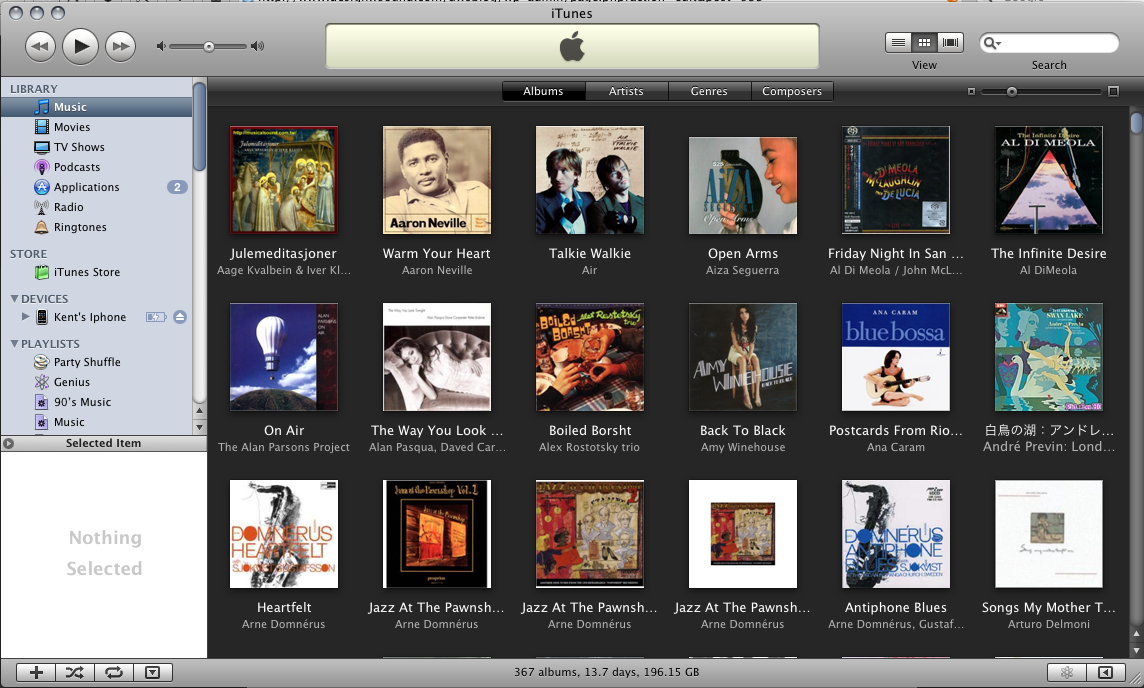
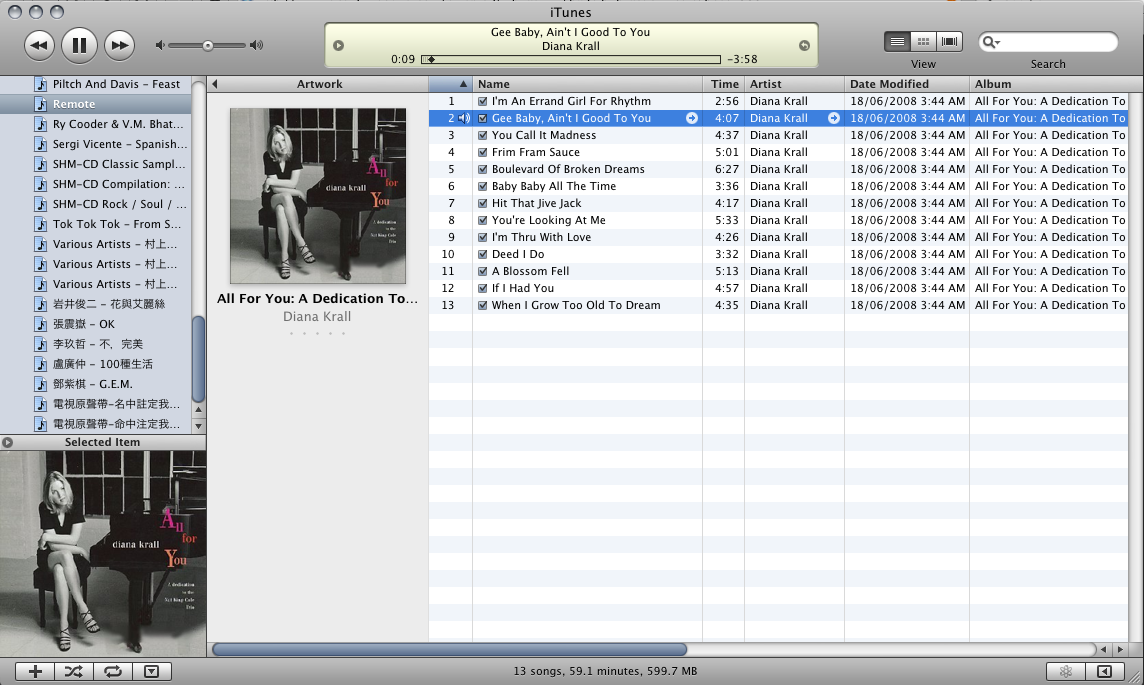
Last two times we focus on iTunes application audio quality, this time let's talk about album management. One of the biggest impact to view an album on computer screen is the cover art. No text can compare a good album art display, especially you put many albums together. For countries that has no iTunes Store, people are not able to use itunes own "Get album art" feature. I use the "Album Art Widget" most of the time and would like to share with you.
Album Art Widget is a background running app like other Mac OS/x Widget. You will click F12 to bring the dashboard up and down. The application itself is very easy to use. Here are some easy steps:
(1) First you download and install this widget on your Mac dashboard.
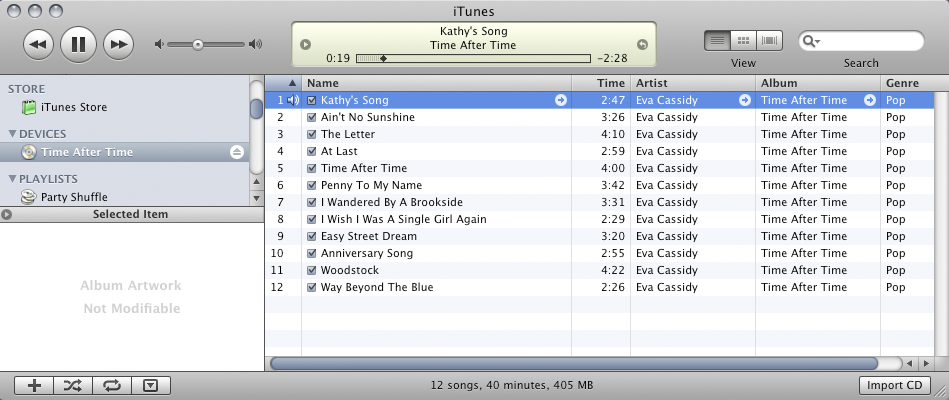
(2) Go to iTunes, insert a CD and play a song of that CD.
(3) You can see from bottom left that shows "Album Artwork Not Modifiable". This is because you cannot add anything to a CD, which is not writable.
(4) Now you import them to your Library.
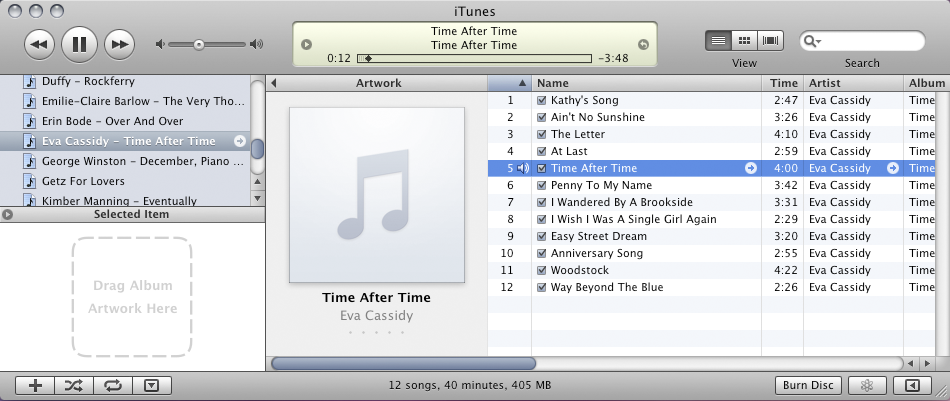
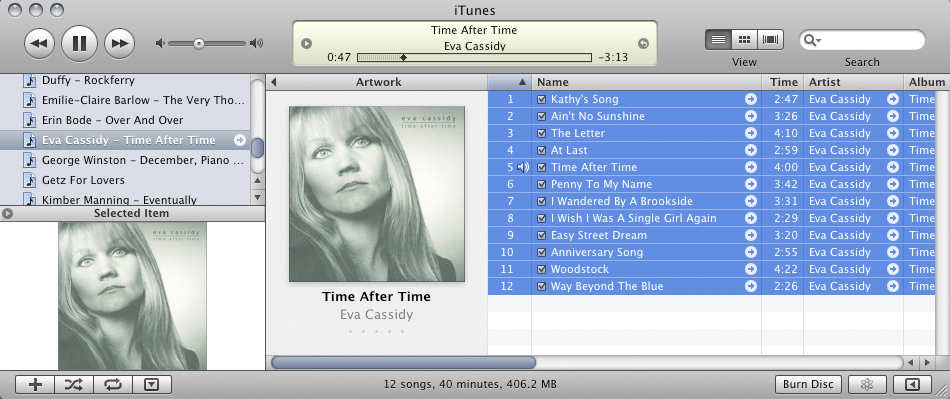
(5) In Library or playlist (not the CD), play a song from this album. On bottom left, you can now able to "Drag Album Artwork Here".
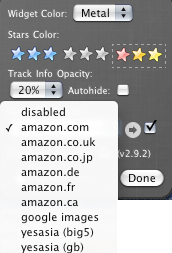
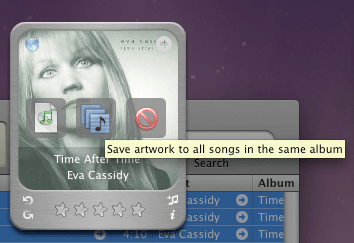
(6) Press F12 to wake the widget and you will see this app access to pre-set servers such as "Amazons","Google Images", "Yesasia" for album art work.
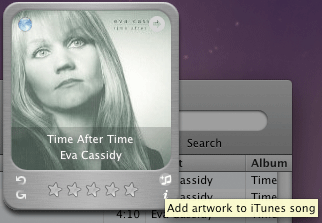
(7) Once it display the correct album art that you want, click on add album art icon
(8) There you can add the selected album art work on either one file, or multiple files.
One cool feature, it saves the fetched artwork to iTunes directly,so no matter what program will ever open this file, the album art is attached with it. Even you look at the file, the icon is replaced with the album art thumbnail.
This widget is really useful and very easy to speed up the album artwork management.
Last time we shared our excitement using iPhone as iTunes remote control. This time we will look at a larger topic in audiophile perspective - Import Audio CD, or Rip your CD data perfectly to your hard disk.
Every audiophile knows EAC (Exact Audio Copy) on Windows PC is rated as the best CD ripping program, but not much other similar programs, especially on the Apple Mac side. EAC is indeed a very nice program with its secure ripping features. However, EAC historical background is rooted since very early days, when all computer resources are so limited. Is there nothing else in this market can produce equally good CD rip? We will try to look this topic seriously in this article.
Some people complains iTunes ripped music sonically worse than EAC, they also have an idea that iTunes playbacks quality is inferior. I think audiophiles dislike iTunes is more based on psychological reason, general thought that it is designed for kids to playback MP3.
We need to repeat one more time, the first goal of digital audio playback is "data integrant". The most important issue is the data transfer from CD to your hard disk, then later output data perfectly. If this chain is transparent, the only issue left is "jitter". We have discussed jitter on last few articles, there are too many variables to determine how much jitter is created within a computer. There is almost impossible chance just by try and error to identify the cause(s) and fix it(them). Adding audiophile capacitors on motherboard will not produce higher quality music playback. For jitter issue, it can be cleaned and recovered by a good DAC, plus good dejittering unit/method ahead of it.
Audiophiles worry even more that iTunes CD imports is not an exact digital copy of their original CD. I had a search on internet and there are many audiophile forums talking the same thing. It draws my interests to perform some comparisons.
Let's the test begins:
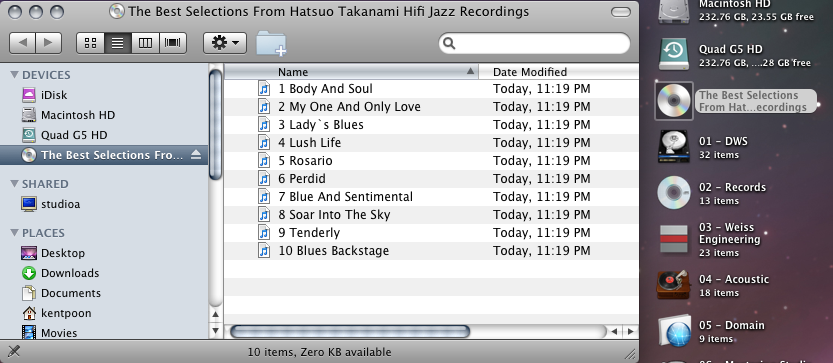
Mac user should know that when they load in an audio CD, there is a CD icon appears on the desktop screen. Double click on the CD icon, each song is represented by a file. This is a CDDA function built in Mac OS. You can simply drag these files to your computer, each file will becomes a non-compressed 16bit/44.1kHz AIFF file. This is the most basic CD ripping with Mac OS, isn't that too easy?
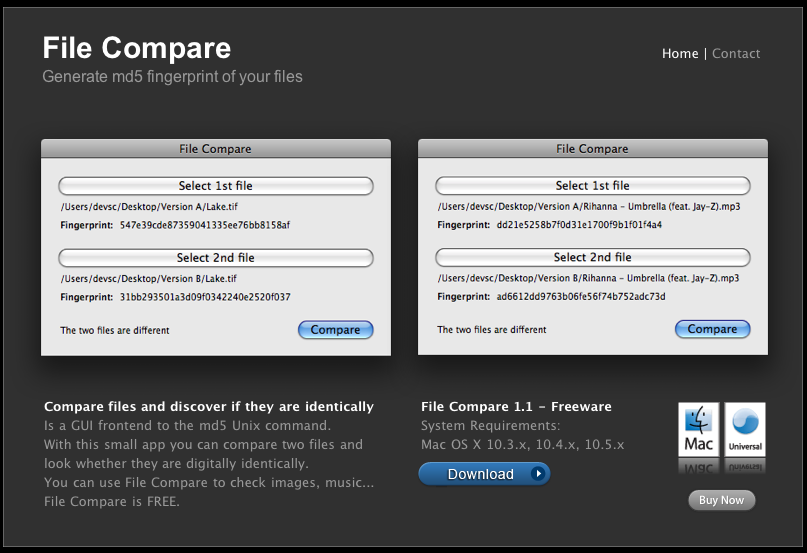
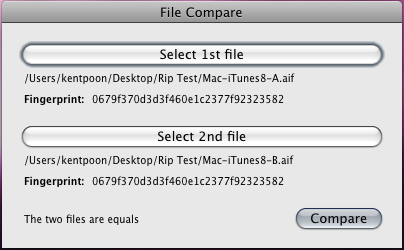
But are these files identical to the CD source? We will find out later. But first, I tested 10 times, drag(rip) the same file from the same disc. Compares all these 10 files with a Mac application "File Compare 1.1".
Results? All 10 files are data identical. It shows my 10 ripping files produce identical result, it's a pretty good starting. Hold on, will there any chance that actually all ripped files contain the same error? Let's go on.
Next, I use all different methods and hardwares to rip the same song from same disc. The combination is listed on below:
"Mac Quad G5" CDDA->AIFF (Just drag the file from the CD disc on desktop)
"PC QuadCore" Wavelab CD import -> Ultra Safe CD import -> Wav
**Special Method**
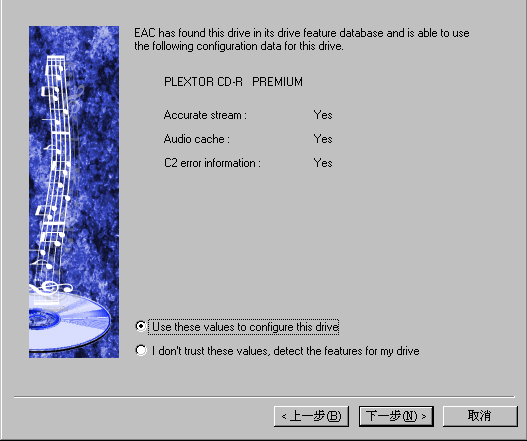
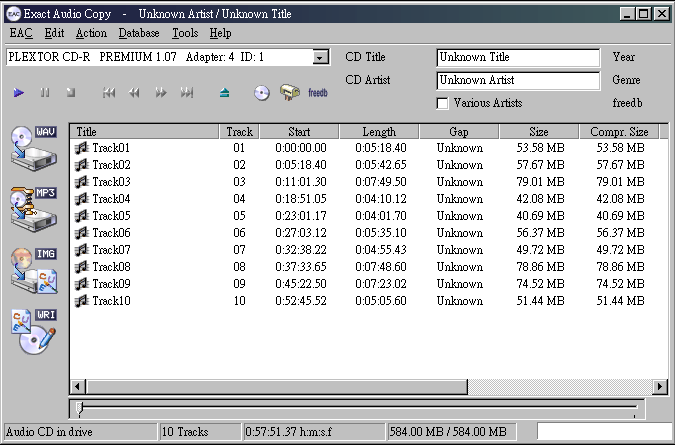
Few methods are worth to mention: (1) EAC
EAC Exact Audio Copy - The most famous free CD ripping tools only available on Windows PC platform. The smartest thing it does is to re-read the data and compare each reading until they are exactly the same. And even if a badly scratch disc that cannot recover the data, it will produce a log sheet telling where the problems are. This method is really important in the early days when PC CPU speed is around 166Mhz, 128Mb Ram. The repeat reading and checking data give strong confidence for people that the rip is perfectly identical to the source.
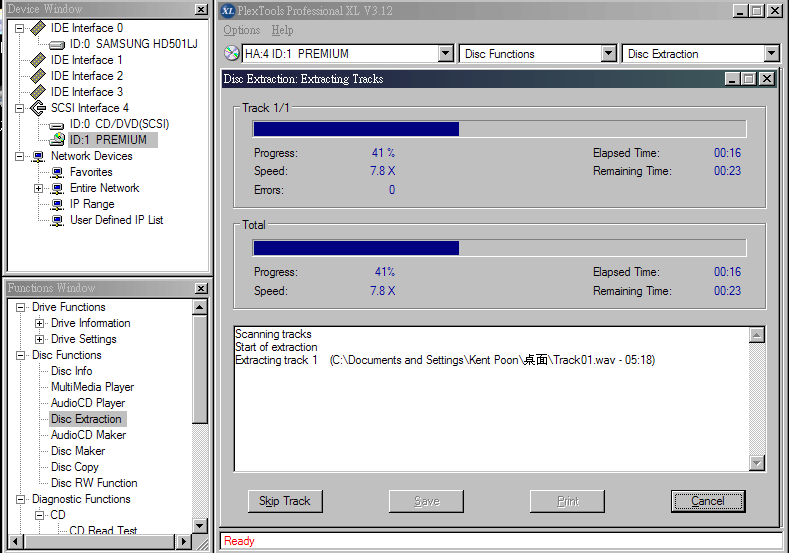
Plextools - Plextor Premium: Plextor CD-Rs/DVD-Rs were the golden standard in computer CD/DVD production industry. The Plextools provides many CD testing features, which only can be found in high cost testing equipment like Eclipse CD Mastering software. It is sad that Plextor left the market and no longer making its own CD/DVD drives. You can still buy Plextor Premium 2 in Japan. The only other CD-R that comparable is StartLab SCSI Sonic Studio CD.1
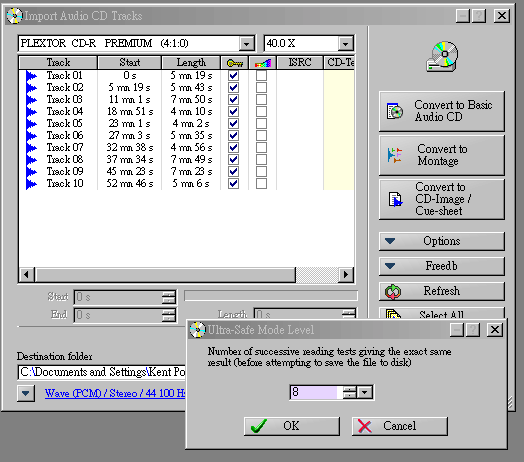
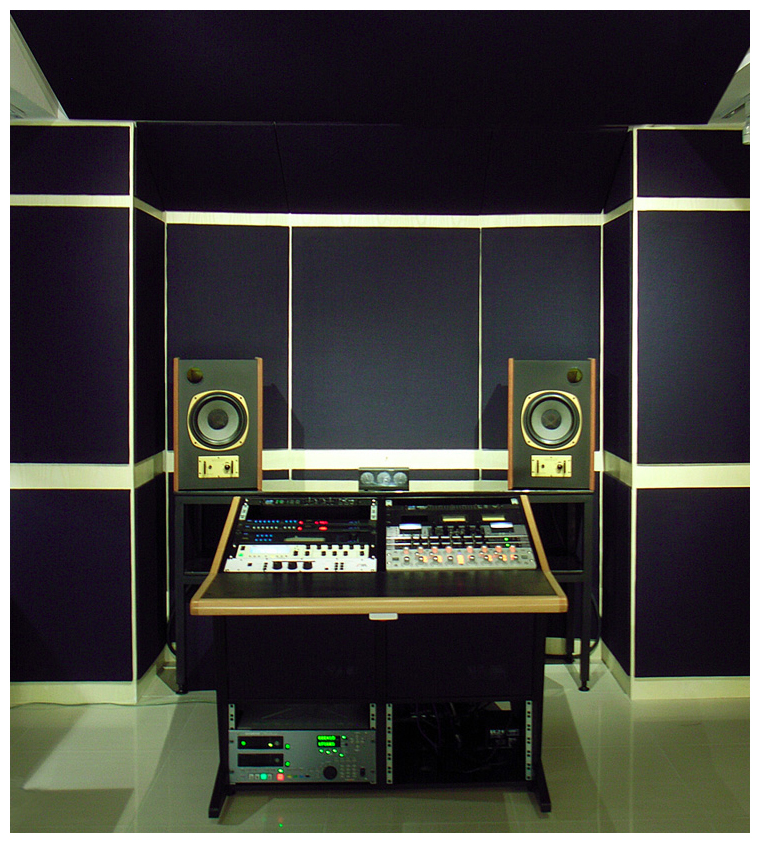
Wavelab (PC) - Wavelab is a professional CD/DVD-A mastering program, which widely used by CD Mastering Studios such as Bernie Grundman, Doug Sax, Eddy Schreyer and of course in our studio. It has a CD import feature that is called "Ultra-Safe Mode". With this feature on, Wavelab will read until number of successive reading tests giving the exact same result (before attempting to save the file to disk). By using a very well Plextor Premium drive, we read the file until it provides 8 times exact same result.
Analysis No.1:
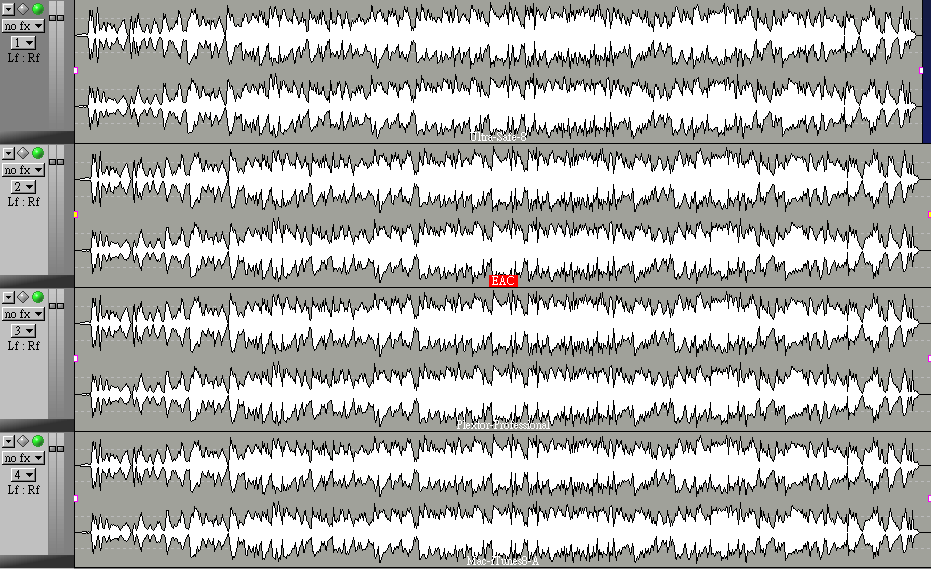
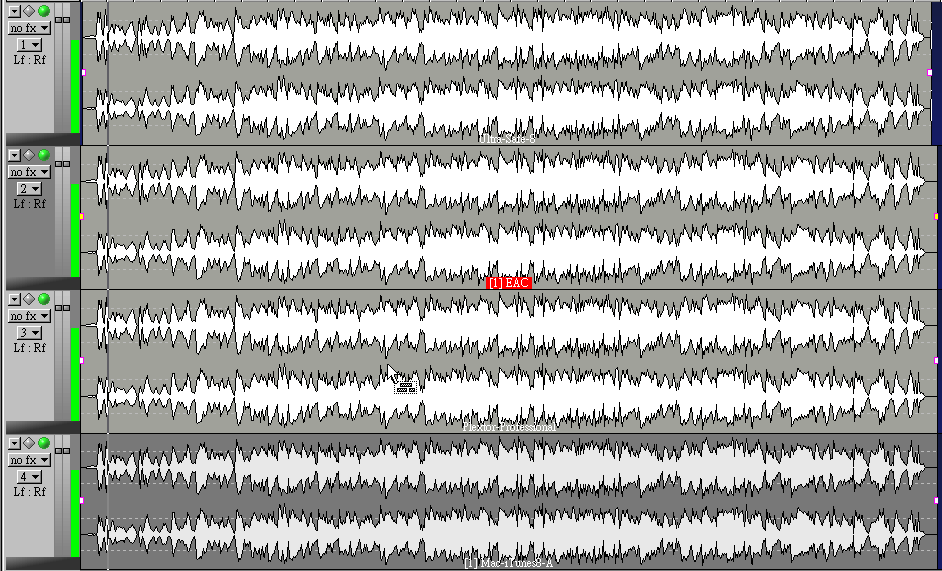
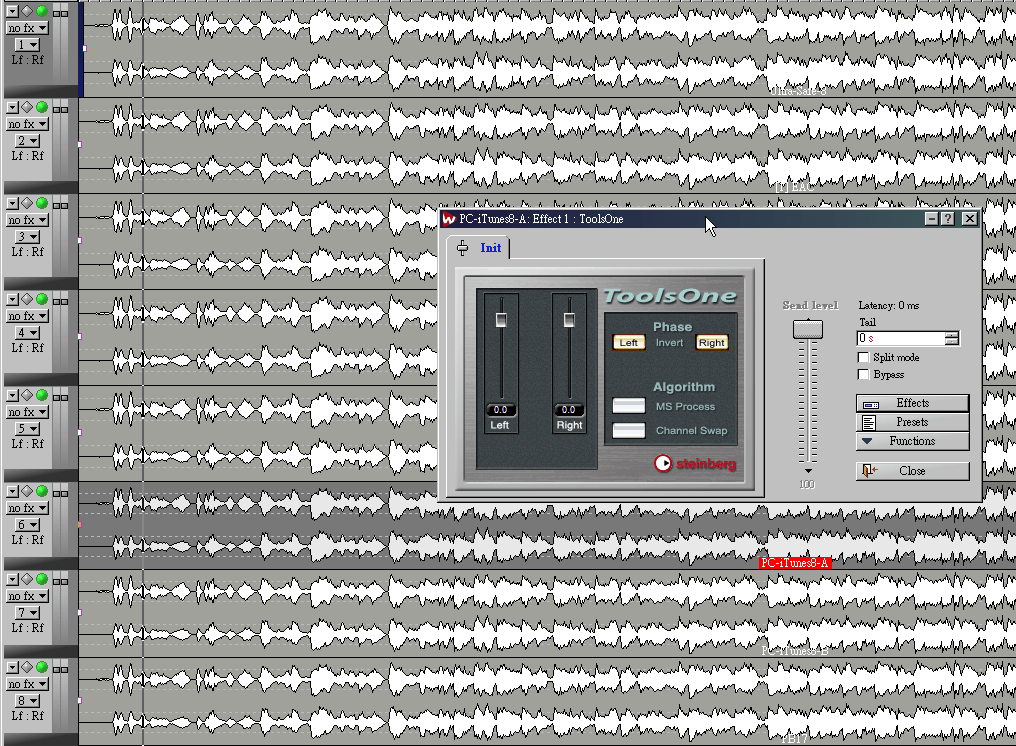
After we ripped all non-compress 16bit/44.1kHz AIFF/WAV files, we import (1) EAC / (2) Plextor / (3) WaveLab Ultra-Safe / (4) Mac iTunes 8 CD on WaveLab. Then we align them to exact same timeline position, because each CD-Rom has different space/gap in front/end. This is also a reason you may not able to get identical reason with "File Compare 1.1"
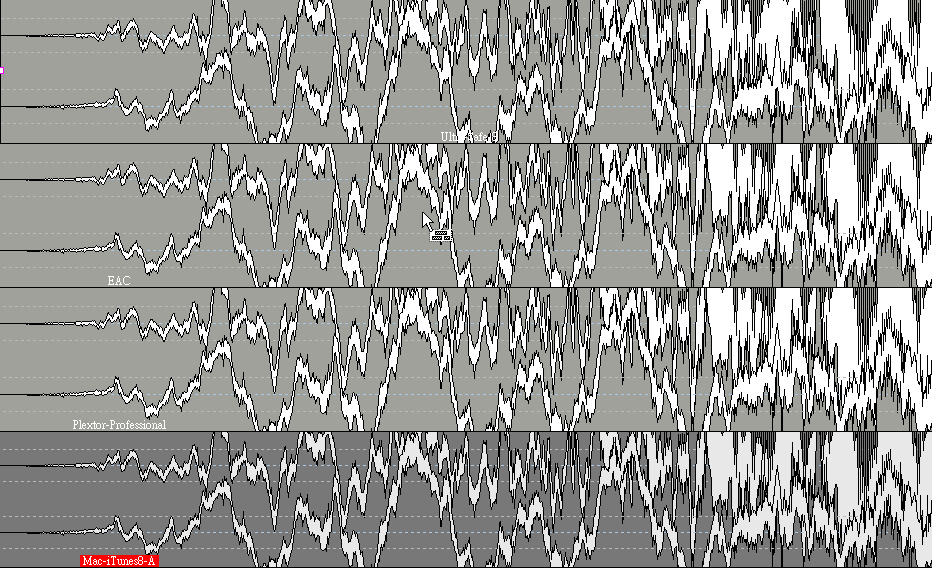
We zoom the heading and further align each stereo ripped file.
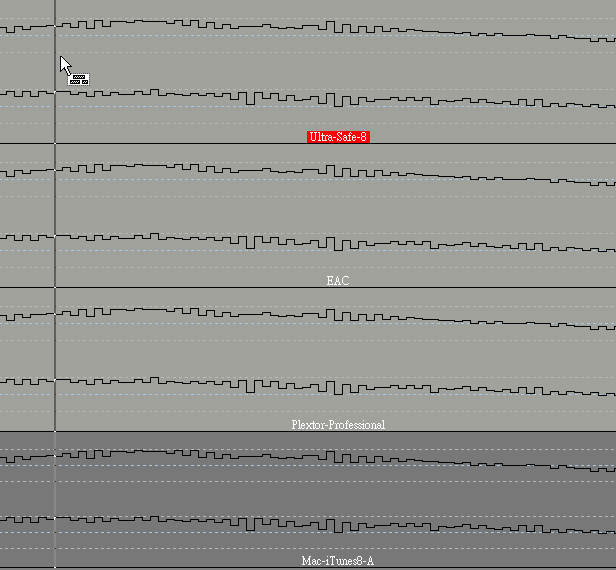
As you can see Wavelab allow zoom in to sample accurate detail level. Now all 4 files are perfectly align on the same timeline.
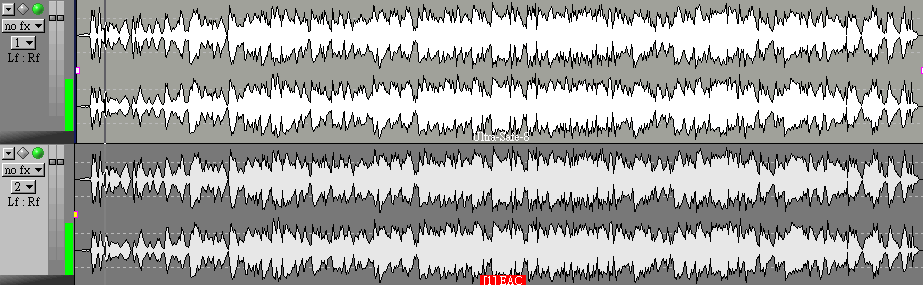
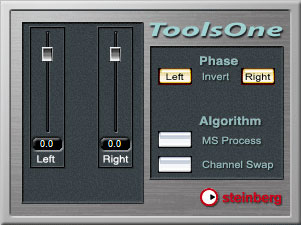
We first focus on first 2 files. We invert L/R phase of one file by ToolsOne plugin. As audiophile, you may already knew some physic. When 2 wave files carries same amplitude, with opposite phase and playback together, they will cancel each other out = No sound. Now we have these 2 ripped files on exact same timeline. We invert one file L/R phase, and playback both files together. If they are data identical, there should be no output. Look at the digital out meter, there is nothing down to -144dBFS. This proves the EAC and WaveLab Ultra Safe Mode files are data identical. Both of them are perfect rip as expected.
Now playback all 4 files together, while Track 2 (EAC) and Track 4 (Mac iTunes 8 CD import) are inverted L/R phases. If any file has even one sample difference, the digital output meter will show.
4 Files play together and the result is again nothing down to -144dBFS. 4 files are data identical. This shows iTunes 8 CD import carries exact same data compare to professional program such as EAC, WaveLab and Plextools.
Well, we have more test files. There are PC iTunes 8, Mac iTunes 8 by Quad G5, Mac iTunes 8 by G4 1Ghz Powerbook, how will they all perform together?
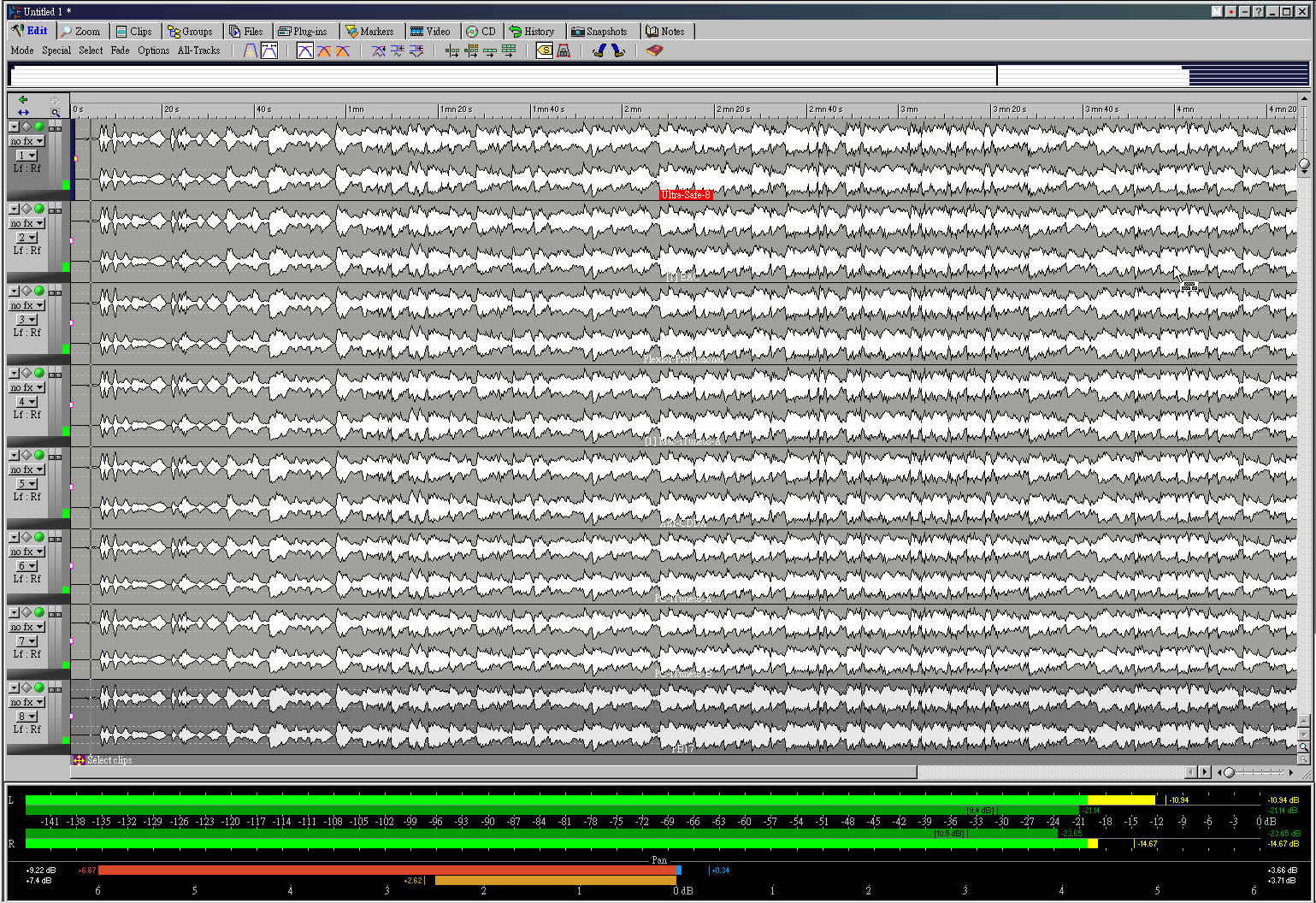
We mentioned on the above. When 2 wave files carries same amplitude, with opposite phase and playback together, they will cancel each other out = No sound. What about they are all in phase? They double up the amplitude. As you can see the digital output meter when we are playing back all 8 tracks together without any phase invert.
Now we invert L/R phases on File 2, 4, 6, 8 to out of phase. File 1, 3, 5, 7 are remain in phase. When we playback them together, if they are all identical, they will cancel each other out completely too. What do you expect the result will be?
They are identical. No matter it is ripped by EAC, Plextools, Wavelab, or by PC iTunes, QuadCore Mac iTunes, Powerbook iTunes, USB 1.0 external Asus DVD drives, they are all bit transparent.
"Mac Quad G5" CDDA->AIFF (Just drag the file from the CD disc on desktop)
"PC QuadCore" Wavelab CD import -> Ultra Safe CD import -> Wav
**Special Method**
Do you feel surprise with the result? Will this give you a little more trust on iTunes? Have you ever think you spend too much time working on thousand of CDs collection? But the result is same as you click import CD to AIFF under iTunes?
With today PC high performances, a simply drag AIFF file direct from the CD disc can easily achieve bit transparent ripped to non-compressed AIFF audio file. However, there are few things that you should beware of.
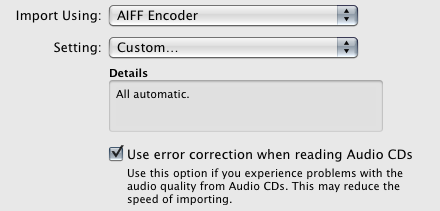
iTunes -> Preference -> General -> CD Import the "Use error correction when reading Audio CDs"
Ripping CD demands computer resources. Don't use too many multitasking like watching video clips, MSN, or run softwares at the background. They may draw resources and interrupt the ripping process.
Bonus Section:
Do you remember there is a "**Special Method**" file? This file is created by our PC iTunes real time playback CD via Weiss AFI1 firewire interface -> AES digital output to our Crookwood mastering console -> loop back to Lynx AES16 digital audio soundcard -> capture input by WaveLab software. This test checks a lot of things.
Is iTunes8 live CD playback bit identical data?
Is Weiss AFI1 output bit identical data?
Is Crookwood mastering console completely transparent (when no processing is insert)?
Is Lynx AES16 soundcard capture bit identical data?
Is WaveLab record bit identical data?
If just one tiny section (be specific, 1 sample error), the whole signal path is broken (Remember 1 second music carries 88200 stereo samples, each with 16bit word length. A lot of data is passing through this loop), the Wavelab captured file will be different than the original source file.
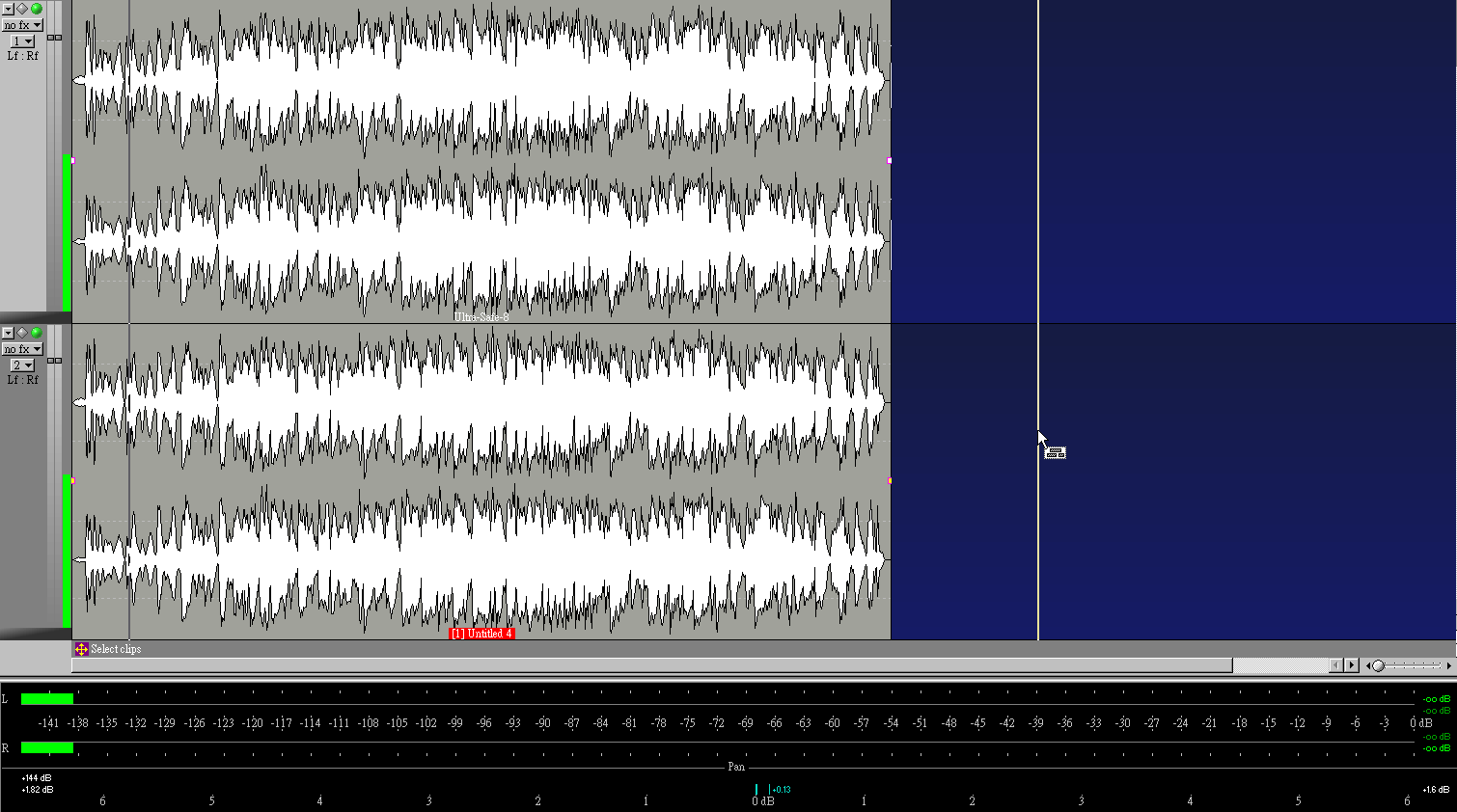
The above photo shows the "loop captured" file play together with the WaveLab Ultra Safe ripped CD file. Bit transparent result again. Well, we of course very happy that our digital chain is clean.
In this CAS series, we keep on talking an important issue - digital data can be compare, clone and verify. In the file comparison tests, we prove iTunes 8 and up to date computer/CD/DVD drives, are capable to rip bit perfect data same as EAC, Wavelab and Plextools. Moreover, iTunes can output bit transparent digital data as well. I will suggest audiophile make good use of iTunes. It has a lot of good feature, the album management alone is way above all other programs.
Okok, after repeating bit transparent, bit identical, how about the most important element SOUND!!!?
Do you think iTunes rip sound so bad compare to EAC rip? or compare to WaveLab Ultra Safe rip? Please re-read my previous articles for these answers. I understand there are many golden ears in audiophile circle that may argue this case..........okay, I have all these 10 audio files which all are ripped, recorded from different methods and sources. They are proven in my measurement that bit transparent and carry exact same digtail data. Will you like to take this challenge, listen these bit identical files and tell me if anyone of them sounds better than the rest?????
I guess not.........but do let me know what you think. If you want my help to check your ripping files are bit transparent before you rip thousand of CDs, email me.
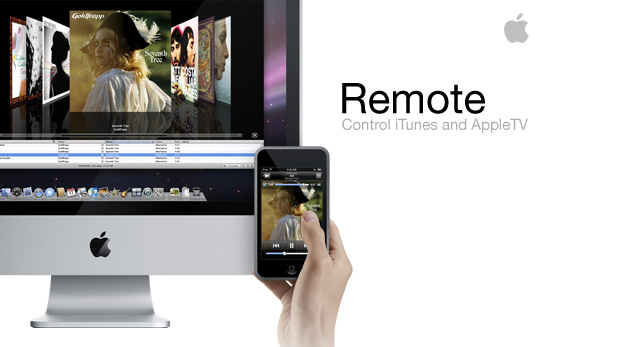
After 3 chapters of Computer as Source (CAS), we found more real life pleasure to share with all of you. I recently updated my Iphone to latest 2.1 and iTunes 8.0, the Application "Remote" has tuned my iphone as a wireless remote control. Well, it looks so cool that the screen displays the album art. This chapter we will go through the easy setup procedure.
iTunes the best audio playback software for us. I know many computer audiophiles may disagree as they want to tune their sound with computer DSP such as up-sampling & filtering etc. I personally do not like this idea as computer software on audio DSP are usually inferior to my book compare with high end audio manufacturer designs. "Bit transparent" output is all I look for. If a CD or hires music is recorded with "1010", I wish the exact same data "1010" will store on my hard disk, and also presents on the digital output.
iPhone / iPod Touch can remote control the iTunes on Mac/PC/Apple TV. They are connected to each other via WiFi. This is far by the coolest surprise remote control.
Step by Step:
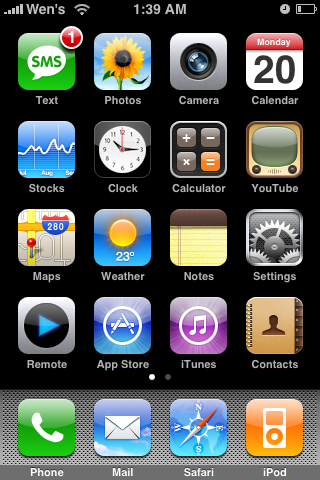
(1) Download Remote App from www.apple.com
(2) Click on Remote App -> Add Library
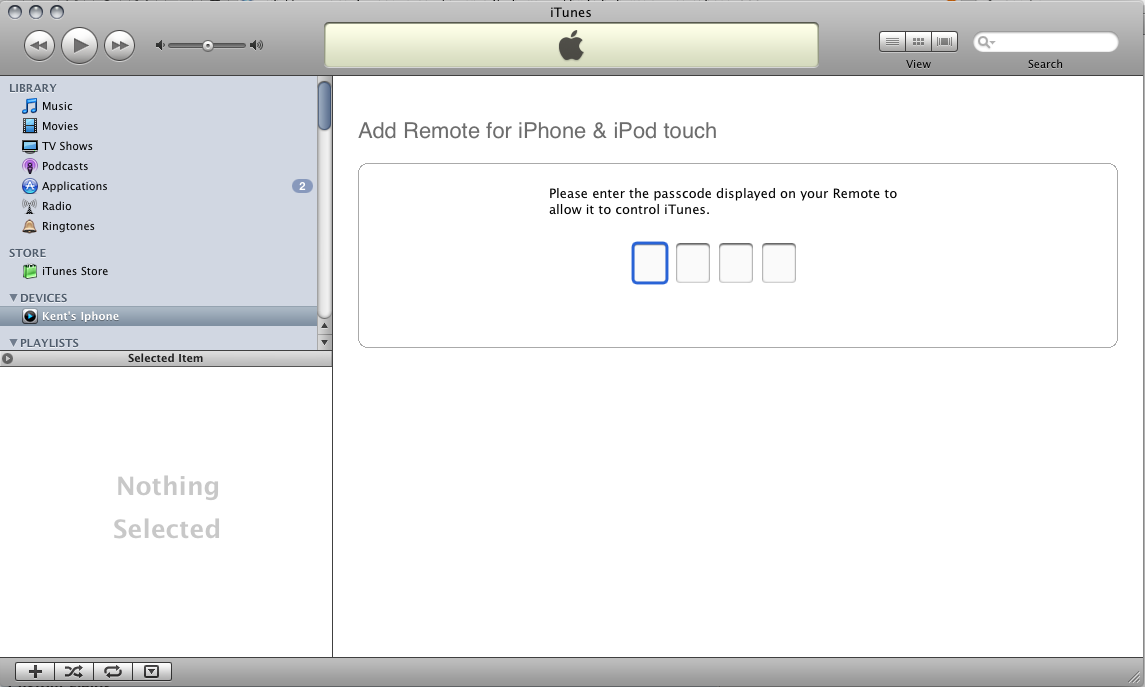
(3) It shows you a Passcode, now switch on your iTunes, on the Devices tab you can see your iPhone or iPod touch. Select the device, and enter the same Passcode.
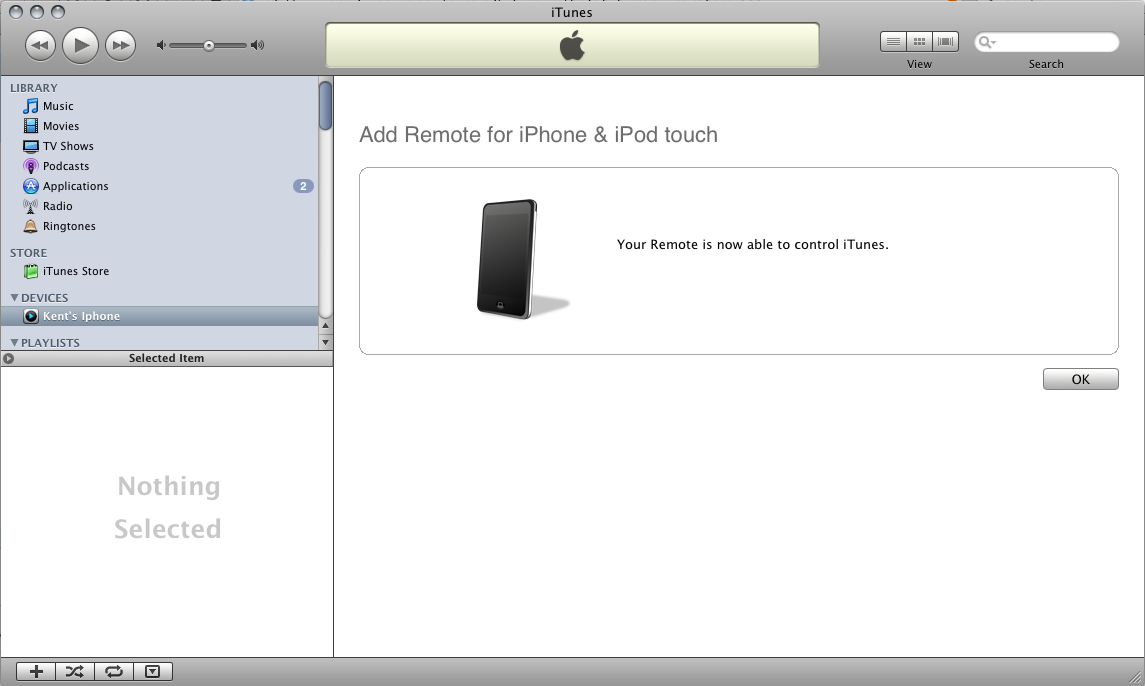
(4) After successful match the Passcode, your remote is now able to control iTunes.
(5) Now the iPhone/iPod Touch will show you the album list, including the album art.
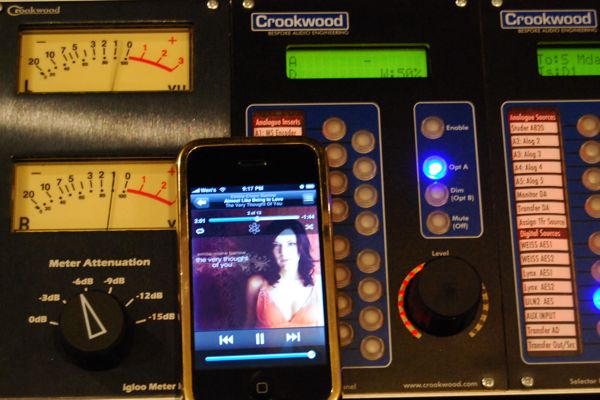
We setup this Remote in our mastering studio and it becomes one of the hippest gadget, placing close to our mastering console and Weiss DS1-MK3. As you can see, we are listening to "Emilie-Claire Barlow - The Very Thought Of You" A superb Jazz vocal recording. Maybe I should start a little software review column to share all great recordings we have found with you.
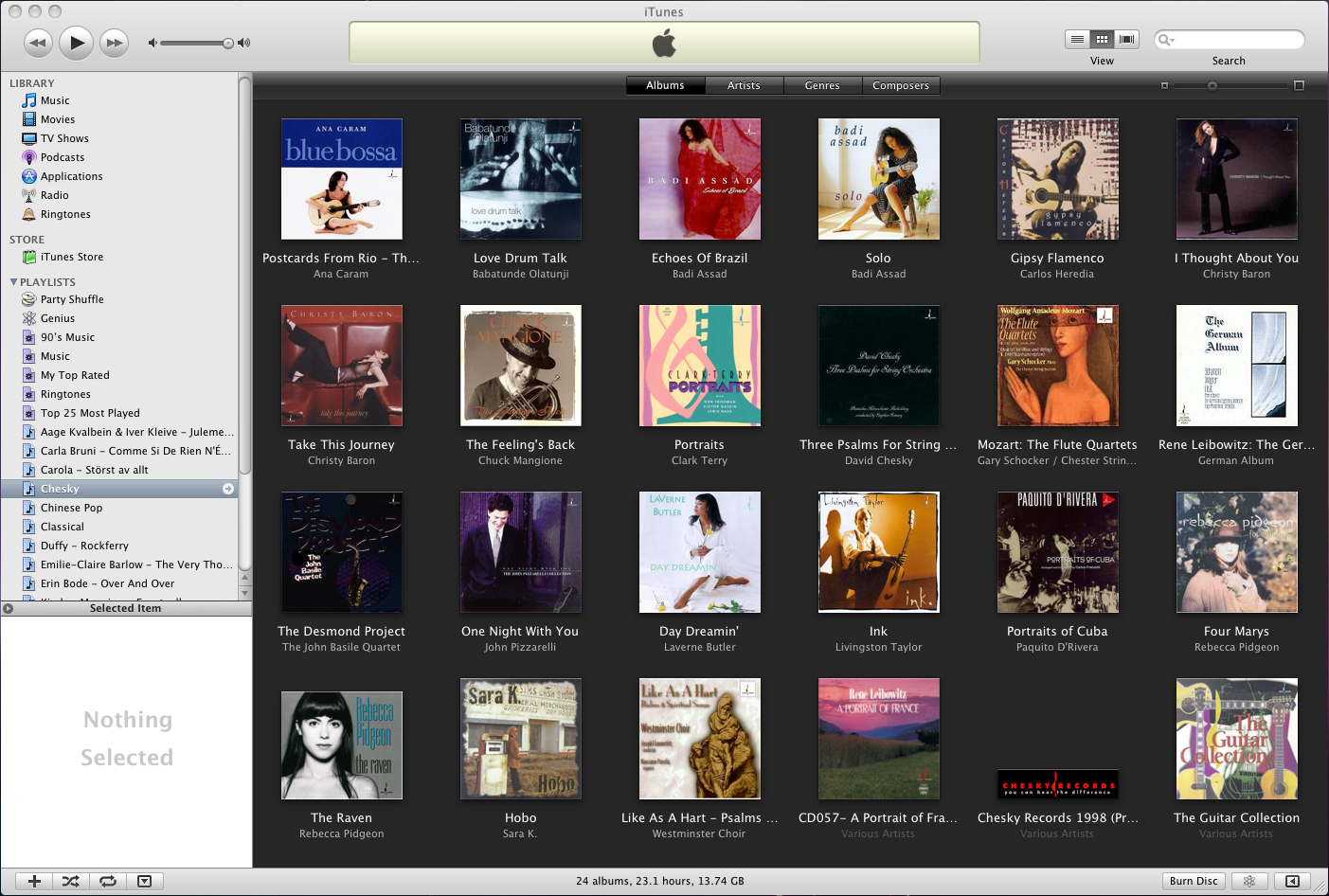
Our Chesky Records Section. There are too many great Chesky recording, especially from my mentor Bob Katz in middle 90s, before he moved to Orlando and setup Digital Domain. I wish there is a chance that I can collect the entire list of high resolution 24/96 Chesky Records. Their MS Blumlein technique is the most amazing recording technique in this planet. The custom tube microphones output line level signal with gorgeous timbre. The new HDTracks.com has true 24/96 source for sale!! Unfortunately it is current only for US customers.
It was 1997 (11 years ago!!!!) when I attended CES in Vegas, David Chesky & Classic Records both gave me press kits with total of 6 DAD. They use the term "DAD" for 24/96 music stores on DVD format. After 11 years later, those 24/96 content, still amazes anyone who is lucky to hear them.