
How to Check Redirects on a Website: 301 Redirect Checker and Chain Fixes
Every website carries a history of changes: pages get renamed, products get retired, the site moves to HTTPS, and someone decides whether "www" should stay or go. Each of those decisions leaves a trail of redirects behind it. Most of the time nobody looks at that trail again, and that is exactly where problems hide. A redirect that works for a browser may still waste crawl budget, dilute link signals, or send visitors through three hops before they reach the page they wanted. To check redirects on website properly, you need to read every hop, confirm the status code at each step, and verify the final destination. This guide walks through exactly that, from a free online checker to curl, Chrome DevTools, and crawler-based audits, and it ends with concrete fixes for nginx, Apache, and WordPress. PromoPilot™ publishes these tools and the matching methodology for website owners and SEO specialists, but the process below works on any site, whoever hosts it.

Think of a redirect as a short instruction the server gives to whoever asked for a URL: "the page you want is now over there." The instruction is delivered in the HTTP response, with a status code and a Location header that names the new address. Browsers follow it silently. Search engine crawlers follow it too, and they treat the code as a signal about permanence. A 301 tells them the move is final and that the old address's signals should be consolidated into the new one. A 302 says the move is temporary, so the old address is expected to come back. That difference matters more than most people expect, because crawlers make decisions based on it when they decide which URL to keep in the index.
- In practice, it sends visitors to a page that does not match what they wanted, and crawlers may treat the mass redirect as a soft 404
- Hreflang in particular is easy to overlook on multilingual sites, because the alternate URLs are declared in the page head and can quietly point to addresses that now redirect
- It is a routine that keeps a site fast, keeps its link value intact, and keeps crawlers spending their time on the pages that matter
- Keep your redirect rules in one place, give each rule a reason and a review date, and schedule a regular crawl so that a new chain is caught in weeks rather than months
There is also a second family of redirects that never shows up in a server log: client-side redirects. A meta refresh tag or a JavaScript window.location change tells the browser to navigate elsewhere after the page has loaded. Crawlers handle these less predictably than server-side responses, and they cannot be audited with a tool that only reads HTTP headers. When you check redirects, separate the two. Server-side redirects are the ones you can fully control and verify from the outside, and they should be the default for any permanent move.
Where Redirect Problems Usually Come From
Redirect chains rarely appear by design. They accumulate. A common story starts with an old http:// site that was later moved to https://, then to a version with a trailing slash, and then to a new CMS with its own rules for "www." Each change added one rule, and nobody removed the older ones. The result is a request for an old URL that passes through four or five hops before it lands on a live page. Every step looked reasonable on the day it was added.
Protocol and host normalization are the most frequent sources. The server redirects http to https, the CDN redirects non-www to www, and the application redirects to a canonical URL with a trailing slash. If these rules are configured in different places and do not agree on the final form, a single request can bounce between them. Trailing slash rules cause a related problem: /page and /page/ are different addresses to a crawler, so a site that enforces one form in the server and the other in the CMS will generate a stream of avoidable hops.
Migrations are the other major source, and they tend to produce the biggest mess. When a site is rebuilt, old URLs are often mapped to new ones in a spreadsheet, and the spreadsheet is applied in one pass. But the new URLs themselves get renamed a few months later, which creates a second redirect layer on top of the first. Legacy rules are also dangerous in the opposite direction: they outlive the pages they point to, and a redirect that targets a deleted page quietly becomes a soft 404 or a dead end.
A redirect is cheap to create and expensive to forget. Every rule you add should have an owner, a reason, and a date when it can be reviewed.
What Redirect Errors Cost a Website
The cost of redirect errors shows up in three places: crawling, link equity, and the experience of real visitors. Crawl budget is the number of URLs a search engine is willing to fetch from your site in a given period. A multi-hop path consumes several of those fetches to deliver one page, so on a large site, chains can quietly reduce how often important pages get recrawled. This is especially visible on sites with tens of thousands of URLs, where the crawler spends its time on redirect paths instead of fresh content.
Link equity is the second cost. External sites link to pages that existed when they wrote their article or listed their resource. When those pages move, the links point to the old address, and the redirect is what carries their value forward. A clean single-hop 301 passes that value to the destination. A chain of 302s may not pass it cleanly at all, and the more hops involved, the more opportunity there is for signal loss. If you have promoted a page with external links and later moved it, the redirect is the thing that keeps those links working.
The third cost is the one visitors feel directly: latency. Each hop is a full round trip to the server, and on a mobile connection that can add a noticeable delay before anything renders. Chains are the most common cause of slow first loads for pages that otherwise perform well. Users rarely see the redirect itself, but they do notice a page that takes a second longer to appear, and they leave.
Choosing a Method to Check Redirects on a Website
There are four practical ways to verify redirects, and they answer different questions. A free online checker is the fastest option when you want to see the whole path for one URL without installing anything. You paste the address, and the tool follows every Location header it receives, up to a fixed number of steps, and reports the status code, the destination, and the total number of hops. It is ideal for spot checks after a change, for confirming that an HTTP to HTTPS redirect works, and for sharing a result with a colleague. Its limits are real, though. It follows only server-side HTTP redirects, it identifies itself with its own user agent, and it runs from one location, so rules that depend on country, device, or a cookie may look different for real users.
Command-line tools are the second option, and curl is the standard. Because curl does not cache responses and does not execute JavaScript, its output reflects the server's answer exactly. Running curl with the flag that shows headers only and the flag that follows redirects gives you a clean, hop-by-hop record that you can paste into a ticket or a script. Some servers respond differently to HEAD requests than to GET requests, so if the headers look odd, repeat the check with a real GET request and discard the body. curl is the method to reach for when you need reproducibility, when you are debugging a server configuration, or when you want to test a specific user agent such as a mobile browser or a crawler.
Browser DevTools are the third option, and they are the only method that shows what a real browser experiences, including the caching and the internal redirects it may apply on its own. Open the Network panel, enable the setting that preserves the log across navigations, and disable the cache before loading the old URL. Each step appears as its own row with its status, and the Location header is visible in the response headers. Be careful with browser caching, because a browser can remember a 301 and keep following it even after you have changed the server. If a redirect seems to be stuck, test in a private window or confirm with curl before assuming the server is at fault. You may also see a 307 that your server never sent: that is the browser applying its own redirect to HTTPS for sites on the HSTS list, and the checker or curl will show you the server's real response.
The fourth option is a crawler, and it is the only realistic way to audit redirects across a whole site. A single-URL tool tells you about one path. A crawler follows internal links, records every redirect it encounters, and reports chains and loops as separate issues alongside broken links. This is what you need when you are looking for the internal links that still point to old addresses, because those links are often the true source of unnecessary hops. For large sites, sample by section: check the homepage, the main category templates, a set of high-traffic pages, and a batch of pages from each era of the site's history. Segmenting the results this way makes patterns visible that a full dump would bury.

Reading Each Hop: Status Codes, Headers, and Destination Validation
When you look at a redirect path, read it one hop at a time, and ask four questions at each step. What is the status code? Where does the Location header point? Does the destination itself redirect again? Does the final address return a page that matches what you intended? Answering these in order turns a confusing list of responses into a clear diagnosis. The status code tells you how the server intends the move to be interpreted, the Location header tells you the next address, and the destination check tells you whether the chain ends where it should.
The codes themselves have specific meanings. A 301 means the resource has moved permanently, and crawlers generally transfer signals to the new address. A 308 is the permanent equivalent that preserves the request method, which matters for forms and APIs but is rarely a concern for ordinary pages. A 302 means the move is temporary, and it is the most common mistake on permanent moves, because the old address stays in the index. A 307 is the temporary equivalent that preserves the method. Choosing 302 for a permanent change feels harmless and produces slow, unpredictable signal transfer. It is one of the most frequent findings in any redirect audit.
Validating the destination is the step most people skip, and it is where the most damage hides. Confirm that the final URL returns a 200 status, that it is the page you meant to reach, and that it is self-canonical or points to the correct canonical. A redirect that sends every old product page to the homepage is a classic example: it returns a 200, so it looks fine in a quick glance, but it sends users and crawlers to a page with no topical relevance to what they wanted. Check content parity as well: the destination should cover the same subject as the source, or the redirect is misleading.
To verify that a 301 works under real conditions, test more than one variant. Check http:// and https://, with and without www, and with and without the trailing slash. Each variant should reach the final URL in a single hop. Test with a mobile user agent and a desktop one, because some configurations handle them differently. Also look at the caching headers, since they determine how long a browser or an intermediate cache keeps a redirect before it rechecks the server. A redirect that is correct on the server but cached aggressively for a year will behave like a broken one for returning visitors until the cache expires.
Identifying Redirect Chains and Loops
A chain is a sequence of two or more redirects that a request must traverse before reaching its destination. A typical example is an old http address that redirects to https, which redirects to a www version, which redirects again to a version with a trailing slash. Each step is a round trip, each step is a point of failure, and each step adds latency. Googlebot will follow a limited number of hops before giving up, and Google recommends keeping chains short. The practical target is a single redirect from any old address to its final form, with internal links updated so they never route through a redirect in the first place. Because client-side redirects depend on scripts and page rendering, the most practical way to check redirects on website is to compare the final rendered URL in a headless browser against the original address you requested.
A loop is a chain that returns to an address it has already visited, so it never reaches an end. Browsers stop after a fixed number of attempts and show an error that the redirect loop was too long, and the page cannot be indexed at all. In a checker, a loop shows up as a path that hits the step limit with the same addresses repeating. The most common causes are conflicting rules: a server that forces https while a CDN in front of it is configured to talk to the origin over http, or a host normalization rule in the server that disagrees with one in the CMS about whether www should be present. Loops are almost always a configuration disagreement, and they are usually easy to fix once you find the two rules that contradict each other.
When you map redirects across a site, export the crawl data and look at the chain depth for each source URL. Sources with depth greater than one are candidates for collapsing, and the sources that appear most often as intermediate steps are the ones to fix first, because fixing them removes hops from many paths at once. Also look for orphaned sources: old URLs that still receive external traffic but no longer have any internal links pointing to them. Those are the redirects that protect your inbound link value, and they should be kept, even if they look unused in the internal link graph.
How to Fix Redirect Chains and Loops
Collapsing a chain means rewriting the rules so that every source points directly to the final destination. The principle is simple: if A redirects to B, and B redirects to C, then A should redirect straight to C. In practice, this means finding each intermediate rule and either removing it or updating the source rule to skip it. Start by listing every chain from your crawl, then group them by their final destination. Often a single rule change fixes dozens of chains at once, because most chains share the same middle step.
Internal links are the part of the fix that people forget, and it is the part that prevents the problem from coming back. Even if the redirect is a single hop, an internal link that points to an old address still generates an unnecessary request and a redirect for every visitor who clicks it. Update internal links, canonical tags, and the sitemap so they point directly to the final URLs. Redirects are then needed only for external links and old bookmarks, which is exactly what they are designed for. Reducing internal reliance on redirects also makes your crawl data cleaner, which makes the next audit faster.
Resolving loops requires reviewing the rule hierarchy in the correct order. Start at the outermost layer, which is usually the CDN or the load balancer, and check what it sends to the origin and whether it adds its own redirects. Then check the web server, then the application or CMS, then any plugins. A common approach is to disable each layer's redirect rules one at a time while testing with curl, until the loop disappears, and then re-enable them in a corrected form. Keep the rules in one place where possible. Redirects scattered across the CDN, the server, and a plugin are almost impossible to reason about, and that complexity is what allows loops to form in the first place.
On nginx, the cleanest fix is to combine the scheme and host changes into one redirect rather than two. A single server block that handles the non-canonical hosts and the http protocol, and returns a permanent redirect straight to the canonical https URL with the original request path, removes the intermediate hops entirely. Keep a separate listening block for the www version if it needs its own rule, and always test the configuration before reloading. On Apache, the equivalent logic lives in the .htaccess file, and a generator can produce the rules without typos, which is useful because a single misplaced character in a rewrite rule can break an entire site. On WordPress, make sure the site address and the WordPress address in the general settings both use the final protocol and the correct www version. A mismatch between those settings and the server rule is one of the most frequent causes of loops on WordPress installations. For individual pages, a redirect plugin or the redirect manager in an SEO plugin is the right tool, but avoid defining the same redirect in both a plugin and the server configuration, because the two will conflict.
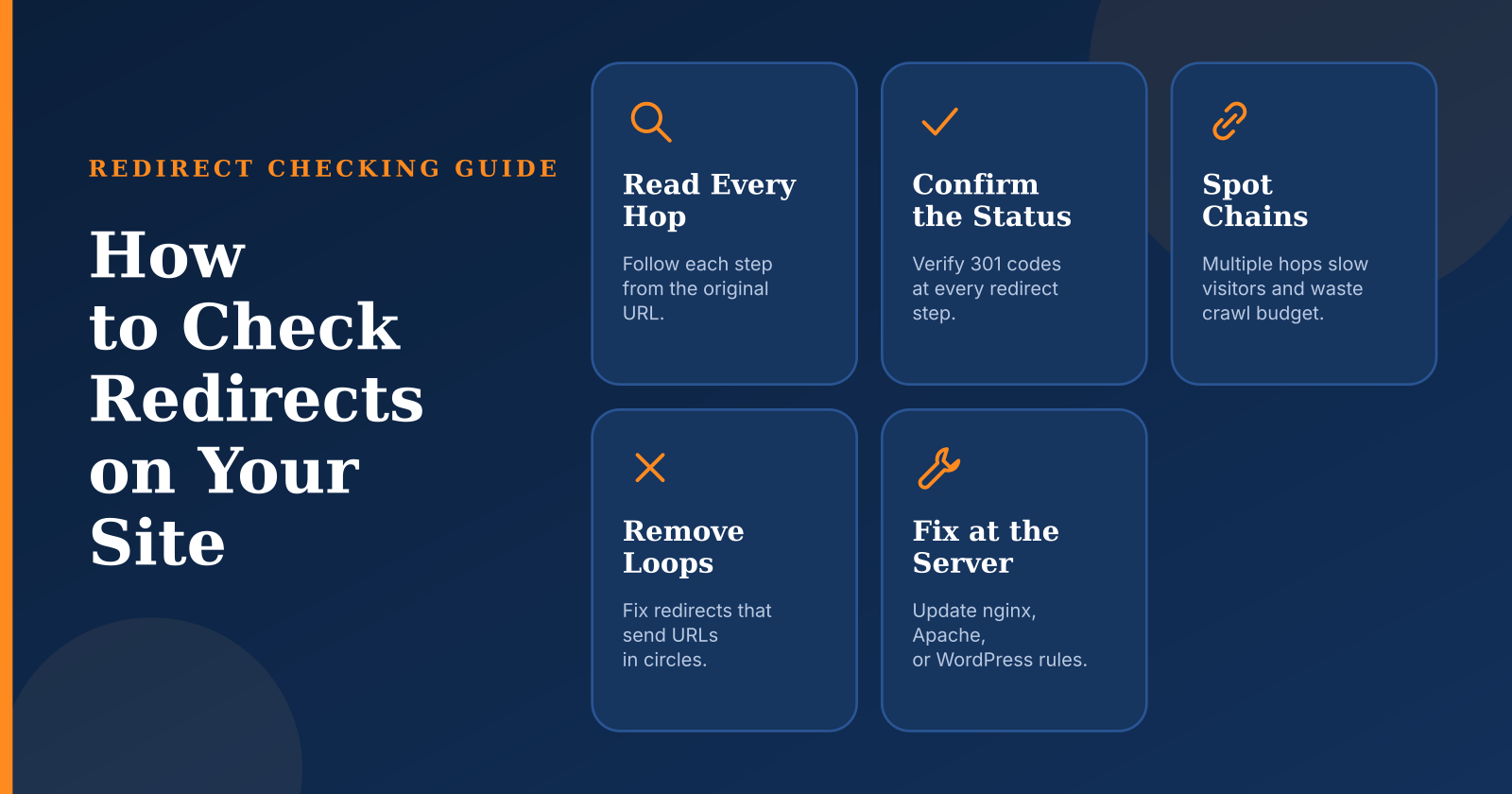
After any fix, verify it. Re-run the crawl, check a sample of the previously broken chains with curl, and watch your server logs for the next few days to confirm that the number of redirect responses has dropped. Set up a scheduled check, even a simple monthly crawl, so that a future migration or plugin update that reintroduces a chain is caught early. Redirect problems tend to reappear silently, because they do not produce visible errors until someone notices slow pages or a drop in indexed URLs.
Common Mistakes When Checking and Fixing Redirects
The most frequent mistake is testing from a single vantage point and assuming the result applies everywhere. A redirect that works from your office network may behave differently for a visitor in another country, on a mobile device, or with a cookie that the server uses to route traffic. Test from more than one user agent and, where possible, from more than one location, before concluding that a redirect is correct. A single successful check gives false confidence, and the errors it misses are often the ones affecting real users.
The second mistake is treating all redirect codes as interchangeable. Using a 302 for a permanent move is the most common example, and it is more than a technicality: it changes how crawlers handle the old address and whether the signals transfer cleanly. Choose the code based on the intent of the move, and document the choice so the next person who edits the rules does not revert it to a temporary code out of habit.
The third mistake is redirecting everything to the homepage. When a page is removed, it is tempting to send all of its old URLs to the home page, because that feels like it preserves the traffic. A better approach is to redirect each removed page to the closest relevant replacement, and to return a proper 404 or 410 when no relevant replacement exists. Relevance is what carries the value, and an irrelevant redirect carries very little.
The last mistake is forgetting the references that sit outside the redirect rules: internal links, sitemaps, canonical tags, and hreflang annotations. Each of these points to a specific URL, and if they still reference old addresses, every visit to them generates a redirect. Update all of these references alongside the redirect rules, so the site speaks with one consistent set of final addresses.
Conclusion: Make Redirect Checks a Routine, Not a Rescue
Checking redirects is not a task you do once during a migration and then forget. The free online checker gives you a fast view of a single path, curl gives you a reproducible record for debugging, DevTools shows what a real browser experiences, and a crawler reveals the internal patterns that create chains in the first place. Use them together, and read every hop instead of trusting the final page to tell the whole story.
The fixes are straightforward once the problem is clear: collapse chains into single hops, update internal links and sitemaps so they stop routing through redirects, resolve loops by reviewing the rules from the outermost layer inward, and verify every change with a fresh check. A redirect is one of the cheapest instructions a website can give, and with a little discipline, it can keep working quietly for years.