
How to Tell If a Photo Is AI: We Tested 17 Images With Metadata and Detectors
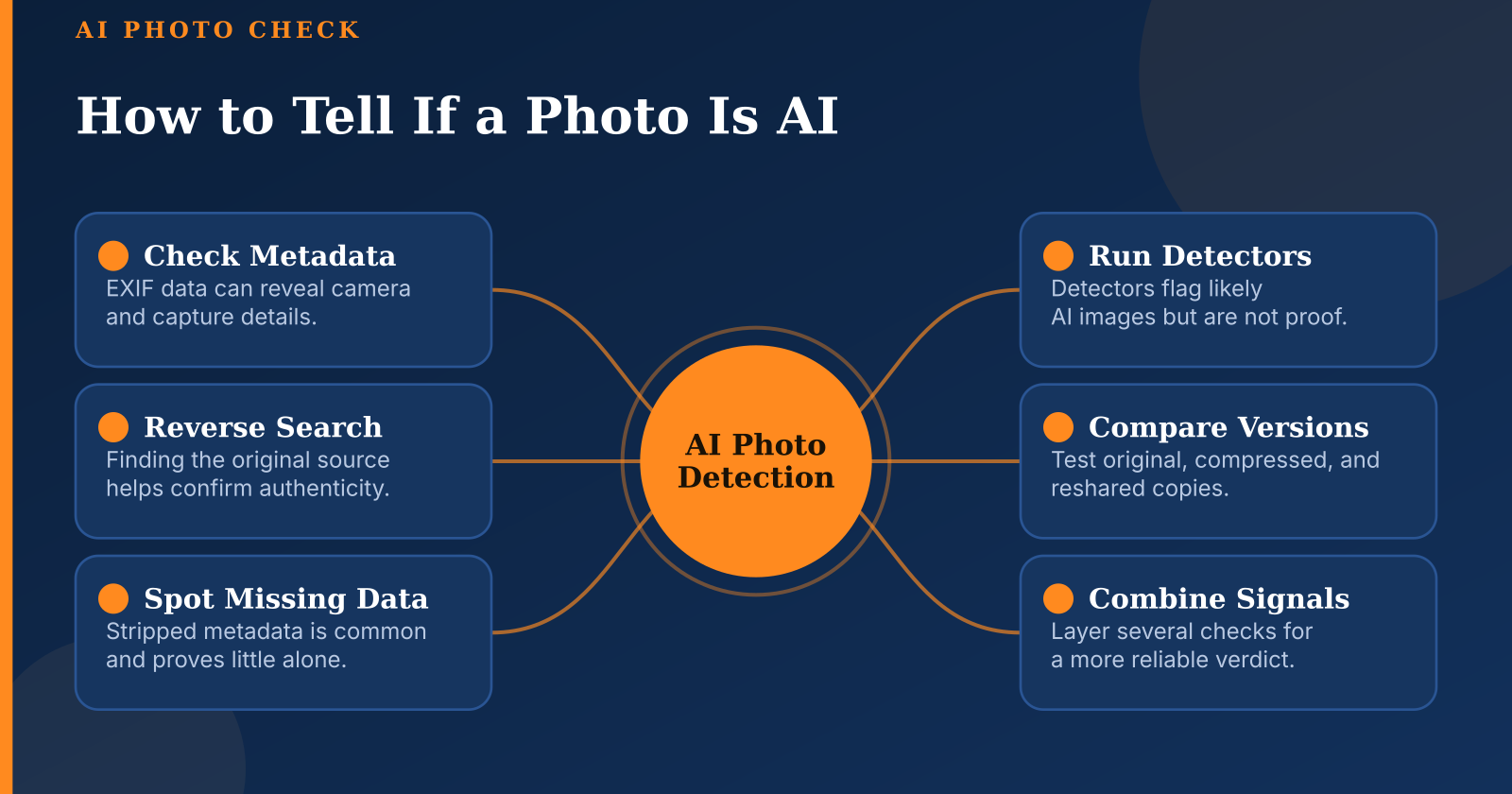
Every week someone forwards a striking photo with a caption that says it's real, and every week the same question follows: how to tell if a photo is AI? The honest answer is that no single check settles it anymore. Metadata can prove an origin, a detector can raise a flag, and a reverse image search can reveal the original, but each of these tools fails in predictable ways. This article walks through a test we ran on 17 images, explains what each signal really tells you, and gives you a layered routine you can apply yourself. If you want to try the core checks right away, our AI photo check test shows how the workflow looks in practice.

What the Test Covered and How to Read the Results
We built a dataset of 9 AI-generated images and 8 real photographs. Each image was tested in three versions: the original file, a re-saved and compressed copy, and a version that had been passed through a messaging app or social platform to mimic how pictures actually travel. The three-version design matters more than it first appears. Most images a reader encounters have already been re-encoded at least once, so results on pristine originals overstate what anyone will see in the wild.
- Move to metadata review if no manifest is present, looking at camera fields, software tags, and timestamps
- And failing to document the check is a serious problem in any context where the result may be challenged later
- Each step narrows the possibilities, and the final judgment is supported by several independent observations rather than one number
- What remains constant is the logic of layered evidence
Ground truth was established from the origin of each file. For the AI images, we generated them ourselves, so the label is certain. For the real photographs, we relied on original camera files and their sources. That gives us a controlled baseline, though it is still a small sample and should not be read as a laboratory benchmark. Think of it as a practical stress test of what an ordinary person can do with the tools available today.
Reading the results requires care. A detector that "caught" an image returned a probability above its threshold, not a proof. A detector that "missed" one returned a score below it, which says nothing about whether the image is real. A single accuracy percentage hides this distinction, and it hides the more important pattern: which kinds of images fool the tools and which kinds set them off. That pattern is where the useful lessons are.
How to Tell If a Photo Is AI: Metadata Signals Explained
EXIF data is the first thing most people look at, and it is still worth checking. A genuine camera or phone photo usually carries fields for the camera make and model, lens information, exposure settings, capture timestamps, and sometimes GPS coordinates and software tags. AI generators typically leave these fields empty or fill them with generic values, because there is no physical sensor behind the image. A photo that claims to be shot on a specific camera but lacks the lens data and exposure values that camera would write is a reason for suspicion.
The critical caveat is that missing EXIF proves very little on its own. Screenshots strip metadata. Messaging apps strip it. Most social platforms strip it on upload to protect privacy. A genuine photograph that has passed through any of these channels will look exactly like a generated image from a metadata standpoint. So an empty EXIF block is a prompt to dig deeper, not a conclusion. It tells you the file's history is unknown, which is different from saying the image is fake.
Software tags deserve their own attention. Editing applications write identifying strings into the file, and generation tools sometimes do too. These strings are easy to remove, but when they are present they are direct evidence of the tools used. Reading them takes thirty seconds with any standard metadata viewer. A practical review follows a fixed order. First, check whether camera and capture fields exist and are internally consistent. Second, look at the software tags. Third, note the timestamps and check whether they fall plausibly within the event being shown. Each result should point to the next step: inconsistent or absent fields send you to provenance checks, and a clear software tag naming a generator is close to a verdict in itself.
C2PA and Content Credentials: What Provenance Data Shows in Our Tests
C2PA, the Coalition for Content Provenance and Authenticity standard, is a different and stronger kind of metadata. Instead of loose fields that anyone can edit, a C2PA manifest is a set of signed assertions about the image: what device or tool created it, what edits were applied, and in what sequence. Each step in the edit history can be chained to the previous one, so a viewer can trace how the image was produced. The signature is cryptographic, which means that if the manifest has been altered after signing, the verification fails and the tampering becomes visible.
In our set, the presence or absence of a manifest was one of the clearest signals. Images produced by tools that write C2PA data carried manifests that named the generating tool and recorded the creation action. Real photographs from cameras that support the standard carried manifests naming the capture device. Images with no manifest at all could be either genuine files from older or unsupported equipment or generated images from tools that do not sign their output. An absent manifest, like absent EXIF, is therefore inconclusive, though a valid manifest naming a generator is strong evidence.
Verification means inspecting the manifest with a viewer that checks the signature and the certificate chain. A valid signature confirms that the manifest was issued by the named party and has not been altered since. It does not confirm that the depicted scene actually happened, and it cannot tell you that the content is true. Provenance answers the question "who made this file and how," not "is this event real." The most common ways provenance breaks are simple. Platforms often strip manifests on upload. Some editing workflows drop them silently. And a signed image can be cropped, re-exported, or composited with other material, after which the manifest may describe an edit history that no longer matches the pixels in front of you.
AI Image Detector Results: What Tools Caught and What They Missed
Detectors come in several forms. Classifier-based tools are trained on large sets of real and generated images and output a probability. Forensic artifact analysis looks for statistical traces left by the generation process, such as unusual frequency patterns or inconsistencies in noise. Platform-integrated checks are built into a specific service and draw on that service's own records. These approaches return different kinds of output, from simple scores to labels to heatmaps that highlight suspicious regions, and reading those outputs correctly is a skill in itself.
The most important result in our test was how much accuracy dropped between the original files and the re-saved and shared versions. Compression removes the subtle artifacts that many detectors rely on. An image that scored confidently as generated in its original form could fall toward the uncertain middle after being re-encoded, and some crossed the threshold in the opposite direction. This is not a flaw unique to one tool. It reflects a basic property of detection: the signal is fragile, and the signal is exactly what ordinary sharing destroys. Readers who want to see how these checks behave on their own files can try the AI photo check test before drawing any conclusions from our results.
Missed detections clustered around certain visual traits. Images with convincing skin texture, plausible natural backgrounds, and clean rendering of simple objects passed more often than images with dense text, complex hands, or intricate reflections. Text rendering in particular has been a common weak point for generators, which makes it a useful thing to inspect manually even when a detector says the image is real. The reverse problem produced false positives, and these are the cases that carry the most risk. Real photographs flagged as generated tended to be heavily edited, processed with HDR or aggressive sharpening, shot in low light where sensor noise is unusual, or run through filters. These are precisely the conditions that make a real photo look unnatural to a classifier that learned what "natural" means from a narrow set of examples.
A detector score is an observation about pixel statistics, not a finding about how a picture was made. Treat it as a reason to look more closely, never as the end of the investigation.
Where Both Methods Fail: Errors, Edge Cases, and Limits
The most instructive cases in our test were those where metadata and detector disagreed. A file might carry a valid manifest naming a generator while the detector scored the pixels as likely real, or the reverse: a detector flagged the image while the metadata showed a camera signature. Resolving these conflicts required going back to the origin. In most cases, the disagreement traced to an edit history that the detector could not see, such as a real photo that had been heavily retouched with generative tools, or a generated image that had been composited onto a real background. The lesson is that the two signals answer different questions, and a conflict between them usually means the image has a mixed history.
False positives and false negatives carry different consequences depending on who is using the result. A newsroom that wrongly flags a genuine photo as fabricated risks discrediting a real source and its own credibility. A brand that wrongly clears a generated image as authentic may publish something misleading under its name. An HR or legal reviewer who relies on a single detector score to question someone's submitted evidence may reach a serious and unfair conclusion. The cost of error is not symmetric, and the verification process should reflect the stakes of each decision.
Edited real photographs and AI-assisted images expose the limits of binary labels most sharply. A photo can be genuine in its base capture while having its sky replaced, a face retouched, or an object removed with generative fill. Asking whether such an image is "AI" has no clean answer. A more useful result is a description of which regions show signs of synthesis and what the edit history claims. For this reason, no single signal is conclusive, and any finding should be stated with confidence proportional to the evidence. "The metadata names a generator and the detector agrees" supports a firm statement. "The detector gave a high score and the EXIF is missing" supports only a request for more information.
How to Choose a Verification Approach: Criteria and Common Mistakes
The right depth of checking depends on five factors: how much confidence the decision requires, how much time is available, whether you have the original file or only a shared copy, what the legal or reputational stakes are, and what skills your team has. A quick sanity check on a casual social post needs a fraction of the effort of verifying evidence that will inform a published investigation. Writing these criteria down before you start prevents the common drift toward either excessive or insufficient checking.

A layered workflow works best when the steps run in a fixed order. Start with provenance, because a valid signed manifest can settle the question quickly. Then run the pixels through a detector, using the least-compressed copy you can obtain. Finally, examine the visual details and the context of first publication. Set explicit thresholds at each stage: a clear generator signature ends the investigation, a conflicting or inconclusive result escalates to the next layer, and a result that cannot be resolved should be reported as uncertain rather than forced into a label.
The common mistakes are predictable and avoidable. The most frequent is trusting a single detector score as if it were a verdict. Close behind is treating missing EXIF as proof of fabrication, which ignores how routinely genuine photos lose their metadata. Ignoring re-compression effects leads people to test a shared copy and draw conclusions about the original, or the reverse. Each mistake has a concrete fix. Use multiple signals. Record which file version you tested and what each tool returned. Write down the conclusion along with its confidence level and the evidence behind it. A short template with fields for file source, version, provenance result, metadata findings, detector scores, visual observations, and final confidence is enough to make a check reproducible.
What the AI Photo Check Test Offers Its Users
The practical value of this kind of testing is that it turns a vague worry into a repeatable procedure. Anyone who receives a photo they doubt can work through the same sequence: find the earliest version, read the provenance data, check the metadata, run a detector on the least-compressed copy, and examine the details and context.
The tools will keep changing, and so will the generators they try to catch. Detectors trained on today's models will miss tomorrow's, and provenance standards will only protect the images that were signed in the first place. A reader who understands why each signal works, where it breaks, and how to combine them will make better calls than one who relies on whichever tool is most convenient. Start with the original file whenever you can, read the signature before the score, and state your conclusions with the confidence the evidence actually supports.