
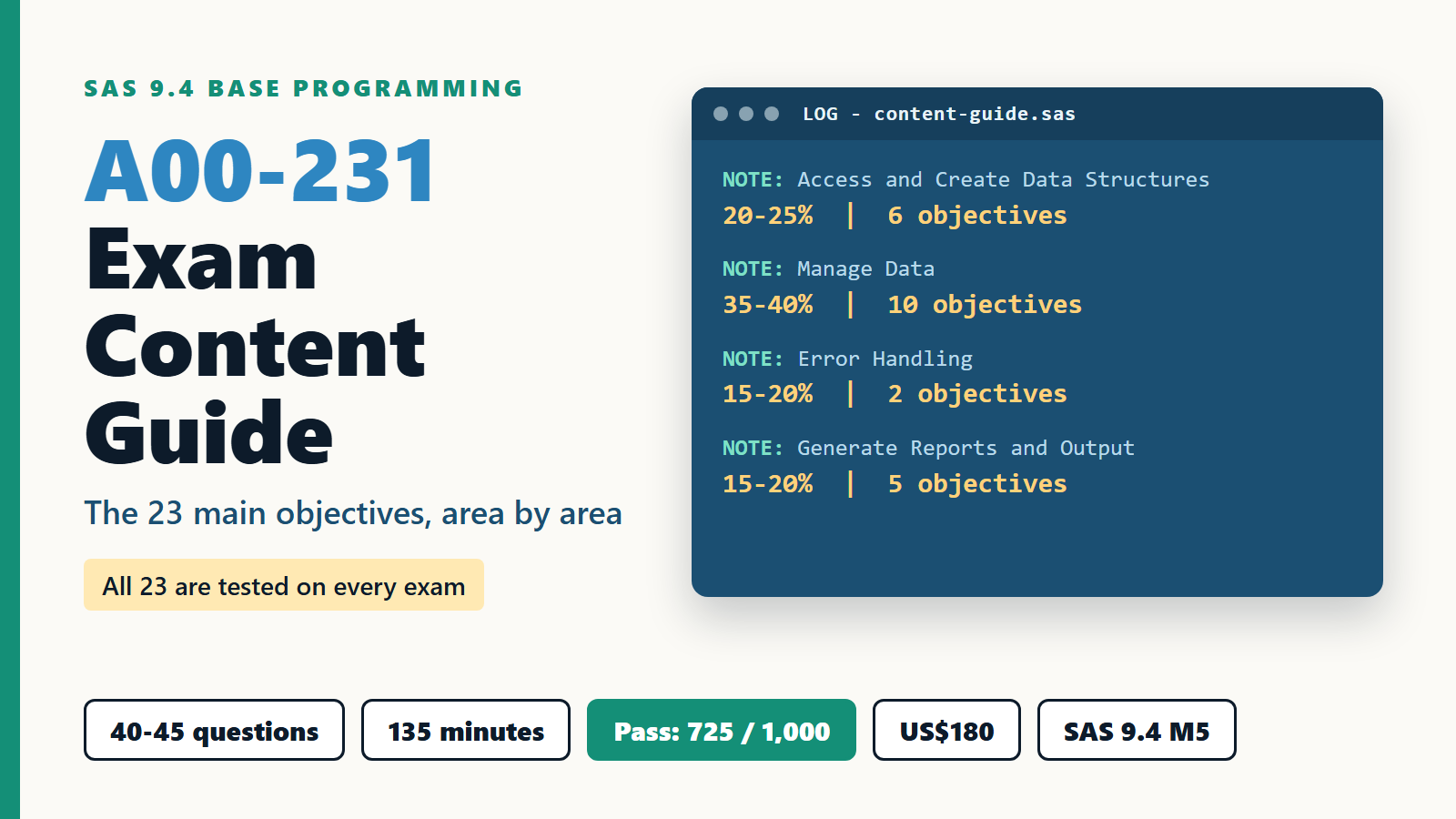
The A00-231 exam content guide is a five-page PDF from SAS that lists 23 main objectives across four areas, and its last line says that all 23 are tested on every exam. A00-231 is the exam ID for SAS 9.4 Base Programming, the test behind the SAS Certified Specialist: Base Programming credential. You get 40 to 45 multiple-choice and short-answer questions, 135 minutes, and you need 725 on a 200 to 1,000 scale.
Most people download the guide, skim it once, and go back to practice questions. That wastes the most useful study document SAS gives you. In this entry I go through the guide area by area, say what each objective really asks you to do at the keyboard, and turn it into a six-week plan. Every exam figure below was read on SAS's own pages on 13 November 2026.
What is in the A00-231 exam content guide?
The guide is the official outline of the exam. It names four content areas, gives each a weight range, and lists the main objectives and the smaller "expanded" objectives under each one.
The short version, as the SAS Base Programming Specialist credential page states it:
- Exam ID to register: A00-231 (SAS 9.4 Base Programming - Performance-Based Exam)
- 40 to 45 multiple-choice and short-answer questions
- 135 minutes
- Passing score 725, on a score range of 200 to 1,000
- Based on SAS 9.4 M5
- US$180, charged in USD in every country, with academic discounts for students and educators
- Administered by SAS and Pearson VUE
The most important sentence is at the very end of the PDF. All 23 main objectives are tested on every exam, and the 72 expanded objectives define the whole domain that could be tested. So there is no safe topic to skip. The AnalyticsExam channel has a two-minute video on how to approach this exam, a good warm-up before you open the guide.
How are the four content areas weighted?
The weights are ranges, not fixed numbers. Manage Data is the largest area by a wide margin, and it also holds the most main objectives.
- Access and Create Data Structures: 20-25%, 6 main objectives
- Manage Data: 35-40%, 10 main objectives
- Error Handling: 15-20%, 2 main objectives
- Generate Reports and Output: 15-20%, 5 main objectives
The objective counts are my own count from the guide, and they add up to the 23 that SAS names. If you want every objective of all four areas on one page while you study, AnalyticsExam's A00-231 syllabus page lists them with the exam summary. Notice the odd one out. Error Handling has only two main objectives but carries up to 20% of the exam. That means each of those two objectives is worth far more per line of the guide than anything else, which matters when you plan your time.

What does Access and Create Data Structures ask for?
This area checks that you can get data into SAS and shape what comes out. It is about reading and combining data correctly before any calculation starts.
The six main objectives cover creating temporary and permanent data sets with a DATA step, pointing a LIBNAME at a library and inspecting it with PROC CONTENTS, and reading data with the SET statement. PROC IMPORT gets a lot of detail in the guide: reading delimited and Excel .xlsx files, the OUT=, DBMS= and REPLACE options, and the GUESSINGROWS and DELIMITER statements. You also need the SAS/ACCESS XLSX engine as a second way to read a workbook.
Then come combining data sets (concatenation, one-to-one merge, one-to-many merge), SAS date values (how SAS stores a date as a number of days, informats to read dates, formats to show them), and controlling what is processed and written. That last objective is a classic source of lost marks: WHERE versus IF in a DATA step, DROP and KEEP statements, and the DROP= and KEEP= data set options. Know which ones act on input and which act on output.
Why should Manage Data be studied first?
Manage Data is up to 40% of the exam and holds 10 of the 23 objectives, so it decides most results. It is also where the real DATA step skill lives.
The objectives in this area are:
- Sorting with PROC SORT, including OUT= and removing duplicates
- IF-THEN/ELSE logic and DO-END blocks
- Assignment statements, including assigning a constant date
- Changing attributes with RENAME=, LABEL, FORMAT and LENGTH
- Subtotals and totals with BY, FIRST. and LAST., RETAIN and the SUM statement
- Character, numeric and date functions, and variable lists
- Converting between character and numeric with INPUT and PUT
- Iterative, conditional and nested DO loops
- Restructuring with PROC TRANSPOSE (VAR, ID, BY, OUT=, PREFIX=, NAME=)
- Macro variables with %LET and the dot delimiter
The function list is long and specific. The guide names SCAN, SUBSTR, TRIM, COMPRESS, UPCASE and LOWCASE for text; SUM, MEAN, RAND, SMALLEST, LARGEST, ROUND and INT for numbers; MDY, TODAY, DATE and TIME to create dates; YEAR, QTR, MONTH and DAY to pull parts out; and INTCK, INTNX and YRDIF for intervals. Treat that list as a checklist. If you cannot write a one-line example of each from memory, it is not ready.
What counts as error handling on A00-231?
Error Handling means finding what is wrong with a program, both when SAS refuses to run it and when it runs but gives the wrong answer. Two objectives cover it, and together they can be a fifth of your score.
For logic errors, the guide focuses on PUTLOG in the DATA step: writing a variable's value, writing formatted values, writing all variables, and using PUTLOG inside conditional logic. It also names the automatic variables _N_ and _ERROR_ as debugging tools. For syntax errors, you should know the rules of a SAS statement and the usual failures: misspelled keywords, unmatched quotation marks, missing semicolons and invalid options, plus how to read the log to find them.
The best practice here is cheap. Take programs that work, break them on purpose one way at a time, and read the log each time. After a week you will recognise the shape of each error message at a glance.
Which reports and output must you be able to produce?
This area checks that you can turn data into readable results and files. It has five objectives, and most of them are about procedure options rather than new concepts.
PROC PRINT comes first, with VAR, SUM, WHERE, ID and BY statements and the NOOBS and LABEL options. Then summary work: one-way and two-way tables in PROC FREQ with NLEVELS and ORDER=, using PROC FREQ to validate data, PROC MEANS with WAYS, CLASS, VAR and OUTPUT, and PROC UNIVARIATE to spot extreme and missing values.
The last three objectives cover user-defined formats with PROC FORMAT (the VALUE statement and the CNTLIN= option), labels and the SPLIT= option, ODS output to HTML, PDF, RTF, XLSX, PPTX and CSV with the STYLE= option, and exporting with PROC EXPORT (csv, jmp, tab, dlm) or the XLSX engine. Write one small program that sends the same table to every ODS destination on the list. That one exercise covers most of an objective.
What does a content-guide style task look like?
Here is an example I wrote myself to show how several objectives meet in one task. It is not a real exam item.
You have a sales data set with one row per order, a REGION column and an AMOUNT column. The task: produce one row per region with the total amount and the number of orders, keep only regions whose total is above 10,000, and print the result without observation numbers.
- First, PROC SORT by REGION, because BY-group processing needs sorted data (Manage Data, objective 1).
- In the DATA step, use BY REGION, reset a total and a counter when FIRST.REGION is true, add with the SUM statement, and output only when LAST.REGION is true (objective 5).
- Use a subsetting IF on the total at the end of the group, since WHERE cannot see a variable that is created in the same step (Access and Create, the WHERE versus IF objective).
- Finish with PROC PRINT and NOOBS (Generate Reports).
One short task touches three of the four areas. That is how the guide's objectives behave on the exam: they are not tested in isolation, so practise with small tasks that chain them.
How should you plan six weeks of study?
Six weeks is a realistic plan for someone who has written some SAS before. Follow the weights, and leave the last week for timed review.
- Week 1: Access and Create Data Structures. LIBNAME, PROC CONTENTS, PROC IMPORT with every listed option, the XLSX engine, concatenation and merges.
- Week 2: Manage Data, part one. Sorting, conditional logic, assignment, attributes, and BY-group totals with FIRST., LAST. and RETAIN.
- Week 3: Manage Data, part two. Every function on the list, INPUT and PUT, DO loops, PROC TRANSPOSE and %LET.
- Week 4: Generate Reports and Output. PROC PRINT, FREQ, MEANS, UNIVARIATE, PROC FORMAT, ODS destinations and PROC EXPORT.
- Week 5: Error Handling, plus a full pass of the guide. Break your own programs and fix them from the log.
- Week 6: Timed practice. Work through mixed tasks in 135-minute blocks and mark any expanded objective you still hesitate on.
Print the guide and tick each of the 72 expanded objectives only when you have run code for it yourself. Reading about an option is not the same as using it.
Which mistakes cost the most marks?
The same few habits sink candidates who know SAS well. Each one is easy to fix once you see it.
- Skimming the content guide instead of using it as a checklist, when every one of the 23 main objectives appears on every exam.
- Studying reports first because they feel easy, while Manage Data carries up to 40%.
- Treating Error Handling as an afterthought. It has only two objectives but up to 20% of the score.
- Mixing up WHERE and IF, or DROP= on input versus output. These small rules show up again and again.
- Forgetting that BY-group processing needs sorted data.
- Learning PROC IMPORT options by name only, without running them on a real delimited file and a real .xlsx file.
If you are also looking at the newer SAS Viya side, my earlier notes on the SAS Viya programming exam show how a different SAS programming exam is organised.
Frequently asked questions
1. How many questions are on the A00-231 exam?
The exam has 40 to 45 multiple-choice and short-answer questions. You get 135 minutes, and the passing score is 725 on a scale of 200 to 1,000.
2. How much does the A00-231 exam cost?
The fee is US$180, charged in US dollars in every country. SAS offers academic discounts for students and educators, and the exam is administered by SAS and Pearson VUE.
3. Where do I download the A00-231 exam content guide?
SAS links it from the credential page. You can open the SAS 9.4 Base Programming exam content guide PDF directly. It is five pages and lists all 23 main objectives and 72 expanded objectives.
4. Which content area of A00-231 is the largest?
Manage Data, at 35-40% of the exam. It holds 10 of the 23 main objectives, including BY-group totals, SAS functions, DO loops, PROC TRANSPOSE and macro variables.
5. How do I register for the A00-231 exam?
Register with the exam ID A00-231 through SAS Certification Manager, the SAS portal for scheduling exams and managing your credentials.