
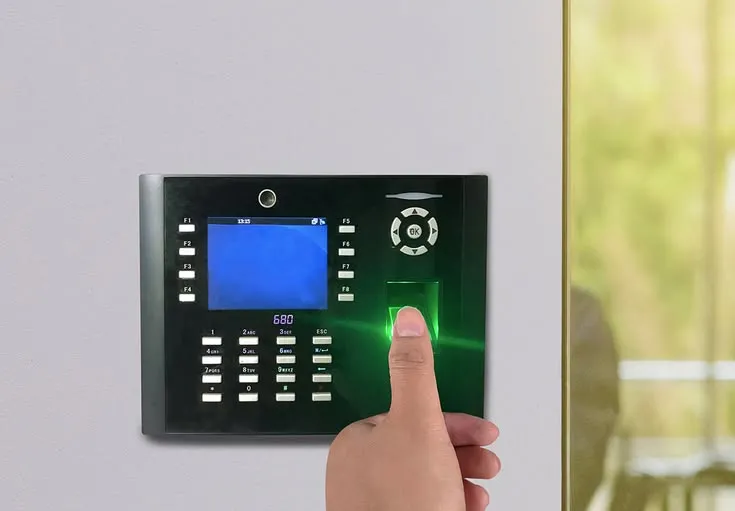
A clocking device can be old without being the real problem. In some businesses, the machine still works, but the way people use the site has changed. There may be more employees than before, a second entrance or field staff who no longer start their day at the office. That is why replacing attendance hardware should begin with the workplace, not the product catalogue.
Watch What Happens at Shift Change
The first useful check is ordinary: stand near the clocking point when a shift starts. If 40 employees arrive within ten minutes, does a queue form? Does the machine sit in a place where rain, dust or rays could affect daily use? A Johannesburg workshop and a coastal site in Durban may have very different conditions even if both employ the same number of people.
These observations help before comparing new clocking in machines. A device with more features is not automatically a better choice if its position or method of use does not suit the site. Large sites may also need more than one clocking point. Putting every employee through a single entrance can create delays that have little to do with the technology itself.
Think About Who Actually Needs to Clock There
Not every employee follows the same route through a workplace. Production staff may start and finish at one building every day. A sales representative could leave directly for a client meeting. A technician may spend the morning at one customer site and the afternoon at another. Fingerprint or facial recognition may suit a fixed workplace where employers want an identity check at the point of attendance.
Mobile clocking can make more sense for employees whose work is carried out away from company premises. TimeMaster also provides GPS and geofencing functions for mobile attendance, which can be relevant when the location of a clocking needs to be checked. The aim is not to give everyone the same method. It is to avoid forcing a method onto people whose working day does not fit it.
Site Conditions Are Easy to Overlook
A device that performs well in an office reception area may be a poor choice for a yard, factory floor or loading area. Consider practical details before installation. Will employees be wearing gloves? Is the clocking point exposed to direct sunlight? Is there a stable power and network connection? Could the device be placed where employees can reach it without blocking an entrance? There is also the question of what happens when something fails. Who reports a faulty device? Is there another way to record attendance while it is being checked? Backup arrangements are easier to plan before the first breakdown.
Do Not Choose Biometrics Without Discussing Data
Biometric attendance can be useful, but it brings another responsibility with it. Fingerprint and facial information relate to identifiable employees. South African employers therefore need to consider how that information is handled under POPIA. Staff should not be left guessing about what is being collected or why. The business should know where the information is stored, who can access it and what internal rules apply to its use. The above questions are not an afterthought – they belong when you're making your buying decision.
Look Beyond the Device
Hardware is only one part of a time and attendance solution. Managers may also need to view attendance across several branches, check rosters or deal with employees who clock through mobile devices. If the employer buys new hardware but continues handling every exception through messages and handwritten notes, much of the old frustration can remain. It is worth asking how the information will be reviewed after it is captured.
Who checks missed entries? How are shift changes handled? Can managers see what is happening at another site without waiting for someone to send a spreadsheet? The answers will differ between a small workshop and a national business.
Test the Process Before Rolling It Out Everywhere
A short trial at one site can expose problems that are easy to miss during a demonstration. Employees may take longer to use the device than expected. A clocking point might be badly positioned. Managers may discover that they need a different report or another way to deal with casual workers. Finding that out at one branch is easier than correcting the same problem across ten.
Conclusion
Replacing attendance equipment should be based on how the workplace operates today, not simply on the age of the machine on the wall. Employers can review the biometric, mobile, GPS, geofencing and attendance-management options available at timemaster.co.za, then compare those functions with the conditions, employee groups and work patterns at their own sites.