
iCloudをWin10 1809 にインストールできない ⇒ できた
iCloud won't install on Windows 1809 October 2018 Update?
SSD換装してWindows10 1809 をインストールした 機材に iCloud をインストールしようとしたら拒否されました
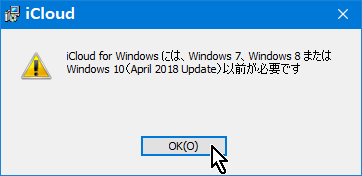
アップルコミュニティに Win10 1809 に 1803のふりをさせて
インストールする手順が出ていましたのでやってみました できました(64bit版)
記事抜粋です
Try this solution that worked in my case (Windows 10 Home 64-bit v1809)
- Open Registry Editor: Win+R | regedit
- Navigate to the registry path: HKLM\SOFTWARE\WOW6432Node\Microsoft\Windows NT\CurrentVersion
- Temporarily modify these 3 registry keys:
- CurrentBuild set value to 17134 (instead of 17763)
- CurrentBuildNumber set value to 17134 (instead of 17763)
- ReleaseId set value to 1803 (instead of 1809)
- Install iCloud: iCloudSetup.exe | when finished, do not restart yet
- Restore initial values of the 3 keys (step 3)
- Restart PC and complete setup of iCloud
For Windows 10 in 32-bit version, the path is: HKLM\SOFTWARE\Microsoft\Windows NT\CurrentVersion
1. Win+R regedit タイプしてRegistry Editorを開きます
2. パス HKL(OCALl)M(ACHINE)\SOFTWARE\WOW6432Node\Microsoft\Windows NT\CurrentVersion へ行きます
3. 一時的に 下記3項目数値を修正します
・CurrentBuild 17763 ⇒ 17134
・CurrentBuildNumber 17763 ⇒ 17134
・ReleaseId 1809 ⇒ 1803 Registry Editorを終了させます
4.iCloudをインストールします iCloudSetup.exe インストール後まだ再起動させません
5. 17134 ⇒ 17763 1803 ⇒ 1709 へ戻しRegistry Editorを終了させます
6.PCを再起動します iCloudセットアップは終了です
32bit版の場合 パスは HKLM\SOFTWARE\Microsoft\Windows NT\CurrentVersion です ⇒ これはダメでした
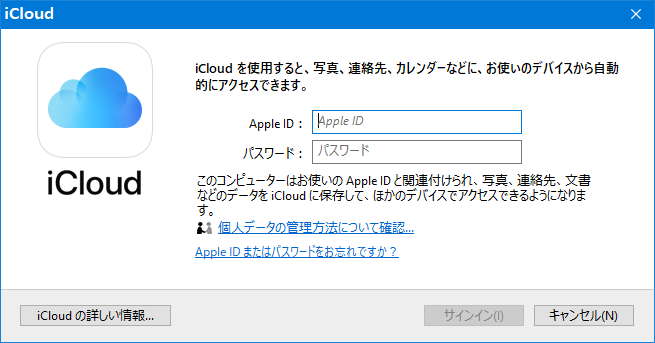
★1803以前にインストールしたiCloudは1809にアップデートしたWin10で稼働しています★