
A short gap between tenants can make a small bathroom refresh feel like a race. The temptation is to book a fitter, choose a new mirror and start replacing things straight away. But the best order is usually less about doing more and more about doing the right work first: check what needs repairing, decide whether a refresh is enough, then make a few targeted improvements that make the room easier and nicer to use.
A reliable sequence helps avoid duplicated labour, rushed decisions and unnecessary disruption. It also keeps the work proportionate to the property. In many rental bathrooms, keeping the existing layout and upgrading the lighting, mirror and tired finishes can deliver a noticeable improvement without opening up walls or disturbing sound tiles.
This guide sets out a practical between tenancy checklist for small bathroom upgrades, from the first inspection to the final clean. It is aimed at landlords and property managers planning modest works—not a full bathroom replacement.
Start by deciding: refresh or full renovation?
Before booking trades, look at the bathroom as a whole. Is it fundamentally sound, cleanable and usable, or are there underlying problems that a cosmetic refresh would only hide? A quick, honest assessment can help you decide whether to improve the existing room or plan a proper renovation.
A refresh is usually suitable when:
- The bath or shower, toilet and basin work properly and are in reasonable condition. There are no signs of active leaks, persistent damp or serious ventilation problems. Tiles and flooring are secure, with no widespread cracking or water damage. The layout is practical for the likely occupants. The main issues are tired decoration, poor lighting, a dated mirror or worn accessories.
Pause and investigate further when:
- There is a leak, recurring mould, soft flooring or damaged plaster. Sealant has repeatedly failed or water is getting behind a bath or shower enclosure. Electrical fittings are damaged, unsuitable or of uncertain safety. Essential fittings are unreliable or the room cannot be cleaned properly. The bathroom’s layout creates a genuine usability or accessibility problem.
A fresh coat of paint will not resolve a leak, and a new mirror will not make poor extraction adequate. Deal with the cause before spending on appearance. Where there is a concern about electrical work in a bathroom, use a suitably qualified electrician and confirm that the proposed fitting is appropriate for its location and the bathroom’s zones.
For landlords reviewing costs and local property context, PropertyData has a resource article relevant to rental property decisions. Sponsored content note: this article includes sponsored content relating to PropertyData.
Use a repairs-then-improvements sequence
The guiding rule is simple: repairs then improvements. Cosmetic work should not be completed before you know the room is dry, safe and functioning properly. Otherwise, a later repair can damage new finishes or mean paying twice for the same work.
Inspect and document. Photograph the bathroom and record faults, worn items and anything a departing tenant has reported. Find and fix underlying defects. Check for leaks, failed seals, poor extraction, loose fittings and damaged surfaces. Complete essential repairs. Make the room safe, functional and cleanable before adding upgrades. Make planned improvements. Add the selected mirror, lighting, paint or accessories once repair work is finished. Test, clean and hand over. Check every fitting, remove dust and leave simple instructions where needed.This order also helps with contractor scheduling. A plumber or general maintenance operative can deal with defects first; an electrician can then complete any planned electrical work; and decorating or fitting accessories can follow once the dusty or disruptive work is done. If several trades are involved, confirm who is responsible for making good around their work.
Keep the layout to avoid scope creep
For a small upgrade, keeping the basin, toilet, bath and shower in their existing positions is often the most effective way to control cost and time. Moving plumbing can lead to extra pipework, altered drainage, new boxing-in, wall repairs, replacement tiles and additional coordination. A job that began as a quick refresh can turn into a much larger project.
That does not mean a layout should never change. If the current arrangement is unsafe, severely awkward or persistently difficult to maintain, a larger redesign may be justified. But treat it as a separate project with a clear scope, rather than allowing a modest between-tenancy job to expand by default.
Before approving any change, ask:
- Does it solve a real usability or maintenance problem? Will it require moving water or waste connections? Will tiles, flooring or wall finishes need to be disturbed? Can the same result be achieved with a smaller change? Is there enough time to complete, test and clean the room before move-in?
Keeping the layout also makes it easier to use the void period efficiently. You can focus on the areas tenants notice every day rather than spending the whole gap managing avoidable plumbing and tiling work.
Prioritise tenant-first usability
A bathroom upgrade should make ordinary routines straightforward. Think about how someone will use the room on a busy morning, clean it at the end of a week and report a problem if something stops working. Practical choices often matter more than decorative ones.
- Reliable basics: check that taps, flushes, shower controls and drainage work consistently. Clear access: avoid adding shelves or fittings that make the room feel cramped or block movement. Useful storage: where space allows, provide a sensible place for toiletries without creating awkward ledges. Good ventilation: make sure the extractor operates and that tenants know how to use it. Easy-clean finishes: avoid detailing that traps dirt or makes routine cleaning harder. Simple controls: choose fittings that are easy to understand and maintain.
When deciding between two upgrades, ask which one will make the room safer, more convenient or easier to maintain for the next occupant. That tenant-first test helps keep spending grounded in https://dlf-ne.org/what-should-i-do-when-a-bathroom-mirror-arrives-damaged/ day-to-day value.
Make mirror lighting the high-impact upgrade
In many small bathrooms, a well-chosen mirror with integrated lighting delivers a bigger visual change than a collection of minor accessories. It can brighten the basin area, make everyday tasks easier and give a dated room a more considered finish—without changing the plumbing or disturbing a large area of tiling.
It is also an upgrade that needs planning. Check the available wall space, the basin position, the mirror’s power requirements and the suitability of the fitting for its intended bathroom location. Ask the electrician to confirm the electrical arrangement and safe installation requirements before ordering. Do not assume that an existing cable or position is suitable for a different product.
For product options, LED Mirror World is a product supplier. Its mirror size calculator page can help with choosing a proportionate size. Treat any online measurement tool as a starting point: check the actual wall, basin and fitting dimensions before you order.
Use a paper template before drilling
A simple paper template is a low-cost way to check the mirror outline on the wall before committing to a product. Cut paper or card to the mirror’s actual dimensions, hold it in the intended position, and mark the outline lightly with a removable method. Step back and check it from the doorway as well as standing at the basin.
Use the template to confirm that the mirror looks balanced above the basin, sits at a practical height and does not clash with a light, cabinet, door swing or shower screen. Check the fixing points and cable route too. A template cannot replace the manufacturer’s fitting instructions or an electrician’s assessment, but it can prevent an avoidable ordering or positioning mistake.

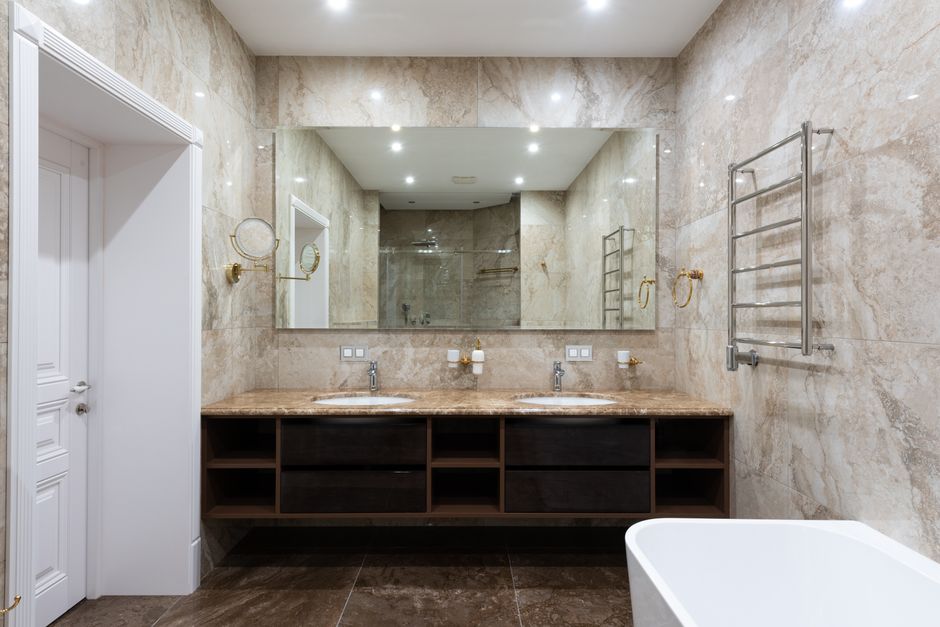
Choose the right order for the physical work
Once the scope is clear, plan the work in a sequence that avoids damaging completed finishes. A typical small bathroom upgrades without tiling bathroom refresh might follow this order:
Stage Work to complete Why it comes here 1. Inspection Record faults, measurements, existing fittings and any reported issues. Confirms the scope before materials are ordered or trades are booked. 2. Repairs Fix leaks, loose fittings, failed seals, damaged surfaces and ventilation faults. Prevents new finishes being affected by unresolved problems. 3. Electrical and other first-fix work Complete approved cabling or changes needed for the new mirror or lighting. Any chasing or disturbance should happen before decorating and final fitting. 4. Surface preparation Make good walls, clean surfaces and prepare areas that will be painted or sealed. Good preparation gives finishes a better chance of lasting. 5. Improvements Fit the mirror and selected accessories; paint or refresh finishes as scoped. The room is ready for the visible upgrades once disruptive work is complete. 6. Final checks Test fittings, inspect seals, clean the room and record completed work. Confirms the bathroom is ready for a smooth handover.The exact order can vary. For example, a mirror may need to be fitted after painting, while some electrical first-fix work must happen earlier. Agree the sequence with the relevant trades and follow product instructions rather than relying on a generic schedule.
A practical between-tenancy checklist
Use this list during the outgoing inspection and before the new tenant moves in:
- Check the toilet flush, taps, shower and drainage. Look for leaks beneath the basin, around the bath and at visible pipe connections. Inspect sealant, grout, flooring and tile condition. Check the extractor fan and any bathroom lighting. Confirm that towel rails, hooks and toilet-roll holders are secure. Measure the mirror area and verify the product dimensions and fixing requirements. Agree the work sequence and confirm access, materials and completion dates with contractors. After work, test fittings, remove dust and leave the room clean and usable. Keep invoices, product details and relevant certificates with the property records.
Leave finishing touches until last
It is tempting to add new accessories early because they are quick to buy and make the plan feel underway. In practice, finishing touches last is the more dependable rule. Hooks, dispensers and decorative items can be damaged or covered in dust while repair, electrical and decorating work is in progress.
Keep the final stage simple: check the mirror is secure, confirm the lighting works, inspect seals and paintwork, and make sure the bathroom is spotless. Leave any basic operating information the tenant needs, especially if a fan timer or unfamiliar control has been installed.
Make the void period count
The best small bathroom upgrades between tenancies are usually the ones that address real problems, preserve a workable layout and improve everyday use without creating a much larger job. Start with inspection, complete repairs before improvements, and plan the trades so that disruptive work comes before visible finishes. A carefully selected, properly installed mirror and lighting upgrade can then provide a strong change in how the room looks and feels.
Keep the scope realistic, check measurements before ordering and finish with a thorough test and clean. That approach protects the property, makes the handover smoother and gives the next tenant a bathroom that feels fresh as well as functional.