
Ever watched a movie where the hacker sits in front of a screen, typing furiously while lines of code fly past? It always looks super cool, even if you don’t really know what they’re doing. That’s the idea behind Hacker Typer. It’s not real hacking, of course, but it makes you look like a pro. It’s kind of like role-playing, where you pretend to be doing something complicated just by hitting random keys. The screen fills up with code-like text, fast and flashy, and it really does feel like you’re in a spy film or something. No real hacking knowledge needed. All it takes is opening the site and starting to type. Really, that’s it. You can use it to prank your friends, play around during a video call, or just amuse yourself for a few minutes when you're bored.
This tool is fun, simple, and surprisingly satisfying to mess around with. Let’s get into what it is, how to use it, and why people enjoy it so much.
What is a Hacker Typer?
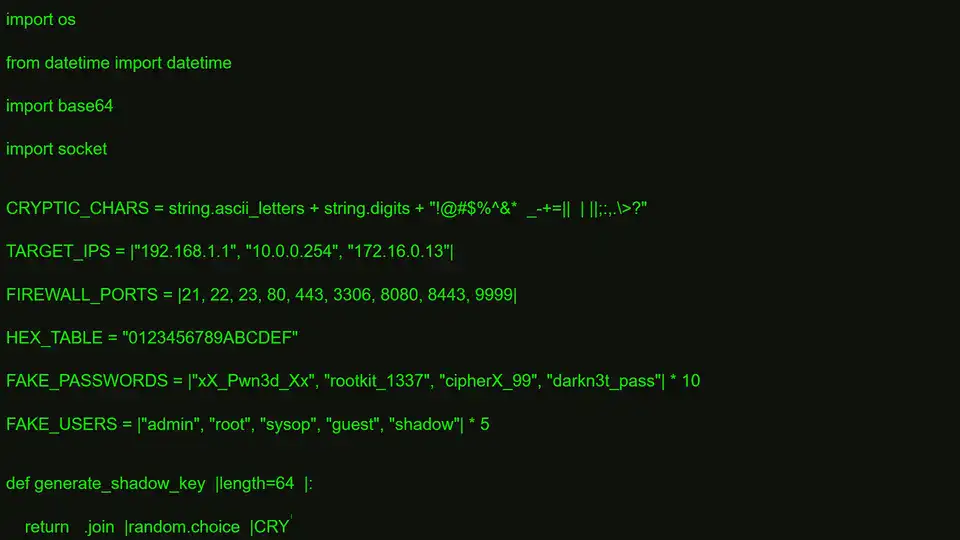
Hacker Typer is a fake hacking simulator that makes it look like you're writing computer code at a crazy speed. You just type anything on your keyboard and the screen starts showing code, kind of like what you see in action movies. It’s not real code that runs or does anything, but it looks close enough that someone walking by might think you’re doing something serious.
The screen usually has black or green colors, like a classic terminal window. Some versions even add little effects like “Access Granted” or “Access Denied” messages. It all adds to the feeling that you’re hacking into something important, even though it’s totally fake. It's all just for fun, nothing harmful, nothing technical. This simulator has been used for jokes, videos, and even classrooms sometimes. The best part is, it runs right in your browser, so there’s no need to install anything. Just type and go.
How to use the hacker typer tool online
It’s very easy to use, which is one reason why it's so popular. There’s no signup, no account needed, and no tricky steps.
Steps:
-
Open the website:
 Type any keys on your keyboard to start the effect
 -
Code appears as you type, no matter what keys you press
-
Press Alt or Ctrl (depending on your device) to show a fake system access result
-
Use full screen for better effect (F11 on most browsers)


That’s it. You’re now a “hacker” in just a few keystrokes.
Fun and useful usage of hacker typer
Even though it’s clearly not a real tool, people find interesting ways to use it. It’s kind of become a classic thing online for anyone who’s into tech or just likes pretending.
Looks like a movie
The number one reason people use Hacker Typer is to look like they’re doing something from a movie. You know, like one of those spy films where someone has to break into a government server or something. You can use it on your laptop in a coffee shop and see who starts glancing over. It’s dramatic, silly, and honestly kind of addictive.
Good for videos
A lot of content creators use it in videos. If you’re filming a skit or explaining tech stuff, and you want to show some code flying across the screen, this tool does the job without any editing. Some streamers even use it as part of their layout. It makes the screen look busy and cool. Plus, you can just loop it and keep typing without needing to know how to code.
Office pranks
This one’s a favorite. Leave Hacker Typer open on someone’s computer when they go get coffee, and they come back to what looks like a cyberattack in progress. Or just use it to mess with someone during a Zoom meeting. It’s funny, harmless, and easy to clean up with just a browser refresh. You don’t even need to explain anything. Just act like it's your normal setup.
Fun in school
Teachers sometimes use it for light-hearted stuff when talking about computers or programming. It’s not serious, but it gets students curious and makes the lesson feel more alive. Kids love typing fast and seeing the screen fill up. You can even let them “hack” the classroom projector. It’s a good way to make boring topics feel more exciting.
Great for cosplay
If you’re dressing up as a hacker character or something techy at a convention, you can load this on your tablet or laptop. It makes your whole costume feel more real. You don’t have to explain it to people, either they see it, and they get it. It’s a small touch but adds a lot of atmosphere to your outfit.
Chill screen visuals
Some people just like the way it looks. The fast-moving text is kind of calming if you’re into that sort of thing. You can leave it running in the background like a screen saver, or keep it on while you listen to music. There’s something about watching the lines scroll that helps some folks concentrate. It’s like watching fire or water. You’re not doing anything, but it keeps your eyes busy.
FAQ
Q: Is this a real hacking tool that can do anything to my computer or others?
Not at all. It’s only a simulation, just for looks. It doesn’t touch your files, network, or any system settings. The code that shows up is random and preloaded. You don’t have to worry about safety, it’s just like playing a video in your browser.
Q: Can I change what kind of code appears on the screen?
That depends on the version. Some websites allow customization, where you can paste in your own fake code. Others are simple and just play one script. If you want different colors or commands, you can try refreshing or looking for a version that supports it.
Q: Is this tool safe to use in the office or school?
Yes, it’s perfectly safe. Nothing gets installed and it doesn’t save any data. It’s all just happening in the browser. You can close it any time, and it doesn’t stay running in the background. Most people use it for jokes or presentations.
Q: Does it work well on phones or do I need a computer?
You can use it on phones, but typing on mobile doesn’t feel the same. A full keyboard gives a better effect. Tablets work a little better than phones, but if you want the full screen look with lots of fake typing, it’s best on a laptop or desktop.
Q: What’s the trick behind the fake code showing up?
There’s actually no trick. The site is just programmed to display stored lines of code when any key is pressed. So you could press the same key over and over, and it would still look like real typing. The effect is meant to fool the eye, not be accurate.
Q: Can I use this for serious projects or coding practice?
No, this tool isn’t meant for real development. If you want to learn coding, there are better platforms for that. Hacker Typer is only for fun or visuals. It won’t teach you how to code or help with real hacking skills.
Conclusion
Hacker Typer is one of those little web tools that doesn’t seem like much at first but ends up being surprisingly fun. It’s not going to teach you hacking or help with real tech work, but that’s not really the point. It’s for pretending, showing off, and having a bit of fun now and then. Whether you're trying to impress your classmates, prank a friend, or just pass time on a slow day, it's worth checking out.