
How to Use Rank Writer Pro for Efficient Content Creation
In the ever-evolving world of digital marketing, content is king. However, creating high-quality, engaging content consistently can be time-consuming and challenging. Enter Rank Writer Pro, a powerful tool offered by Rankar.ai that simplifies the content creation process, helping you write faster and more effectively. If you're looking to boost your productivity and create SEO-optimized content with ease, here’s a step-by-step guide on how to use Rank Writer Pro to enhance your content strategy.
Step 1: Access Rank Writer Pro in the Dashboard
Start by logging into your Rankar.ai account. From the dashboard, navigate to the Rank Writer Pro section. This tool is specifically designed for content creators who want to generate high-quality content efficiently. Once you're in this section, you'll be prompted to choose your content category and content type.
Step 2: Select Your Content Category and Type
In Rank Writer Pro, you can select from various content categories based on your needs. Whether you’re creating content for eCommerce, blogs, or landing pages, this tool has options to fit your strategy. For instance, if you're working on an eCommerce project, select eCommerce Content as the category, and for the content type, you can choose from options like Category Page Copy.
Step 3: Add Relevant Content Details
Once you've selected the content category and type, it’s time to provide additional details to help the AI generate relevant content. The fields you’ll need to fill out include:
-
Category Name: This is where you can specify the industry or niche your content falls under (e.g., Wireless Electronics, Skincare Products).
-
Product Types: Here, you’ll list the types of products related to the content (e.g., Bluetooth Headphones, Facial Serum).
-
Target Keywords: Provide the primary keywords you want to focus on for SEO optimization (e.g., Wireless headphones, Ergonomic chairs).
-
Brand Story: Share your brand’s journey or mission to help create personalized, engaging content.
-
SEO Focus: Include any specific SEO targets such as high-ranking keywords or long-tail search terms you want to include in your content (e.g., Best wireless headphones 2025, Organic skincare products).
Step 3: Review and Refine the Content
Once the content is generated, take a moment to review it. While Rank Writer Pro produces high-quality content, you may still want to refine it by adding your personal touch or adjusting some details to align with your brand’s voice. You can also optimize it further for SEO by tweaking headings, adding internal links, or incorporating more keywords.
Step 4: Publish and Optimize
After refining the content, you can easily copy it for use on your website, blog, or eCommerce product pages. Since Rank Writer Pro creates content that is SEO-optimized, you can be confident that your content is already set up for higher rankings on search engines. Just ensure that it’s published and structured according to best SEO practices.

In-Depth Look at the Rank Writer Pro Dashboard
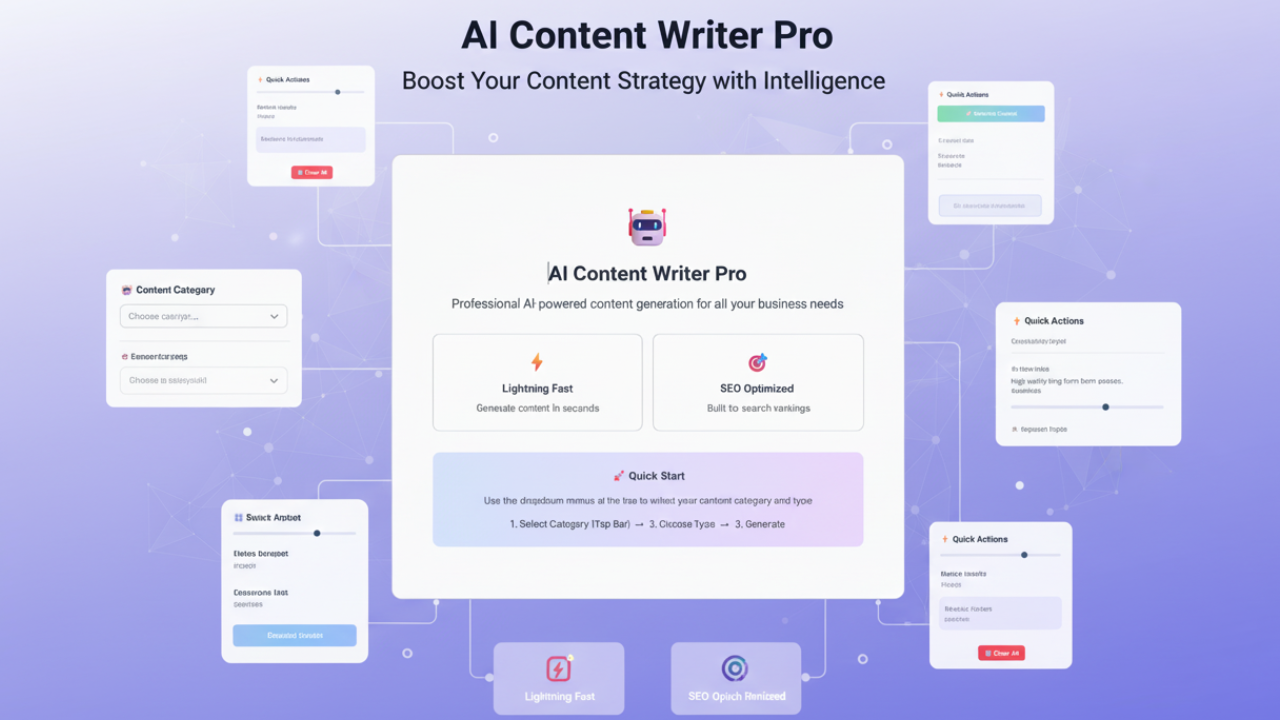
To truly understand the potential of Rank Writer Pro, it’s essential to explore the image provided. Below is a detailed explanation of the components displayed in the Rank Writer Pro dashboard, as seen in the image:
1. Content Category and Content Type
On the top-left of the interface, the first fields are the Content Category and Content Type dropdown menus. These selections allow you to define the scope and type of content you wish to generate. For example, if you are working on an eCommerce product page, you would select the "eCommerce Content" category, followed by the specific content type, such as Category Page Copy or Product Descriptions.
2. Content Details Section
This is the core of the Rank Writer Pro interface. It’s where you input all the necessary details to generate your content.
-
Category Name: Here, you specify the industry or niche you are targeting. This helps the AI understand the context of the content.
-
Product Types: After categorizing the industry, you’ll list the types of products that the content will cover. For example, if you're working with electronics, you might add "Bluetooth Headphones" or "Smartwatches" as the product types.
-
Target Keywords: One of the most important fields for SEO optimization. Enter your primary keywords here, such as "wireless headphones" or "ergonomic chairs", which the AI will incorporate into the content for better ranking.
-
Brand Story: This field allows you to personalize the content by adding information about your brand’s journey. For instance, you can explain how your company started, its values, or your mission.
-
SEO Focus: Here, you can input secondary keywords or long-tail keywords that will help the AI understand which SEO aspects to focus on for higher search engine rankings.
3. AI Model Selection
On the right side, you have the option to select the AI Model. In this case, the default model is GPT-4 Turbo (OpenAI), known for generating high-quality, nuanced content. This is especially helpful for creating long-form content such as blog posts or product descriptions that require a professional tone and in-depth detail.
4. AI Settings (Creativity Level)
Below the AI Model selection, there’s a slider that allows you to adjust the creativity level of the generated content. This feature provides flexibility based on the tone you want for your content:
-
Conservative: This setting is best if you want the content to be straightforward and informative.
-
Creative: Choose this for more engaging, creative, and dynamic content.
Adjusting this slider allows you to fine-tune the type of content Rank Writer Pro generates, giving you control over the voice and style.

5. Generate Content Button
Once you’ve entered all the necessary details and adjusted the settings, the last step is to click the Generate Content button. Rank Writer Pro will process the inputs and generate content tailored to your needs. This content is SEO-optimized and crafted to fit the context of your brand and audience.
Why Use Rank Writer Pro?
Rank Writer Pro simplifies the process of content creation, saving you time and effort. With its ability to generate high-quality, SEO-optimized content quickly, it helps businesses maintain a steady stream of engaging content. By filling out basic details like category, keywords, and brand story, you’re essentially providing the AI with all the necessary information to create content that resonates with your target audience.
Moreover, the tool’s ability to generate content tailored to various industries and niches makes it suitable for eCommerce brands, blogs, landing pages, and more. Whether you’re a content marketer, SEO specialist, or small business owner, Rank Writer Pro is an invaluable tool for streamlining content creation.
Key Points:
-
AI Writing Assistant: Instantly generate SEO-optimized articles, blogs, and product descriptions.
-
Smart Keyword Use: Auto-integrates keywords from your Rankar strategy for better rankings.
-
Content Templates: Access pre-made structures for blogs, guest posts, and web pages.
-
SEO Optimization: Get readability and keyword suggestions in real time.
-
Unique Content: Produces plagiarism-free, human-like content ready for publishing.
-
Time Saver: Reduces writing and editing time by up to 70%.
-
Consistency: Ensures brand tone and SEO goals stay aligned across all content.
-
Collaboration Ready: Enables multiple team members to edit and refine content together.
-
Performance Insights: Analyze keyword density, tone, and structure for continuous improvement.
-
Multi-Language Support: Create content for global markets efficiently.
Final Thoughts
Content creation doesn’t have to be a daunting task. With Rank Writer Pro, you can easily create well-crafted, engaging, and SEO-optimized content that enhances your digital presence. By leveraging the power of AI, you’ll be able to save time, increase efficiency, and improve the quality of your content. So, go ahead, fill in your content details, and let Rank Writer Pro help you take your content strategy to the next level.