
Real estate marketing moved past flat galleries a while ago. Buyers expect to walk through a property from their phone, spin around in the kitchen, peek down the hallway, and drop a measurement pin to see if a sectional fits. For agents and brokerages, embedding 360 virtual tours into the MLS and public websites is no longer a novelty, it is a baseline for serious listings. The difference between doing it well and doing it poorly shows up in engagement metrics, showing requests, and ultimately price performance.
I’ve embedded hundreds of tours across different MLS systems and site builders, from lightweight single-property websites to enterprise-level brokerage platforms. The ground rules vary by market and technology, but the core process, monitoring steps, and pitfalls repeat. This guide distills what consistently works, where people stumble, and how to integrate tours alongside real estate floor plans, real estate video, and real estate aerial photography without breaking compliance or bogging down page speed.
What MLS actually supports, and what it forbids
Every MLS has its rulebook. Some allow an unbranded public link in the virtual tour field. Some require the link to point to a page that contains only the property and no external links, branding, or contact info. A few still strip iframes outright and only permit a URL field. If you work across markets, keep a simple matrix of rules: which MLS permits iframe embeds, which requires a redirect to a compliant tour page, and which only allows a virtual tour URL in a specific listing field.
The most common restrictions look like this. The tour must be unbranded, which means no company logo, no agent photo or phone number, no external links to your site or social media, and no lead capture widgets. The domain often must be neutral or provider-branded, not your personal site. Some MLSs scan for logos or overlay text inside the 360 player. If that violates the policy, your listing can get a compliance notice or a fine. Others allow coexisting media like real estate video or real estate floor plans as long as they live inside the same unbranded viewer.
A practical approach is to produce two versions of your 360 virtual tours. One is MLS-safe and stripped of branding. The other is your marketing version for your website, social posts, and paid traffic. Many tour platforms let you toggle branding on or off with a single setting, or generate separate links. If your provider cannot do that, consider switching. The time saved and the compliance comfort are worth it.
Choosing a tour platform for embedding
On paper, almost every 360 platform supports website embedding. In practice, you want stability and control. The details that matter are embed code options, mobile performance, analytics, and assets beyond the panorama.
Reliable players deliver clean iframe code with a responsive container, often with fallback parameters for devices that do not support WebGL. If you also publish real estate video and real estate aerial photography, check how well the platform mixes those media types into the same tour. A cohesive experience is better than sending buyers to three different viewers.
For floor plans, two features change the game. First, a minimap that anchors the viewer’s orientation so people do not feel lost after a few clicks. Second, the ability to jump rooms by clicking the plan. If the platform can ingest real estate floor plans directly and align them to the 360 nodes, you will cut production time and increase dwell time. Measurement tools and labels help too, but the map click-to-jump function consistently correlates with tour completion rates.
Finally, analytics should answer a few simple questions: how many sessions, average time in tour, popular rooms or hotspots, and top referrers. If a platform only offers a total view count, you cannot optimize. A pro setup tracks tour interactions, then connects that data to your CRM or website analytics. For most agents, exporting a weekly CSV is enough. Larger brokerages might set up UTM-tagged tour URLs and import events into Google Analytics or a marketing dashboard.
Preparing the media so the embed runs fast and looks sharp
Great 360 virtual tours start at the shoot. The photographer’s choices determine image quality, stitching accuracy, and viewer comfort. HDR photography matters because 360s capture mixed lighting. A quick single exposure will leave bright windows blown out and corners muddy. Using bracketed exposures and solid blending keeps highlights under control and preserves interior texture. You can still keep whites crisp and modern without erasing detail.
Uniform tripod height and thoughtful node spacing make the virtual movement feel natural. In tight bathrooms, a doorway node often works better than one crammed near the vanity. In large living rooms, two or three nodes with clear sightlines are better than one stretched view that distorts scale. A seasoned real estate photographer will also clean nadirs, straighten verticals, and avoid hotspots with heavy light falloff.
When exporting, prioritize balanced resolution and performance. Most MLS embeds are consumed on mobile, and a 200 MB tour package will punish load times. Many platforms offer multi-resolution tiles and lazy loading. Use them. Aim for a main panorama tile set in the 6K to 8K range per scene with intelligent downscaling for small screens. Test on a midrange Android phone on LTE, not just your office Wi‑Fi. If your budget allows, enable a CDN. It has a direct impact on time-to-first-interaction.
Structuring the tour for how buyers actually navigate
Buyers are not art critics, they are problem solvers. They want to answer: where is the primary suite, how do the living and kitchen connect, what is the yard like, and does the secondary bedroom fit a queen bed. A clear scene order and consistent hotspot labels keep those answers front and center. Start at the curb or entry, then move through a logical sequence. Keep kitchen and living areas early, yard and garage near the end. Avoid a carousel of similar angles. Too many repetitive nodes spike bounce rates.
On properties with complex layouts, link a real estate floor plan in the tour sidebar and make it clickable. If the plan includes dimensions, set measurement hotspots on common furniture footprints. A quick overlay that shows a 72-inch sofa or a king bed helps buyers visualize scale better than a label that reads “15x12.”
Sound and auto-advance can help or hurt. Soft ambient audio can add warmth in a luxury listing, but any audio that autoplays can trigger browser restrictions and annoy buyers. If you use an auto-advance walkthrough, give users a clear pause control and do not set the timer too aggressive. People should feel in control.
For accessibility, add text descriptions to key scenes and ensure keyboard navigation works. Some MLSs have started to nudge toward ADA-aware experiences. At a minimum, make the tour usable without a mouse, and provide high contrast on buttons and labels.
Embedding on your website without slowing it down
Most website builders accept iframe code. The technical work is simple, but the performance and layout decisions are not. A typical embed looks like an iframe element pointing at the tour URL with width and height parameters. Replace fixed pixel sizes with a responsive container that maintains aspect ratio, then scale width to 100 percent. If your site uses lazy loading for offscreen content, apply it to the tour as well. Virtual tours are heavier than JPEG galleries, so there is no reason to force them to load above the fold if the hero image and address already tell the buyer what to expect.
Caching rules can interfere with tour updates. If you update hotspots or replace panoramas, but your site still shows the old version, purge the page cache. On some managed WordPress hosts, you also need to clear a CDN cache or a firewall cache. When launching a new property site, always check the tour on mobile and desktop with a private browsing window. Run a quick Lighthouse test. If first contentful paint is sluggish, consider shifting the tour lower on the page and adding a play button over a preview image. That reduces layout shift and improves Core Web Vitals.
Add structured data where it makes sense. While you cannot embed schema inside an iframe, you can include schema on the page to describe the property, then reference that interactive media is available. Some brokerages also embed a short real estate video teaser above the 360 player. A 15 to 30 second clip clipped from the same shoot helps capture buyers who prefer video while encouraging them to interact with the tour. Keep the video compressed and muted by default so it does not compete for bandwidth.
MLS linking patterns that actually work
The universal baseline is an “unbranded virtual tour” field. Paste the unbranded tour URL there. If your MLS syndicates to consumer portals, that link may pass through or get suppressed depending on the portal agreement. Do not rely on third-party sites to display it. Some MLSs allow a second field for a branded tour, which the public website or agent full report can show. Use it where allowed.
When the MLS forbids external links that include contact info or other listings, host the unbranded tour on the provider’s neutral domain with an ID parameter that contains only the property address and city. If the MLS permits an iframe in a public remarks section, keep it unbranded and verify in a staging listing first. I have seen feeds strip scripts but not iframes, and I have seen the reverse. Err on the safe side and ask your MLS tech support if unclear. They would rather answer a question than send a compliance ticket.
If a listing has both a 360 tour and real estate floor plans as a separate PDF, include both. Buyers who prefer quick scannable layouts will open the plan first, then jump into the tour. The combination performs better than either alone on larger homes.
SEO considerations for tours
Search engines do not “see” inside an embedded 360 viewer. Your page still needs descriptive text, internal linking, and fast load times. Write a short narrative that mentions the key features buyers search for, and place it near the top of the page. Include alt text for the preview image of the tour. If the tour platform allows deep linking to a specific room via query parameters, create internal links that drop people into the kitchen or primary suite. That improves user engagement and helps you test which rooms drive inquiries.
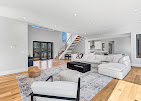
Do not bury the tour three scrolls down with no cue. Add a visual hint in the hero area that invites interaction. Tasteful copy like “Explore the full 360 tour” with a clear button can lift clicks without clutter.
For sitewide strategy, create a content hub that explains your process: real estate photography approach, HDR photography techniques, how you integrate real estate aerial photography, and the value of real estate virtual staging for vacant homes. Link from that hub to live examples. The authority of your informational content helps your listing pages, and it positions you as a real estate photographer or marketing-forward agent who understands the medium.
Compliance pitfalls that trigger fines
Three patterns cause most MLS violations. The first is branded content inside the unbranded tour. This includes watermark logos, agent names in text overlays, and “contact us” links. The second is external links inside the unbranded viewer, such as a navigation item that leads to your site or Instagram. The third is cross-promoting other listings within the tour. The MLS wants the tour to function as a single-property presentation.
Another sneaky one: third-party cookies and tracking scripts. Some MLSs frown on retargeting pixels firing inside the unbranded tour, even if they are technically invisible. If your platform lets you toggle marketing tags, disable them for the unbranded version.
Finally, avoid auto-playing audio. Even if not explicitly banned, it triggers user complaints. Compliance teams move faster on complaints than on crawlers.
Integrating tours with photos, video, and floor plans
The best results come when the 360 tour is not an island. On your property page, feature the top three assets together: a photo gallery for quick skimming, the tour for exploration, and either a short real estate video or a drone clip for context. The order depends on the property. If the lot or setting sells the home, lead with real estate aerial photography or a cinematic 20 to 30 second clip. If the interior layout is the draw, let the tour take center stage and support it with an easy toggle to the image gallery.
For virtual staging, consider dual nodes. One node shows the room vacant. The next shows the staged version. Label them clearly, such as “Living Room - Vacant” and “Living Room - Virtually Staged.” Avoid morphing overlays that fade furniture in and out inside the same node, which can confuse buyers and look gimmicky. Provide a note in the tour sidebar that indicates which rooms include real estate virtual staging. That solves disclosure and gives buyers the choice to view with or without furniture.
When you publish a new listing, track how visitors move between these assets. A simple event map in analytics can show which element triggers lead forms. In my experience, the 360 tour drives high-intent inquiries when it includes a clear route to the primary suite and backyard. The photo gallery drives casual shares, which can still help velocity. Video helps capture those who will not interact with a tour but will watch a quick story, especially if it includes aerial context.
Monitoring, maintenance, and when to update
Once the listing goes live, your work is not done. Tours can break when providers update code or when site templates change. Check the embed weekly for the first month, then biweekly until the home goes pending. On updates to the property itself, such as a new backsplash or landscaping, decide if the change is material enough to reshoot a room or add a new node. If showings repeatedly bring up the same confusion, for example “Where is the pantry?”, add a label or hotspot to clarify.
When the listing closes, archive the branded tour on your portfolio and deactivate the MLS version if your rules require it. Some MLSs expect all branding-free versions to disappear after close. Keep your marketing version active on your site if you have seller permission. It becomes a case study, especially if you can pair it with before-and-after staging or a floor plan overlay.
Costs, timelines, and realistic expectations
A basic 360 tour on a smaller property can be captured and delivered within 24 to 48 hours, depending on schedule. Adding real estate floor plans, advanced labeling, and drone flyovers adds a day or two. Costs vary widely by market, but a package that includes HDR photography, a 360 tour with a floor plan overlay, and a short real estate video often lands in the mid hundreds to low four figures. The return is not theoretical. Listings with high-quality interactive media tend to get more time-on-page, more saves, and more showing requests. On cookie-cutter properties, the lift might be modest. On unique floor plans or high-ticket homes, the difference can be dramatic.
Expect diminishing returns if you overload a tour. More nodes are not better past a certain point. Aim for clarity. Give buyers the ability to answer their key questions quickly, then let them dig deeper if they wish. Measure performance, iterate, and be willing to cut features that do not move the needle.
A short, practical checklist for embedding well
- Confirm MLS rules for unbranded links, allowed domains, and autoplay settings. Produce two versions of the tour: MLS-safe unbranded and marketing-branded. Optimize export settings and enable multi-resolution tiles with CDN delivery. Embed responsively, lazy-load below the fold, and test on midrange mobile. Pair the tour with floor plans, photos, and a short video, then track interactions.
Edge cases, and how to handle them
Rural properties and land listings often https://www.youtube.com/@PinpointPhotographyNY benefit more from aerial context than interior nodes. In those cases, build a hybrid: a 360 aerial orbit or pano from 200 to 300 feet, then a ground-level 360 at the homesite, and a simple map overlay with parcel lines. Keep file sizes modest. Buyers want placement and access data more than interior detail.
Tenant-occupied homes can create privacy questions. Blur family photos and remove mail or calendars from view. If that is not feasible, restrict the tour to common spaces and note that private rooms are available by appointment. Some jurisdictions have additional rules around capturing occupied spaces. Get written permission and stick to it.
Historic homes with tight stairs and odd angles can make navigation tricky. Favor doorway nodes that preserve sightlines, and lean on an annotated floor plan to orient buyers. Lighting can be uneven. Bracket more exposures in challenging rooms, and take a little extra time on color balance so wood tones do not drift.
Ultra-modern homes with glass walls and bright exteriors need careful HDR work to avoid lifeless interiors. Keep window detail without turning the scene gray. If there is a view, consider a separate real estate video shot that showcases it, then link to that clip from a hotspot in the living room. The division of labor helps the 360 stay crisp and the view still gets its moment.
Working smoothly with your real estate photographer
Process beats heroics. Share your MLS rules, brand requirements, and preferred platform with your real estate photographer before the shoot. Give a rough node map if you already know the rooms that sell the home. On big properties, schedule enough time. A photographer who rushes a 360 capture will leave you with stitch errors and inconsistent heights that make buyers a little seasick.
Ask for delivery in two passes. First, a quick proof tour to check scene order, labels, and floor plan alignment. Second, the final polished tour with export settings tuned for your site. If you need variations for the MLS and for your marketing pages, define that upfront. Most pros can deliver both links without much extra work, and the coordination saves you time.
Finally, keep a shared folder with past tours, floor plans, and deliverables. When you list a similar home, you will have a reference for layout and labeling that worked.
Where this all goes next
Three directions are already visible. First, tighter integration among media formats. Tours will continue to blend photos, floor plans, and video in a single interface. Second, better measurement. Expect platforms to surface room-level engagement and furnish-level interest so you can tailor staging and marketing. Third, faster performance on mobile, driven by smarter tiling, compression, and edge delivery. None of this changes the fundamentals: high-quality capture, clear navigation, compliance, and an embed that does not slow the page.
Adopt the habits that compound. Choose a dependable platform, keep an unbranded workflow for the MLS, embed responsibly on your site, and tie the tour to real estate floor plans, real estate video, and real estate aerial photography when they add clarity. Buyers feel the difference. Sellers see it in the feedback and timeline. And you, whether agent or real estate photographer, build a repeatable system that scales from a one-bedroom condo to an estate on five acres.