
The CGDI CG100X Programmer is equipped with an integrated CAN driver, making the activation of Volkswagen MQB D70F35xx dashboards via the 12V (ON) function a seamless process.
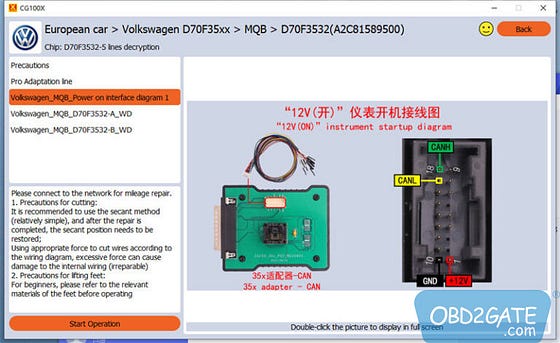
Supported Varieties of MQB Dashboards:
This procedure supports various dashboard models, including D70F3524+95320, D70F3525 (A2C81589600), D70F3525+95320, D70F3526 (A2C81589700), D70F3526+95320, D70F3529 (A2C84582900), and D70F3532 (A2C81589500).
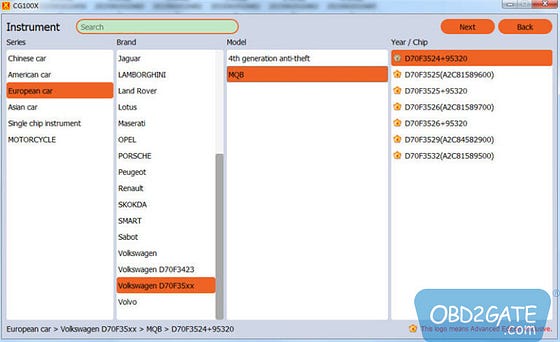
Instructions for Operation:
To proceed with this process, you will need the following devices and accessories:
- Main unit of CG100X programmer
- 35X-CAN Adapter
- CAN Cable
- Volkswagen MQB D70F35xx dashboard
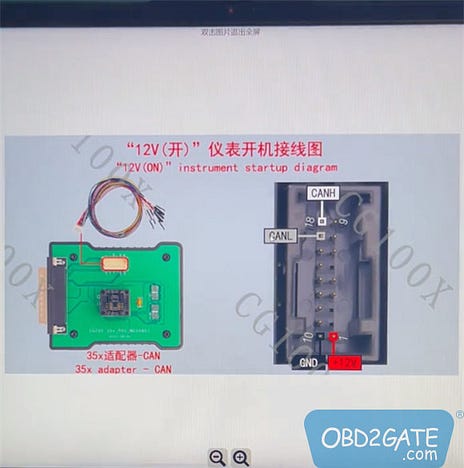
Follow the interface diagram to power on the Volkswagen MQB:
For dashboard types D70F3525 (A2C81589600), D70F3526 (A2C81589700), D70F3529 (A2C84582900), and D70F3532 (A2C81589500), refer to the provided connection diagram.
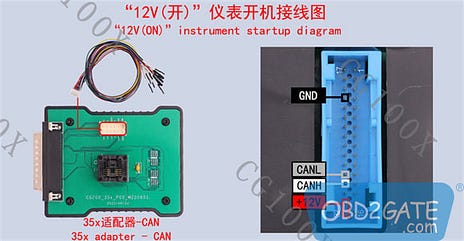
For dashboard types D70F3524+95320, D70F3525+95320, and D70F3526+95320, use the provided connection diagram.
Proceed as outlined below:
Insert the CAN cable into the appropriate slot on the MQB dashboard.
Connect the CAN cable and the 35X-CAN Adapter, and then link them to the CGDI CG100X device.
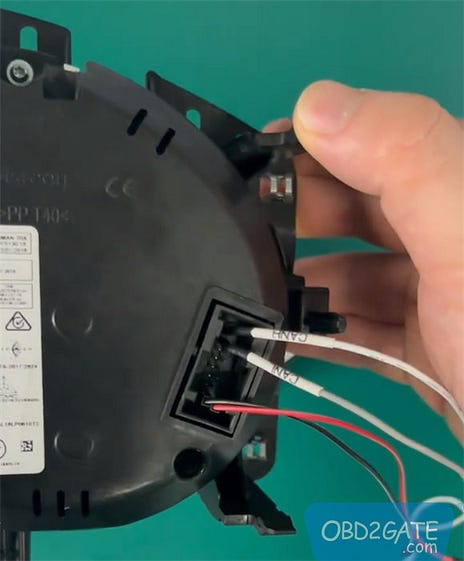
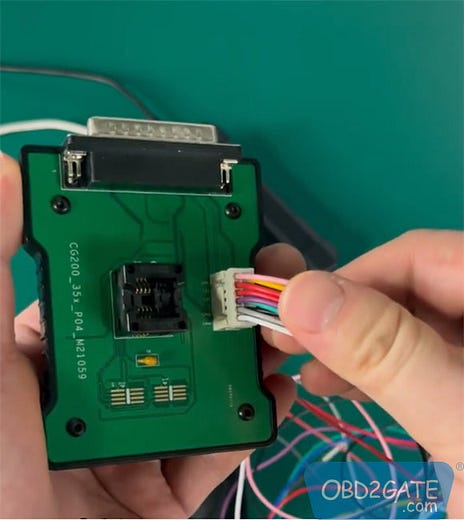
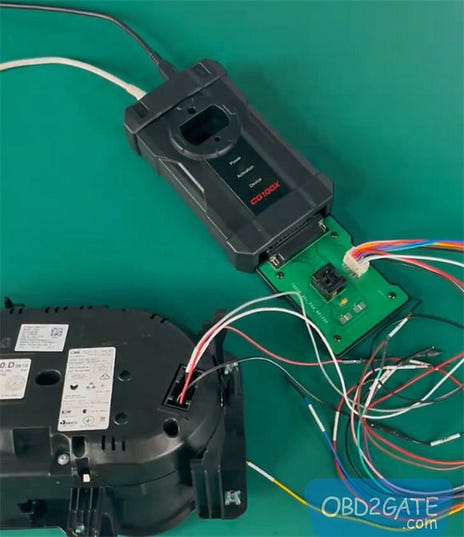
Open the CG100X software (We recommend using CG100X version V1.1.6.0 or V1.1.7.0).
Navigate to Dashboard >> European car >> Volkswagen D70F35xx >> MQB >> the relevant supported dashboard type.
Click on the “Start operation” button.
CGDI CG100X price on OBD2gate.com:
https://www.obd2gate.com/products/cgdi-cg100x-programmer.html