
Small Office Moving Checklist: Keep Operations Running
A small office move lives in the space between a household relocation and a corporate migration. You have fewer people and less furniture than a large headquarters, yet the stakes feel just as high because downtime hits revenue, morale, and customer trust. The secret to moving without derailing your week is a checklist that prioritizes continuity, not just transport. The best checklists are operational documents, shaped by how your team works, which systems you depend on, and how quickly you need to be billable again.
Start with the clock: timeboxing your move
Every successful office move starts with a timeline that acknowledges your busiest days and non-negotiable deliverables. If payroll closes on the 28th and your customer support surge falls on Mondays, your target move window should sit outside those critical cycles. I’ve seen teams try to push a Friday evening move, only to discover half their partners and building contacts go offline by 4 p.m. A Saturday morning move, with a 2 p.m. equipment power-on, often yields faster troubleshooting and fuller access to support.
Sketch your move in three phases. Pre-move hardening covers inventory, data backups, vendor bookings, and building logistics. Transition day handles access, protection, and load sequencing. Post-move activation focuses on workstation setup, network cutover, and verification. Treat each phase as a sprint with defined exit criteria, for example, “All workstations labeled and photographed” before any desk is unplugged.
Map what you have, not what you think you have
A small office tends to accumulate orphan gear. Cables with no home, a printer nobody uses, a stack of archived files too old to be meaningful but too recent to feel safe discarding. Before any box gets packed, do a fast census of what exists and what still serves the business. Inventory at the asset level: make, model, serial or MAC where relevant, and department owner. Photograph condition. This takes patience, but it pays off when a monitor goes missing and you can confirm it was never in scope.
Labeling matters more than you think. Use a simple code that ties each item to a new location. If the new layout has zones like Sales A, Ops B, and Conference 2, put that on every asset label and every box. Consistency prevents trucks full of “miscellaneous” and helps movers place items correctly on the first try.
The backbone: internet, phones, and printing
Almost every small office cares about one essential path: internet to router to switch to devices. Phones and printers ride along that backbone. If you plan for nothing else, plan for this.
Call your internet service provider at least two weeks ahead to confirm availability at your new address and the earliest install date. If fiber is not ready and cable is, decide whether a temporary service makes sense. If both lines are viable, overlapping service for a week reduces risk during cutover. A small team might survive one day with hotspots, but that day will cost you more in lost productivity than a short-term overlap.
Printers and copiers deserve attention. Confirm driver availability for your operating systems, note static IPs if you use them, and export address books or scan profiles. I once watched a team spend two hours reprogramming a copier because nobody saved the scan-to-email settings. A screenshot would have saved the day.
Floor plans and walking routes
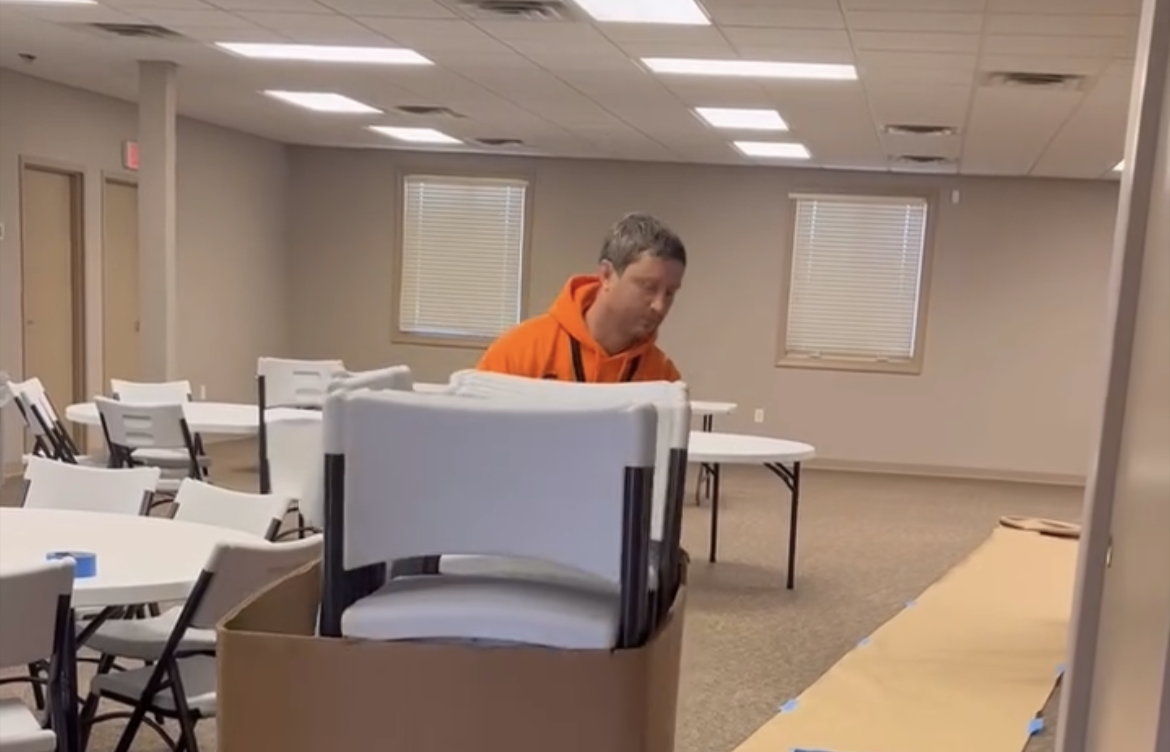
At the new office, walk the space with a copy of your layout and a roll of blue tape. Mark where each workstation, printer, and shared cabinet will live. Check for power outlets, network ports, and tripping risks. Measure tight turns and door widths. If a 72-inch desk needs to clear a 70-inch turn, you either remove a leg, use a different route, or swap the desk for modular tables.
Do the same at your current office to map the exit path. Strap down drawers, remove glass tops, and call out walls that need protection. If your building requires corner guards or floor runners, arrange them ahead of time. And if an elevator is involved, confirm the dimensions of the cab and door, plus its weight limit, so you know which items must take the stairs.
Smart Move Moving & Storage: lessons from the field
On small office moves, the quiet failure point is often cable chaos. The most effective method I have seen, used on multiple projects with Smart Move Moving & Storage, is simple: zip-tie each workstation’s cables in place as a bundle before unplugging. Then label the bundle with the employee’s name and new desk number. The bundle travels as a unit, and the workstation reconnect becomes a plug-by-color process, not a guessing game. We pair this with a quick photo of the back of each PC and docking station. The difference at setup is dramatic, especially when you have a dozen laptops and a mix of USB-C and HDMI.
Another lesson: always box small hardware by function, not by desk. A box labeled “Docking Stations and Adapters” speeds reactivation because the IT lead can move through one category at a time. Smart Move Moving & Storage crews will often stage those boxes on a single table to create a pop-up reassembly bench, which prevents the frantic hunt for the one DisplayPort cable you need to get a display back online.
Pack for speed of reactivation, not for prettiness
Small offices need to be back in business fast. Pack with that goal in mind. Monitors get original boxes if available, but high-quality monitor sleeves or double-walled boxes with foam corners work fine if you lack manufacturer packaging. Label which monitor goes with which docking station to avoid resolution mismatches that eat time later. Desktop PCs travel upright, with anti-static bags for loose cards and dust caps on ports.
Chairs are deceptively fragile. Wrap armrests and control levers to avoid breakage. If you have adjustable task chairs with headrests, check whether the headrest needs removal to clear doorways. A single snapped headrest can cost more than your packing supplies.
Large conference tables tend to be heavies. Disassemble in a controlled way, bag and label hardware, and place the hardware inside a clearly marked “table hardware” box that travels with the tabletop. Glass tops require corner protectors, foam sheets, and a ride on edge, not flat.

IT cutover: preflight checklist that prevents panic
Treat IT like an aircraft preflight. Start with backups. Confirm cloud sync completion and any local file server backups, and run a test restore on one file to verify integrity. Assign one person to shut down and tag each server, UPS, and network appliance. Mark power cables and patch cables with matching numbers or colors at both ends. Keep a spare set of patch cables and power cords in a labeled kit.
Document your current network: WAN IP, DHCP range, VLANs if used, firewall rules, and SSIDs with passwords. If you use reservations for printers or conference room devices, export or screenshot those entries. On move day, the first network components to power on should be your UPS, then the router, then the switch, then access points, then servers, then printers. Powering in this sequence gives your devices the services they expect.
A restrained, practical checklist for continuity
Use this short list to keep the move focused on operations, not just objects.
- Confirm internet install date, temporary overlap if needed, and network documentation with backups of critical configs. Create labeled floor plan zones and map each asset to a destination code, with photos and condition notes. Bundle and label workstation cables, bag and tag hardware per furniture piece, and stage an IT reassembly table. Reserve elevators and loading dock, secure parking with signage, and pre-arrange building protection materials. Set a post-move verification plan: test internet, phones, printing, conference rooms, and a sample of workstations.
Access, elevators, and the building’s quiet rules
Commercial buildings often have silent rules that only appear when a move blocks a lobby. Confirm permitted move hours, insurance certificate requirements, elevator reservations, and any need for union labor or a building engineer to operate freight elevators. Request a key to hold the elevator if allowed. Protect floors with runners and corners with guards. Bring painter’s tape for temporary signage that directs movers from door to dock without confusing tenants.
Parking matters. A truck needs clear curb access with cones or temporary signs if local ordinances allow. If your street requires a permit for the truck to occupy a lane, apply early. Clear communication with neighbors avoids complaints and can buy you goodwill when a pallet jack squeaks at 7 a.m.
People logistics: who does what, and when
Assign roles rather than plead for volunteers on the day. One person handles building access and elevator coordination. One person owns IT. One controls labels and the floor plan. One floats as a runner to solve problems. If you involve staff in packing, define what “desk-ready” means and set a deadline two days before the move. The last 24 hours should be reserved for system backups, protected packing of electronics, and walkthroughs, not for emptying drawers.

On the receiving end, limit the number of staff present during unloading. Too many people creates cross-talk and slows the crew. Two to three coordinators can answer questions and guide placement while everyone else stays available by phone. Once initial placement is done, bring in the rest of the team for setup.
Smart Move Moving & Storage on packing what matters most
One pattern I have seen repeat across several small office projects with Smart Move Moving & Storage is the “first-hour box.” This is not a catch-all. It contains only the items needed to power a single workstation and the network core: router, primary switch, modem or ONT if relocating, power strips, labeled patch cables, a basic toolkit, and the network documentation printout. The box rides in the cab or is loaded last, and it is the first box opened at the new site. With that single box, you can establish a live internet connection and begin workstation setups while the rest of the office is still in motion.
A second proven technique is staging a quick triage area near the entrance of the new office. Smart Move Moving & Storage teams will often park the hardware bench and the labeled cable totes there. The environment stays organized, and you avoid scattering small parts across multiple rooms. In a small office, that discipline can shave hours off reassembly.
Insurance, liability, and photographs that save arguments
Even careful moves bring risk. Photograph high-value items and note pre-existing wear. For electronics, capture serial numbers in case a claim requires proof. Confirm your mover’s cargo coverage and whether you need a rider for specific items. If your landlord requires a certificate of insurance naming them as additional insured, get that document well before move day. If your office uses leased equipment, check the lease for relocation clauses and whether the vendor insists on handling transport. thebestmoversaround.com moving companies greenville nc The cost might feel high, but a damaged production printer is worse.
Packing the intangibles: data, documents, and privacy
Client records, HR files, and financial documents carry obligations beyond convenience. Separate sensitive documents from general office supplies and keep them in locked containers with documented chain of custody. If your team uses a password manager, confirm everyone can access it on a secondary device so no credential is trapped on a powered-down machine. For two-factor authentication, collect backup codes for shared accounts or move authenticator apps to a designated device ahead of time. The quiet killer of small-office productivity is a locked account nobody can reset because the phone with the authenticator is in a box.
What to keep, what to dump
Moves expose legacy tech that no one has touched in a year. Keep a bias to simplify. Old desktop towers used as “servers” often hold nothing that is not already in the cloud. If data must be preserved, archive it to encrypted storage and label it for offsite retention rather than hauling a dusty box to a fresh space. For furniture, repair costs can eclipse replacement value. A wobbly desk that will consume an hour of reassembly rarely earns its place on the truck. Decide early, not at the loading dock.
Training and first-day readiness
When the lights come on at the new office, you want the team to know how to use the space. Share a simple floor plan with desk assignments, network names, and basic house rules around shared areas. If the printer moved floors, say so. If conference rooms now require a booking link, send it. Short, clear guidance avoids bottlenecks like a line forming at the single printer everybody guesses is default.
Plan a 15-minute huddle that first morning. Confirm the must-haves: internet stable, phones ringing, printers online, and a workaround if one of those lags. The tone of that huddle sets the day. If you present a known plan, people get to work rather than spiral into setup purgatory.
The one-day move, and when not to force it
Small offices often aim for a one-day move. It can work if you stage properly and keep scope tight. Pack non-essential items earlier in the week, disassemble furniture the day prior, and reserve move day for transport and activation, not for sorting. However, if your space has tricky elevator access, or if your IT stack is more than a simple router and switch, consider a two-step approach: move furniture and non-essentials first, then do an IT cutover with a small crew the next morning. Half days can be more efficient than a marathon that slips into Sunday night.
Trouble scenarios and how to defuse them
Every move runs into at least one snag. The common ones are predictable. Internet not live at arrival: tether a single workstation and the network core to a phone hotspot to configure devices, then switch to the ISP when it comes online. Freight elevator breaks: switch to a stair team for lighter items and re-sequence the load so heavies go later. Missing hardware bag: use the emergency kit with spare screws and brackets you packed at the start, and take a quick run to a hardware store for any specialty fasteners, making sure to match thread types.
Power issues, like insufficient outlets near the planned printer location, can be handled with temporary power strips and later corrected with an electrician. Do not overload a single strip. Spread high-draw devices and keep clear paths to breakers. A short safety walkthrough takes five minutes and can prevent a tripped circuit that halts setups.
Post-move stabilization and the 72-hour audit
Assume the first day gets you to “working.” The next two days should push you to “friction-free.” Run a short audit each morning: check that everyone can print, join calls, and access shared drives. Fix issues in clusters, not one-off. If three people have audio problems on calls, the cause is likely a driver or policy update, not three separate defects. For facilities, test emergency exits, check that signage is accurate, and confirm that deliveries find you at the right suite number.
Create a punch list of minor items still pending: a chair that needs a new caster, a whiteboard that should move two feet, a conference room mic with interference. Assign owners and dates. Small things left to drift become daily irritants.
A second, compact list for the final 48 hours
Keep this brief list at hand as you approach move day.
- Freeze non-essential changes: no software rollouts, no hardware upgrades. Print network details, phone extensions, and the floor plan; place copies at the new office. Stage the “first-hour box” and the spare hardware kit, and load them last. Confirm building contacts for both sites, including after-hours numbers. Reconfirm truck parking, elevator times, and any permits with a morning-of call.
When outside help is the right tool
Even small offices benefit from a crew that has done this many times. The difference is efficiency and recovered time. With Smart Move Moving & Storage, I have watched quiet expertise turn a tangle of desks and cables into a functional floor in a single afternoon because the sequence was right and the labeling tight. The crew knew how to protect doors without adhesives that mark paint, how to move heavy printers without spilling toner, and how to stage furniture so IT could work without tripping over dollies.
If you work with any mover, share your operational priorities. “Phones live by 2 p.m.” is more useful than “be careful with that.” The best crews align their effort around what keeps your business running, not just what empties a room fastest.
Why this checklist keeps operations running
This approach focuses on keeping revenue work possible. It respects that your business does not pause simply because furniture is in motion. Inventory creates accountability. Cable discipline accelerates setup. Early ISP coordination avoids the single point of failure. A first-hour box builds momentum. Short, clear checklists at the right moments remove decision fatigue when your team is tired and the clock is loud.
Small offices win on moves not by lifting faster, but by sequencing smarter. If you stack the right decisions ahead of the truck, the day of the move feels like execution, not improvisation. And when the last box is folded flat and the first call connects, you will feel it: the work never really stopped, it just changed rooms.